

ActiveCampaign pop-up forms for WordPress
Put ActiveCampaign forms on your WordPress site as pop-ups, scroll boxes or forms inside your content. Every submission can tag the contact, start an automation or open a deal.
Add ActiveCampaign forms to WordPress in six steps
You need your ActiveCampaign API URL and key, which you can copy from Settings, Developer in ActiveCampaign.
- 1Install the Convertful plugin
In WordPress, open Plugins, Add New, search for Convertful, then install and activate the free plugin.
- 2Connect your site
On the plugin page, click Connect to Convertful and then Approve. You can create a Convertful account on the same screen if you need one.
- 3Connect ActiveCampaign
In Convertful, open Integrations, add ActiveCampaign and paste the API URL and key.
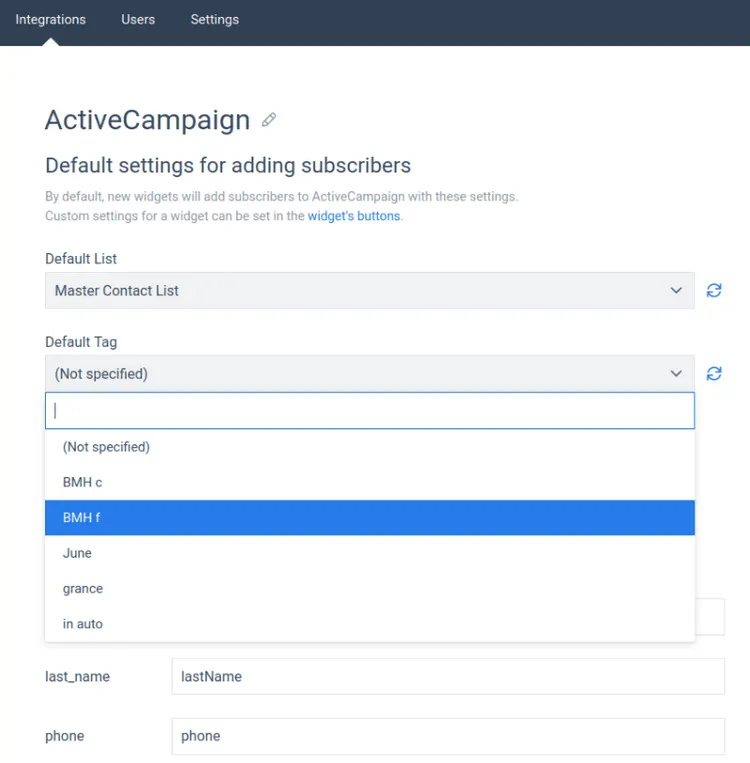
- 4Set the default list and tag
Pick the list and tag every new contact gets, and check the field matches against Lists, Manage Fields in ActiveCampaign.
- 5Choose what each form does
On the submit button, add the actions you need: tags, lists, an automation, a deal or a note.
- 6Choose the pages and publish
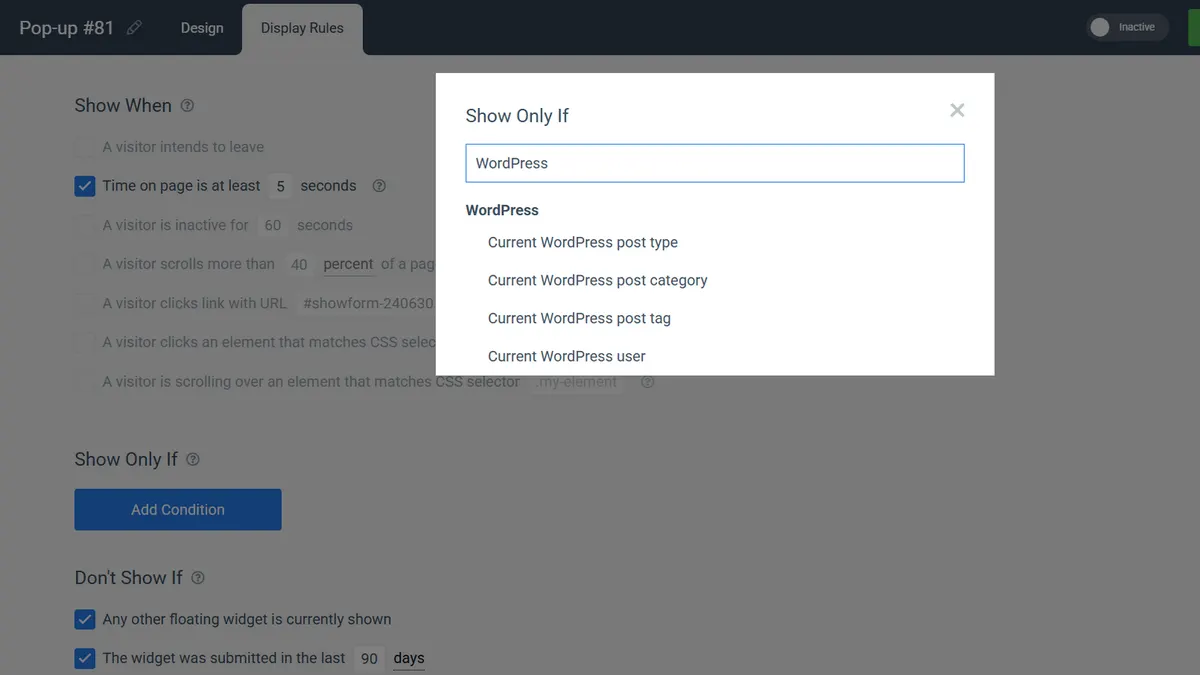
Use WordPress rules to show the form by post category, tag, post type or logged-in user. Save and activate.
Lead forms that fill your pipeline
Ask for what your sales team needs, from company name to budget, and send every answer to the ActiveCampaign field you choose. A consultation form can create a deal and add a note with the request.
Form fields are unlimited on every plan.
Pop-ups that know your contacts
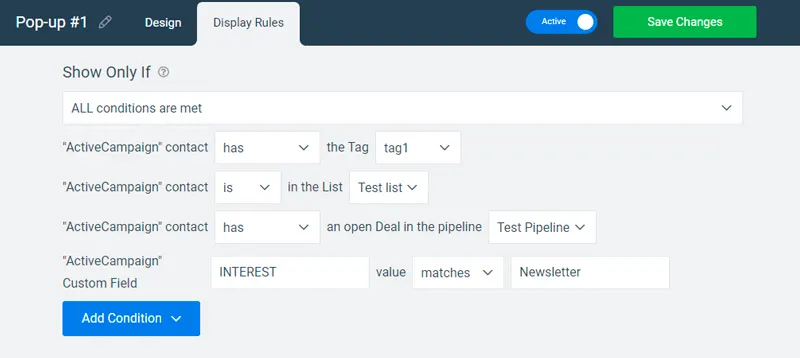
On Growth and above, a widget can check ActiveCampaign before it shows. Offer the free guide only to people without the guide tag, or a call booking only to contacts with an open deal.
- Logged-in members. WordPress rules can show a different form to logged-in users.
- Visitors from your emails. Add
?conv_email=%EMAIL%to campaign links so Convertful knows who clicked.
ActiveCampaign forms for WordPress sites
ActiveCampaign and WordPress questions
Can a WordPress form add contacts to an automation?
Yes. Add Add contact to automation to the submit button and pick the automation. The contact enters it the moment they submit.
Can a form create a deal in ActiveCampaign?
Yes. Make a deal with contact creates the deal, and Set current deal stage puts it at the right stage of your pipeline.
Do my ActiveCampaign custom fields carry over?
Yes. Convertful matches each form field to the closest ActiveCampaign field, and you can change any match in the integration settings. The ActiveCampaign setup docs show where.
Can I show a different form to logged-in users?
Yes. The WordPress user rule shows or hides a widget for logged-in visitors, so members can see a different offer from new readers.
More on ActiveCampaign and WordPress
Other WordPress setup guides
Put your first ActiveCampaign form on WordPress
Install the free plugin, add your API key and pick a template.