

Show each shopper how much more to add for free shipping
Type one shortcode into a floating bar and every shopper sees how far they are from free shipping. Set your threshold once, and the number changes as the cart does.
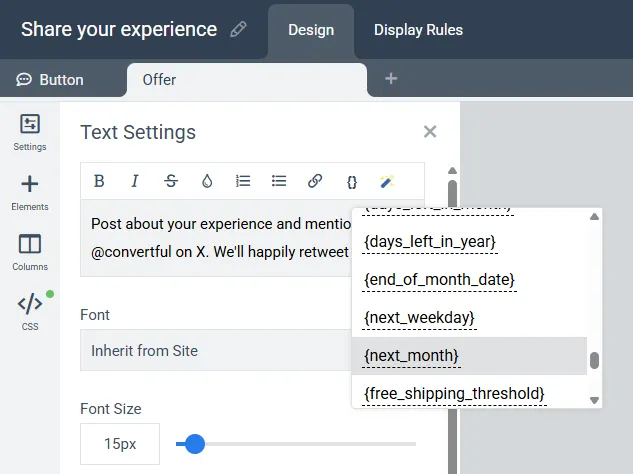
One shortcode does the arithmetic
Write the bar text the way you would say it: 'Add {free_shipping_threshold} more for free shipping'. Convertful subtracts the cart total from the threshold you set and shows the difference. Combine it with a cart value display rule to show the bar only while the cart is under the threshold.
- Your threshold. Set it to match your store's shipping rule.
- Any widget. Works in floating bars, pop-ups, scroll boxes and inline widgets.
- Cart data required. A connected Shopify or WooCommerce store, or your cart connected through the Convertful Cart Integration API.
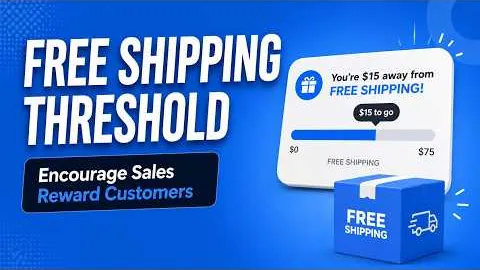 Free shipping threshold tutorial
Built on the floating bar
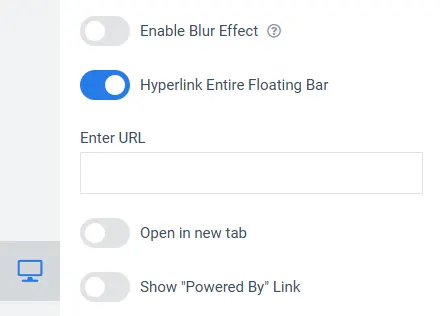
The bar sits at the top or bottom of every page without covering anything. Make the whole bar a link to your collection page, or add a countdown for an order-by deadline.
- Top or bottom. Desktop and mobile versions, prepared automatically.
- Countdown timer. For order-by deadlines, including an evergreen deadline per visitor.
Cart rules and shortcodes to go with it
Once your store is connected, the bar can react to what is in the cart. On Shopify these rules are part of the one-time $10 premium features.
{cart_total}
Show the live cart value in the bar text.
Cart value rule
Show the bar only when the cart is below or above an amount.
Product in cart
Show a different message when a specific product is in the cart.
What store owners say about Convertful
“54 conversions in less than 24 hours! Thank you Convertful”

“Been using Convertful for over a year and it is the best popup marketing software available anywhere”

“It has some great logic options to optimize when, where, and how it appears on your website”

Guides on floating bars and carts
The update that introduced the threshold, a guide to floating bars, and how to reduce cart abandonment.

Convertful Spring 2026 Update

A Guide To Convertful Floating Bars
Do you use Floating Bars on your website? If you don't do it yet, you'll find a few reasons to put these into practice.

How To Fix Your Cart Abandonment Issue
How To Fix Your Cart Abandonment Issue, the average cart abandonment rate is close to 75% and it's awful.
Questions about the free shipping bar
Does the free shipping bar need Shopify?
It needs cart data. Connect through the Shopify app, through the WordPress plugin if you run WooCommerce, or connect any other cart with the Convertful Cart Integration API.
What does it cost on Shopify?
The Convertful Shopify app is free to install. Shopify premium features, which include the cart and customer display rules, automatic discount codes and add-to-cart actions, are a one-time $10 payment. The payment covers as many sites as your Convertful account allows.
Which plan do I need?
Floating bars and dynamic text replacements are included on every plan. Plans differ by monthly pageviews and number of sites, and every plan starts with a free 14-day trial.
What happens once the cart passes the threshold?
With a cart value display rule, the bar stops showing once the cart is over the amount you set. Without the rule, you can change the message instead, for example to confirm that shipping is free.
Add a free shipping bar to your store
Floating bars and shortcodes are included on every plan.