

On-site surveys and polls that tag each visitor by their answer
Ask a question in a pop-up, scroll box or floating widget. Each answer is saved as a tag or field in your email tool, so every group gets the offer that fits.
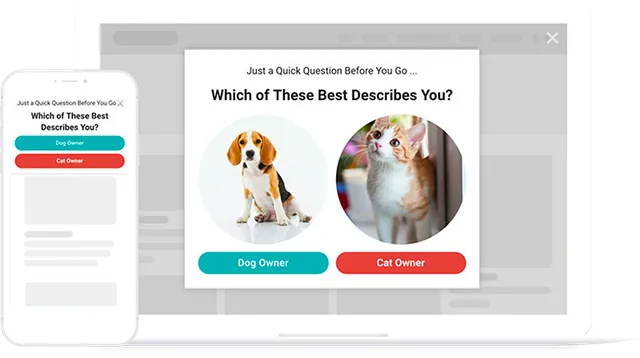
Ask, tag, and show a matching offer next time
Ask a question, tag the answer in your email tool, and show that visitor a matching offer next time they come back.
- Online stores. Segment shoppers by need and show each segment a matching offer.
- Blogs and media sites. Ask readers what to write next with a one-click poll.
- SaaS teams. Qualify leads with a short quiz before the demo form.
- Any site. Collect a star or emoji rating from visitors as they leave.
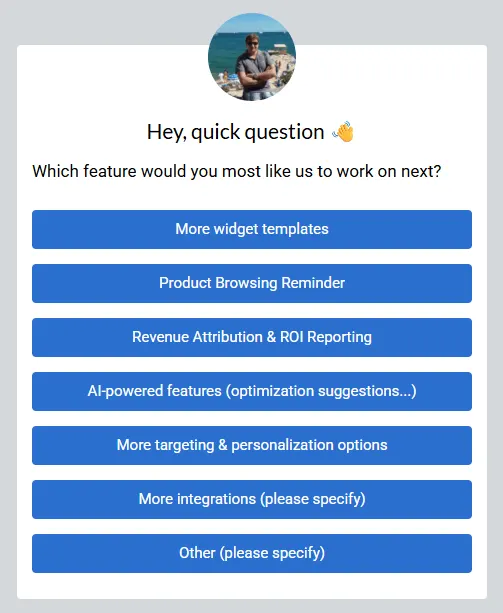
Four question formats in one builder
Survey widgets
Multi-step sequences of questions with buttons, radio buttons, drop-downs or text fields, and a different result screen per answer. Starter and above.
Polls
One-click answer buttons with a running total per answer, plus nine ready-made poll templates. Every plan.
Rating surveys
A rating field shown as stars or emoji, with your own wording and scale. Every plan.
Quizzes
A sequence of screens that shows a different result per answer, with visitors tagged by what they chose. Starter and above.
Answers saved to your CRM
Send each answer as a tag or custom field to HubSpot, ActiveCampaign, Klaviyo, Mailchimp and the other 23 native integrations.
Segment-based offers
Show a follow-up widget only to people with a given CRM tag or field. Growth and above.
Timing you choose
Exit intent for honest feedback, after a delay, at a scroll depth, or on a click.
Surveys without a website
Hosted widgets give you a link to share a survey by email or social post. Starter and above.
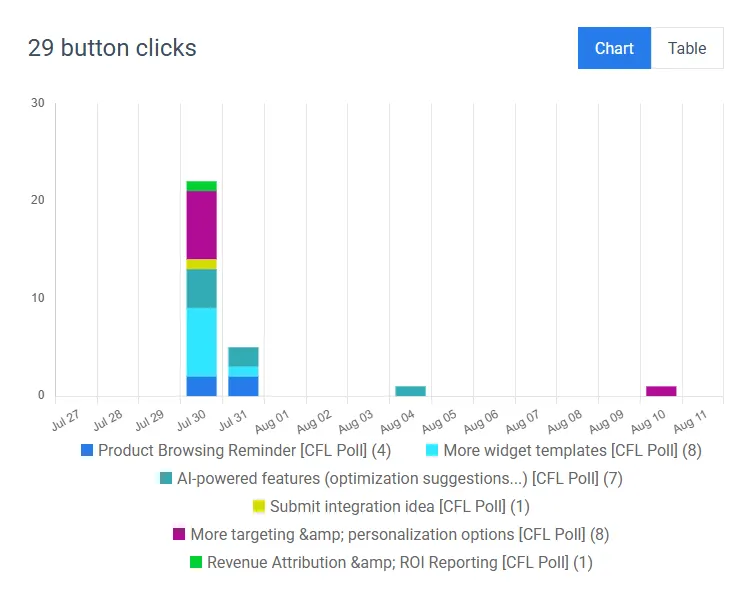
See how many people picked each answer
See how many people picked each answer, by day or in total. Written answers are saved with the visitor’s email.
- Any date range. Compare this week’s answers with last month’s.
- Leaderboard. See which widgets collect the most answers.
Convertful's survey and poll capabilities
Where a feature starts above Solo, the plan is named.
| Capability | Convertful |
|---|---|
| Open text answers | Text field responses stored with the visitor's email in Subscribers. Every plan. |
| Results | Votes per answer by day and in total, plus impressions, conversions and conversion rate per widget. Every plan. |
| CRM mapping | Answers sent as tags and custom fields to 27 native integrations. Every plan. |
| Segment targeting | Show a widget only to visitors with a given tag, list or field in HubSpot, Klaviyo, Mailchimp, ActiveCampaign and six more. Growth and above. |
| Display rules | Exit intent, time on page, scroll, inactivity, click; don't-show-again periods. Every plan. |
| Hosted widgets | Share a survey by link without a website; your own domain with white label on Agency plans. Starter and above. |
| Unlimited responses | Unlimited widgets, leads and form fields on every plan; only shown pageviews are counted. |
Surveys and polls people run
Each one has a template or a guide on the blog.
Segmentation survey on a store
One question sorts shoppers into groups, and each group then sees a matching offer. Our segmentation guide reports about 5.8% of visitors taking part.
One-question poll on a blog
Ask which topic to cover next and plan the month around the answer.
Exit-intent rating survey
Stars or emoji as the visitor leaves, sent to the CRM.
Lead-qualifying quiz
Before a demo request, with the answers as HubSpot contact properties.
Product-preference poll
On a category page, tagging shoppers for a follow-up email.
Hosted survey by link
Shared in a newsletter, no landing page needed.
What customers say about Convertful
“It has some great logic options to optimize when, where, and how it appears on your website”

“Convertful is my favorite list building tool. They have amazing support and they listen to their clients.”

“One of the best widget building and lead generation tools on the market”

“The software has literally everything you need to capture leads”

Guides on surveys, polls and segmentation
How polls work, a step-by-step segmentation survey, and surveys with HubSpot.
Introducing Polls in Convertful: A Simple Way to Collect Visitor Feedback
Discover how to run polls with Convertful, use our new poll templates, collect visitor feedback, and easily view and analyze your results.
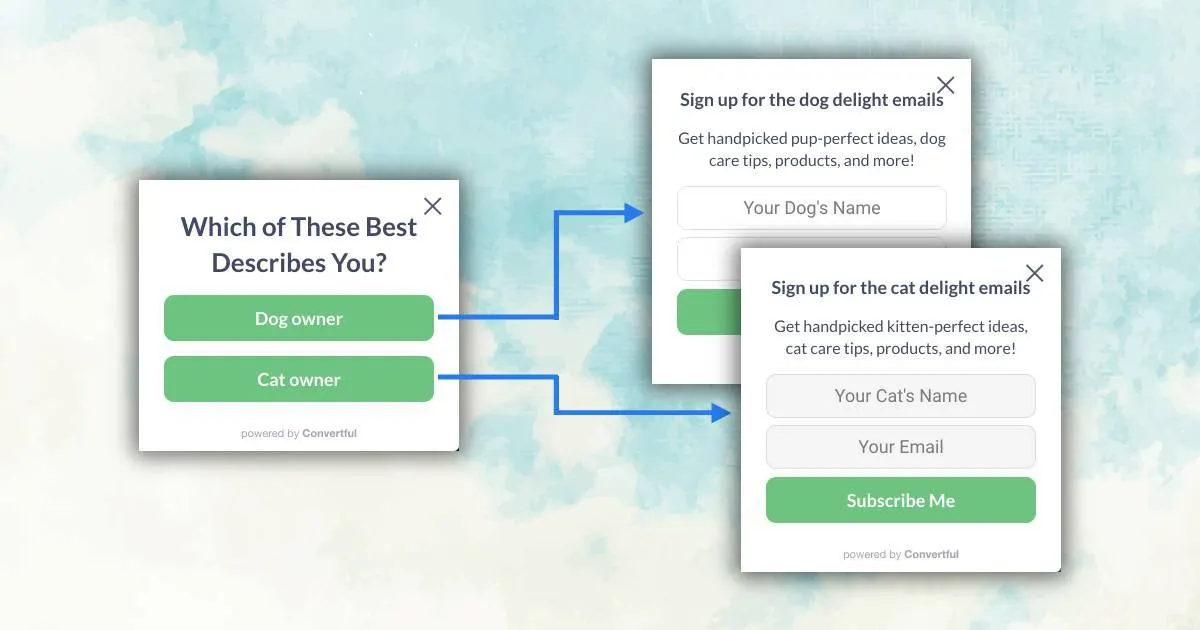
How to Auto-Segment 5.8% of Your eCommerce Visitors
The simple 4-steps guide on how to implement the eCommerce Segmentation Survey to your online store in 20 minutes.
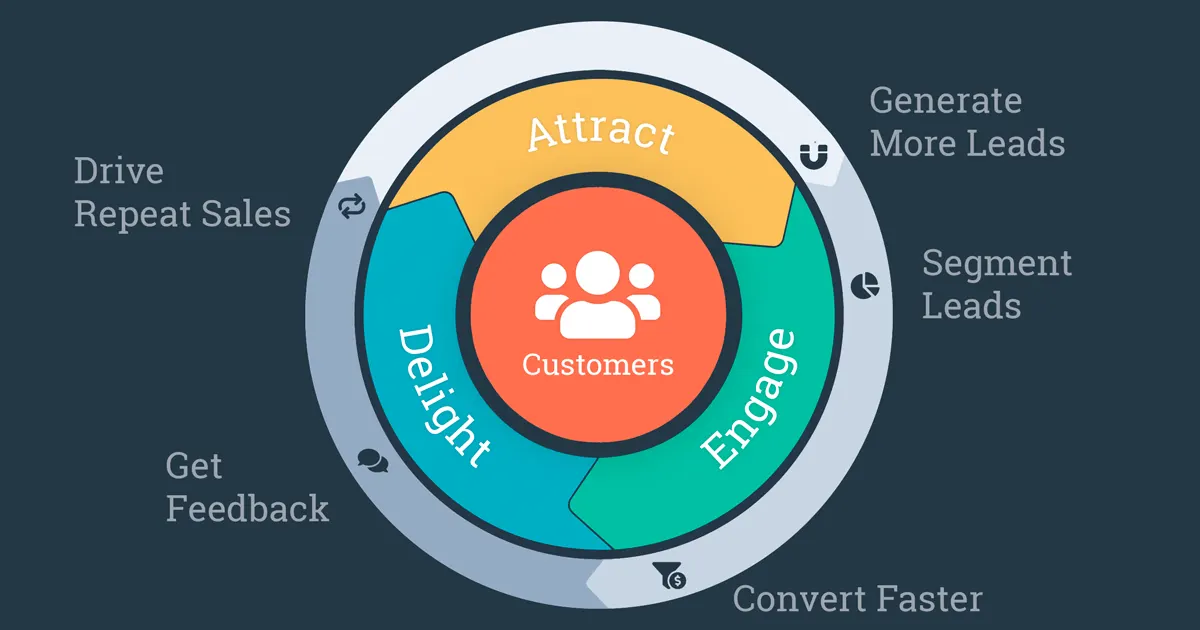
5 Ways to Generate More HubSpot Leads and Sales with Online Surveys
If you want to generate more leads for Hubspot and sales, you should try our online surveys. In this article, we'll explain what are online …
Survey and poll questions
Where do the answers go?
Votes are totalled per answer in the widget’s analytics. Answers can also go to your email tool or CRM as tags and custom fields, and written answers are saved with the visitor’s email.
Do visitors have to give an email to answer?
Not for button polls. For open text answers the visitor must also enter an email so the response can be saved with their contact.
Can I show a different offer depending on the answer?
Yes. Inside a multi-step widget, a button can open a specific screen, so each answer gets its own result. On Growth and above, CRM-tag rules can show a later widget only to visitors with a given tag or field value in HubSpot, ActiveCampaign, Klaviyo, Mailchimp and other supported platforms.
Which plan do I need?
Poll templates, the rating field and button-click results are on every plan. Multi-step survey widgets and quizzes start on Starter, which is $29 a month or $17 a month billed yearly. Every plan has a free 14-day trial.
Is there a limit on responses?
No. Every plan includes unlimited widgets, leads and form fields. Only pageviews where a widget is shown count towards your plan.
Can I run a survey without a website?
Yes. Hosted widgets on Starter and above give you a link you can share by email or social media, with your own domain if you have white label on an Agency plan.
How do I keep a survey polite?
Keep it to one or two questions, show it on exit intent or after the visitor has read for a while, and choose how long before anyone is asked again.
Ask your visitors what they want
Polls and ratings are on every plan; multi-step surveys and quizzes start on Starter at $17 a month billed yearly.