

Best WordPress popup plugins in 2026: The Buyer's Shortlist

We compared 8 WordPress popup plugins on starting price, WordPress.org rating and installs, WooCommerce targeting, where the popups are served from, targeting rules and A/B testing. Convertful is our top pick for WordPress site owners and WooCommerce stores that want pop-ups without running the builder on their own server: its plugin "ONLY works as an integration interface" (WordPress.org), so the builder, templates and widget logic run on Convertful's servers, not inside your WordPress install. Here is the full list of the best WordPress popup plugins in 2026, with pricing, ratings and who each fits best.
Key takeaways
- Convertful starts at $9 a month ($7 a month billed yearly) for 10,000 pageviews on 1 site, and A/B testing begins on Starter at $29 a month ($17 billed yearly). Every plan has a free 14-day trial, cancel any time. The WordPress plugin is only a connector, so the widget builder and rendering logic live on Convertful's servers rather than as files on your host.
- Popup Maker has the largest review base of any option here: 4.9/5 from 4,511 WordPress.org reviews and 700,000+ active installations. The core plugin is free with unlimited popups, but exit intent and scroll triggers need Pro at $99 a year ($59.40 for the first year), and cart-based WooCommerce rules need Pro+ at $249 a year.
- OptinMonster has the deepest WooCommerce rules but gates them hard. Product, category, cart-total and cart-contains targeting need Growth at $67 a month billed annually ($804 for year one), and exit intent needs Pro at $37 a month billed annually. Its Basic plan renews at $210 after a $108 first year, and 133 of its 819 WordPress.org reviews are one-star.
- Hustle's free version has every setting Pro has, capped at 3 popups, 3 slide-ins, 3 share bars and 3 embeds, and is rated 4.4/5 from 859 reviews. Pro is only sold inside a WPMU DEV plan from $50 a year. No A/B testing was found in its docs or listing.
- Two of the eight have no free version and no WordPress.org listing. Thrive Leads costs $99 for the first year and renews at $199, and Bloom is only sold inside an $89 a year Divi membership. Bloom also has no exit-intent trigger at all, the only paid option on this list without one.
What a WordPress popup plugin actually is (and what it is not)
A WordPress popup plugin adds overlays, bars and slide-ins to a WordPress site and decides when each one appears. The job has three parts: a builder for the design, a set of rules for who sees it (page, device, scroll depth, exit intent, cart contents) and a connection to the email or CRM tool that stores the lead. Some are plugins in the strict sense, meaning every file runs on your own server: Popup Maker, Hustle, Popup Builder, Thrive Leads, Icegram Engage and Bloom all work this way. Others, including Convertful and OptinMonster, are hosted services whose WordPress plugin is a connector; Convertful's WordPress.org listing says the plugin "ONLY works as an integration interface".
Who uses one: bloggers growing a newsletter, WooCommerce stores offering a first-order discount or recovering an abandoned cart, publishers running polls or content locks, and agencies managing opt-ins across client sites. Popup Maker alone reports 700,000+ active installations and OptinMonster 1+ million, so this is a mainstream category rather than a niche one.
What it is not: a form plugin. Form plugins build the fields and handle submissions on a page (contact forms, surveys, order forms) but most have no exit-intent, scroll or cart-based display logic. A popup plugin controls when and where a message appears and usually embeds a short form inside it. Nor is it an email marketing tool; the plugins here pass the lead to an email service such as Mailchimp, Klaviyo or ActiveCampaign rather than sending campaigns themselves. Finally, a popup plugin is not a page builder, even though Bloom and Thrive Leads are sold alongside Divi and Thrive Architect. If you need multi-page forms with payments or file uploads, see our form builder comparison instead.
How we ranked these WordPress popup plugins
- Starting price per month or year (and free version). We took the lowest paid tier from each vendor's pricing page on 16 Oct 2026, noted whether it is billed monthly or yearly, what it renews at and whether a free version or trial exists. It matters because four of the eight (Popup Maker, Hustle, Popup Builder, Icegram Engage) have a usable free plugin, two charge a first-year price that roughly doubles on renewal (OptinMonster $108 to $210, Thrive Leads $99 to $199), and only Convertful, OptinMonster and WPMU DEV's Premium plan offer monthly billing at all.
- WordPress.org rating, active installs and review count. We recorded the star rating, review count, five-star and one-star split and active-install figure from each WordPress.org listing, and added G2 or Capterra figures only where a search-index excerpt confirmed them, because those sites returned HTTP 403 to our fetches. Sample size matters more than a tenth of a star: Popup Maker's 4.9/5 rests on 4,511 reviews, while Convertful's 4.3/5 rests on 6.
- WooCommerce targeting (cart, product, category). We checked vendor docs for rules that read the cart (total, item count, contains a product) and rules that target product and product-category pages, plus the plan each one needs. Store owners need this to show a free-shipping nudge at a cart value or a discount on one category. Only OptinMonster (Growth), Popup Maker (Pro+) and Popup Builder (WooCommerce extension) document cart-value rules.
- Where the popups are served from and page-speed impact. We split the list into self-hosted plugins, whose builder and assets run on your server, and hosted services (Convertful, OptinMonster), whose WordPress plugin is a connector while the widget loads from the vendor's servers. No vendor publishes an independent speed benchmark, so we report what each says: OptinMonster loads its script asynchronously from a Bunny.net CDN, Popup Maker caches one JS and one CSS file and tells users to add conditions so popups do not load on every page, and Hustle added a default 3-second trigger delay for page performance.
- Targeting (exit intent, scroll, post category, visit number). We listed each plugin's triggers and conditions and the plan they sit on, with attention to exit intent (missing from Bloom; paid in Popup Maker, Popup Builder and OptinMonster Pro), post-category rules (a wildcard-URL workaround in Icegram Engage) and a new-versus-returning or visit-count rule (Growth-only in OptinMonster, included in Convertful; Hustle counts how many times a visitor has seen a module instead). Targeting decides whether a popup reads as helpful or as noise.
- A/B testing and analytics. We checked whether split testing exists, which plan includes it and whether analytics are built in. Convertful includes A/B testing from Starter ($29 a month), OptinMonster from Plus ($27 a month billed annually), Icegram Engage on Max ($99 a year), and Thrive Leads and Bloom on every licence. Hustle and Popup Builder have no documented A/B testing, and Popup Maker documents it only in a doc filed under "Pro and Pro+" that names no tier.
The best WordPress popup plugins in 2026
We researched nine plugins and kept the eight where we have at least medium confidence in the numbers. Ninja Popups was dropped: its CodeCanyon item page returns HTTP 410, the author's portfolio lists only add-ons, and Patchstack records an XSS issue affecting versions up to 4.7.8 with no fixed version stated. Prices below are the lowest paid tier as shown on each vendor's pricing page on 16 Oct 2026, with yearly billing noted where that is how the vendor shows it. Ratings come from WordPress.org where the plugin is listed, with G2 or Capterra figures added only where we could confirm them.
1. Convertful, best for WordPress site owners and WooCommerce stores that want pop-ups without running the builder on their own server
Our top pick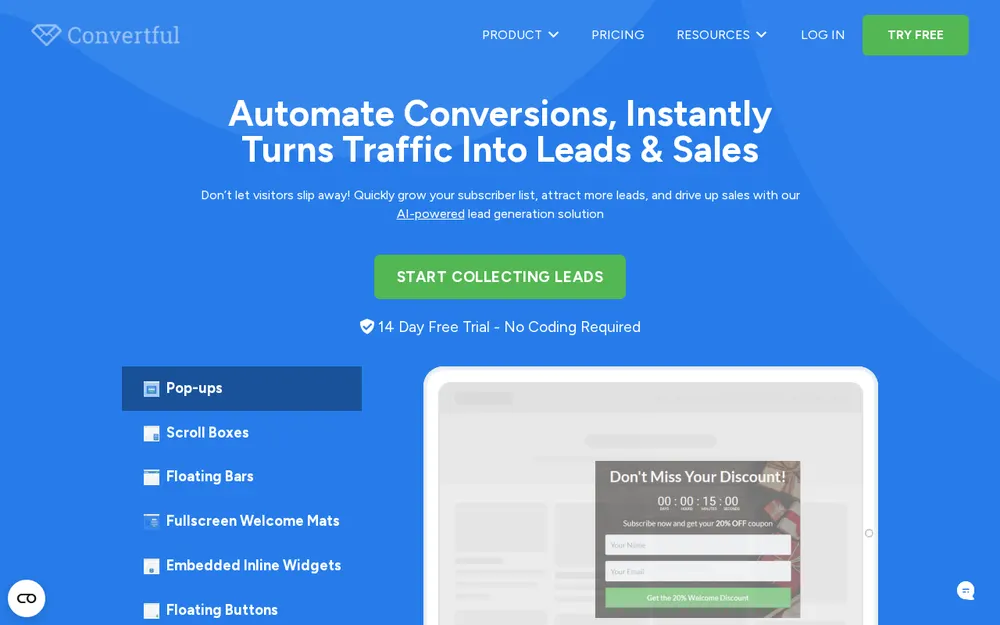
Convertful is a hosted lead-capture service with a free WordPress plugin. The plugin (version 2.8, last updated 27 Aug 2026) "ONLY works as an integration interface", so the builder, templates and widget logic run on Convertful's servers and your WordPress install only links the account. The WordPress.org listing shows 3,000+ active installations and 4.3/5 from 6 reviews. Capterra lists it at 4.8/5 from 88 reviews, and the vendor, Sovereign Net, was founded in 2017.
Pricing starts at Solo, $9 a month ($7 a month billed yearly, $84 a year) for 10,000 pageviews and 1 site, shown as "Branded". Starter is $29 a month ($17 a month billed yearly) for 25,000 to 100,000 pageviews, 3 sites, no branding and A/B testing. Growth is $69 a month ($47 billed yearly) and Enterprise $179 a month ($97 billed yearly). There is no free plan on the pricing page. Every plan has a free 14-day trial, cancel any time, plus a 14-day money-back guarantee on first-time paid accounts, paid by card or PayPal.
Targeting on the features page covers exit intent, time on page, scroll depth, inactivity, element click, page URL, landing URL, referral source, first-time and returning visitors, time since last visit, date, device, screen width, cookies, country, region and city, WordPress user, post category and post type, and ActiveCampaign tags, lists, deals and fields, plus Recurring Limited Events for holiday schedules. The features page also lists cart-abandonment pop-ups on cart or checkout pages and coupon-code shortcodes; WooCommerce functionality arrived in plugin 2.2. Widget types include pop-ups, floating bars, welcome mats, inline forms, spin-to-win wheels, quizzes, polls and countdown timers. The integrations page shows 33 logos, including Zapier, n8n and Integrately. Starter and above add AI A/B split testing, AI text and image suggestions and real-time analytics with periodic reports.
- Starting price
- $9/month Solo ($7/month billed yearly), 10,000 pageviews, 1 site, Convertful badge shown
- A/B testing from
- Starter, $29/month ($17/month billed yearly), 3 sites, no branding
- Free plan
- None on the pricing page
- Trial
- Free 14-day trial on every plan, cancel any time; 14-day money-back guarantee
- WordPress.org
- 4.3/5 from 6 reviews; 3,000+ active installs; version 2.8 (27 Aug 2026)
- Capterra
- 4.8/5 from 88 reviews (search-index excerpt)
- Served from
- Hosted service; the plugin is an integration interface only
- WooCommerce
- Cart and checkout page pop-ups, coupon shortcodes; cart-value rules not published
- Exit intent
- Listed under "What's inside" on the pricing page with no plan restriction shown
- Integrations
- 33 logos on the integrations page, including Zapier, n8n and Integrately
Best suited for: WordPress and WooCommerce sites that want a hosted builder with exit intent that is not gated to a plan and A/B testing from $29 a month, without maintaining popup code on their own server. The trade-offs are a small WordPress.org footprint (6 reviews), a Convertful badge on the $9 Solo plan, and a plugin readme that still advertises a free plan the pricing page no longer shows.
 Watch Convertful in action
2. Popup Maker, best for self-hosted sites that want a free plugin with the biggest review base
Popup Maker is the most-reviewed plugin on this list: 4.9/5 from 4,511 WordPress.org reviews (4,281 five-star, 56 one-star), 700,000+ active installations and a description that claims use on over 780,000 websites. Version 1.25.0 was released on 11 Sep 2026. The core plugin is free with "unlimited popups, no time limit, no crippled features", and the FAQ points to the free plan instead of a trial. G2 shows 4.7/5 from 10 reviews per a search-index excerpt.
Pro costs $99 a year for 1 site, shown at $59.40 for the first year with a 40% launch discount, and Pro+ is $249 a year ($149.40 first year). There is no monthly plan. One warning: the pricing page's buy buttons read $199.00 and $299.00, which conflicts with the quoted $99 and $249, so check the cart before paying. Single extensions are also sold separately, for example Exit Intent Popups at $45 a year, Popup Analytics at $45 a year and Scheduling at $25 a year. Both tiers carry a 30-day money-back guarantee.
Free targeting covers pages, posts, categories and tags combined with AND/OR rules, and when WooCommerce is active you can target products, product categories and product tags. Exit intent, scroll triggers, scheduling, referrer rules, pages viewed, cookies, device and user-role rules need Pro. Cart-based rules (cart contains, item count, cart total, add-to-cart events) need Pro+. Because it runs on your server, Popup Maker caches a single JS and a single CSS file in your uploads folder, and its docs recommend adding conditions so popups do not load on every page. Split testing (headline, content, popup vs popup, holdout) is documented under "Pro and Pro+" with 90/95/99% confidence thresholds and a 100-conversions-per-variant minimum, but it does not appear on the pricing page.
- Starting price
- Free core plugin; Pro $99/year for 1 site ($59.40 first year); Pro+ $249/year ($149.40 first year); billed yearly
- Free plan
- Yes, unlimited popups
- Trial
- None; 30-day money-back guarantee on Pro and Pro+
- WordPress.org
- 4.9/5 from 4,511 reviews; 700,000+ active installs; version 1.25.0 (11 Sep 2026)
- G2
- 4.7/5 from 10 reviews (search-index excerpt)
- Served from
- Self-hosted plugin; caches one JS and one CSS file in uploads
- WooCommerce
- Free: product, category and tag pages; Pro+: cart contains, item count, cart total, add-to-cart
- Exit intent
- Pro ($99/year) or the $45/year single extension
- A/B testing
- Documented for "Pro and Pro+", tier not named; absent from the pricing page
Best suited for: Site owners who want every file on their own server, a free plugin with no popup limit and the largest review base to search for answers. The drawback is that exit intent and scroll cost $99 a year, analytics is a $45 a year extension, cart rules cost $249 a year, and the pricing page shows two different sets of prices.
3. OptinMonster, best for high-traffic sites that need deep WooCommerce cart rules and will pay for them
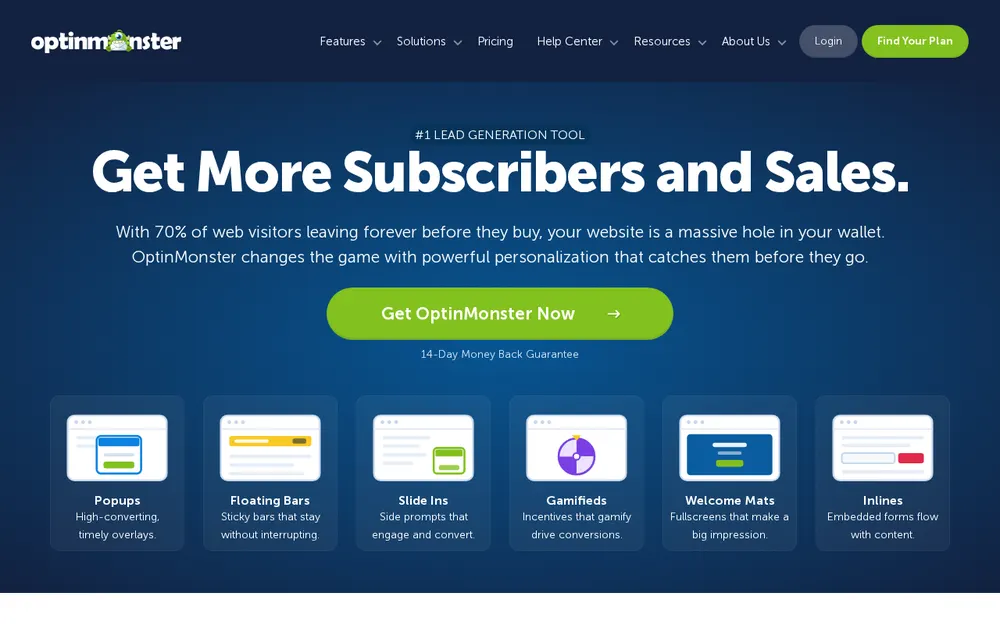
OptinMonster is a hosted service with a WordPress connector plugin on 1+ million active installations, rated 4.3/5 from 819 WordPress.org reviews (655 five-star, 133 one-star). G2 shows 4.3/5 from 106 to 107 reviews per search-index excerpts. The pricing page names Shopify, WooCommerce, Magento, Easy Digital Downloads and MemberPress integrations, and the plugin version is 2.17.1 (14 Aug 2026).
Basic is $9 a month billed annually, $108 for year one, for 1 site and 2,500 campaign impressions, and it renews at $210 a year. Plus is $27 a month ($324 first year, renews at $570), Pro $37 a month ($444, renews at $870) and Growth $67 a month ($804, renews at $1,470), all billed annually; the FAQ says annual plans cost 50% less than monthly ones. There is no free plan and no free trial; every plan has a 14-day money-back guarantee.
Feature gating is the story here. Time delay, scroll distance, URL path and pages viewed are on all plans. InactivitySensor, device and browser targeting need Plus. Exit intent, referral URL, cookie targeting, scheduling and MonsterLink need Pro. New-or-returning visitor, geo-location, AdBlock detection and the full WooCommerce rule set (product, product category, items in cart, cart total, cart subtotal, cart contains) need Growth; the WooCommerce doc states "this feature requires a Growth subscription". A/B testing starts on Plus, with revenue attribution and Google Analytics on Pro.
On speed, the embed code loads the script "dynamically and asynchronously" from a Bunny.net CDN, and the vendor says it "should not affect the perceived load time for visitors", while acknowledging that PageSpeed-type tools still count the script and that campaigns can load JSON, images and CSS. No independent benchmark is published.
- Starting price
- $9/month Basic billed annually ($108 year one, renews at $210/year), 1 site, 2,500 impressions
- Free plan
- None
- Trial
- None; 14-day money-back guarantee
- WordPress.org
- 4.3/5 from 819 reviews; 1+ million active installs; version 2.17.1 (14 Aug 2026)
- G2
- 4.3/5 from 106 to 107 reviews (search-index excerpt)
- Served from
- Hosted service; async script from a Bunny.net CDN
- WooCommerce
- Growth ($67/month billed annually): product, category, items in cart, cart total, cart contains
- Exit intent
- Pro ($37/month billed annually)
- A/B testing
- From Plus ($27/month billed annually)
Best suited for: Stores with the traffic and budget to justify Growth at $804 for year one, who want cart-total and cart-contains rules, revenue attribution and follow-up campaigns from a hosted service. The drawbacks are that exit intent alone costs $444 in year one, renewals roughly double, and 133 of its 819 WordPress.org reviews are one-star.
4. Hustle, best for small sites that want full features free, up to 3 popups
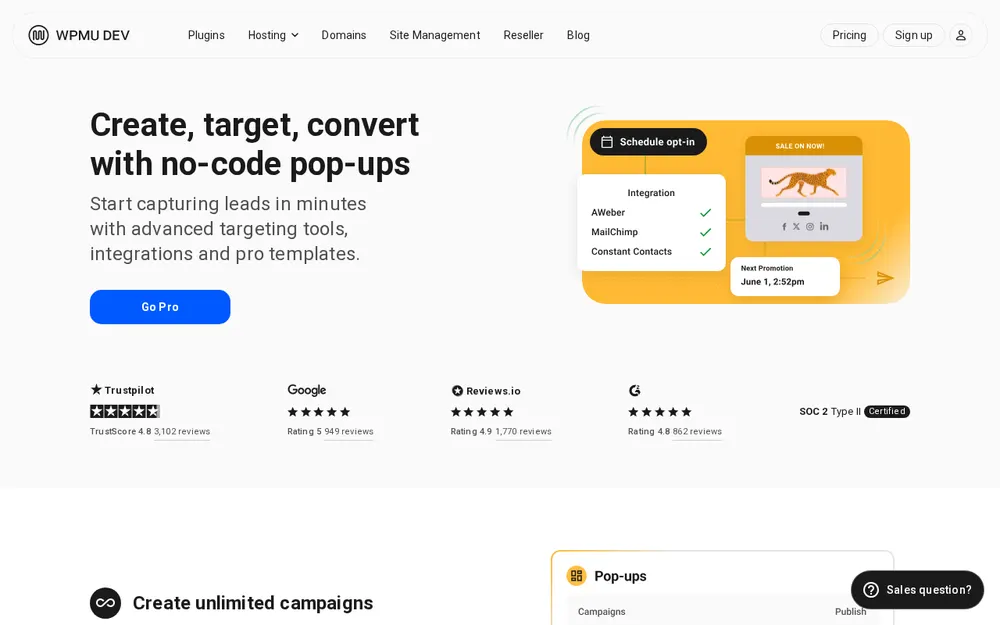
Hustle is WPMU DEV's popup, slide-in, share-bar and embed plugin, rated 4.4/5 from 859 WordPress.org reviews (660 five-star, 80 one-star) with 80,000+ active installations. Version 7.8.14.3 shipped on 5 Oct 2026. The free version is unusual: the FAQ says it "gives you all the same settings and options as Hustle Pro", with the only limit being 3 popups, 3 slide-ins, 3 social share bars and 3 embeds. Pro removes the cap but is not sold alone; it comes with a WPMU DEV membership at $50 a year for 1 site (Pro Basic), $75 for 3 sites or $100 for 10, or Premium at $9.99 a month ($4.99 a month for the first 3 months), each bundled with the full WPMU DEV plugin suite. There is no trial, but a 30-day money-back guarantee and one-click cancel.
Triggers include time delay, scroll percentage or scroll to element, exit intent and click. Visibility conditions cover posts, pages, categories, tags, custom post types, logged-in status, visitor country, source of arrival, referrer, specific URL, number of times the visitor has seen the module, visitor commented before, browser cookie, device and browser. When WooCommerce is active you get conditions for all WooCommerce pages, products, categories, tags, archives and the cart, checkout, order-received and account pages. There is no cart-value or cart-contents rule.
Analytics are built in with per-module conversion stats and charts and need no third-party integration, and the changelog notes a default 3-second trigger delay for new modules to help page performance. A/B testing is not mentioned in the docs, project page or WordPress.org listing. There is no Hustle-specific G2 or Capterra listing; WPMU DEV's company badges (4.8/5 from 3,102 reviews on one of them) are for the company, not the plugin.
- Starting price
- Free (3 of each module type); Pro via WPMU DEV Pro Basic $50/year for 1 site, or Premium $9.99/month
- Free plan
- Yes, same settings as Pro, capped at 3 modules per type
- Trial
- None; 30-day money-back guarantee
- WordPress.org
- 4.4/5 from 859 reviews; 80,000+ active installs; version 7.8.14.3 (5 Oct 2026)
- G2 / Capterra
- Not published for Hustle itself
- Served from
- Self-hosted plugin; default 3-second trigger delay for new modules
- WooCommerce
- WooCommerce pages, products, categories, tags, archives, cart and checkout pages; no cart-value rules
- Exit intent
- Included, free
- A/B testing
- Not published
Best suited for: Blogs and small shops that need one or two well-targeted popups with exit intent, country and WooCommerce page rules at no cost. The drawbacks are the 3-module cap on free, Pro only through a WPMU DEV membership, and no A/B testing anywhere in the docs.
5. Popup Builder by Sygnoos, best for budget multi-site owners who want paid extensions for under $50 a year
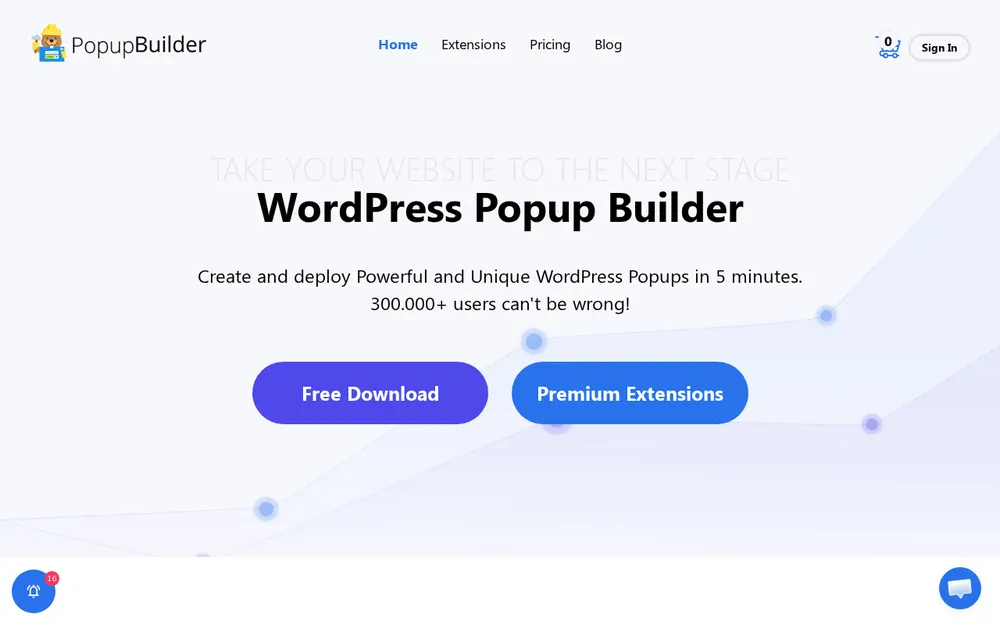
Popup Builder by Sygnoos has 200,000+ active installations and a 4.7/5 rating from 2,215 WordPress.org reviews (2,007 five-star, 111 one-star). Version 4.4.5 was last modified 18 Jul 2026. The free plugin covers image, HTML, Facebook and subscription popups that open on page load, click, hover or a CSS class. G2 shows 4.5/5 from 5 reviews per a search-index excerpt, and the vendor home page says "300.000+ users can't be wrong".
Paid pricing is yearly only. The Starter bundle is $49.95 a year for a 2-website licence with "all extensions included" (the site says 28), Business is $89.95 for 10 sites and Agency $145.95 for unlimited sites. Single extensions are priced on the home page and product pages rather than the pricing page: Analytics and Advanced Closing at $9 a year for one site, and the WooCommerce extension at $29 a year for one site ($49 for 2 to 5 sites, $89 unlimited). No trial or money-back guarantee is mentioned on the pricing or home page.
The WooCommerce extension adds rules for a specific number of products in the cart, cart total above or below an amount, a specific product in the cart, an empty cart and an add-to-cart click event. A display rule for WooCommerce product pages could not be confirmed, and no product-category cart condition was found. Paid events add inactivity, on scroll, AdBlock and exit intent; the Advanced Targeting extension adds user status and role, devices, referral URL and "after X pages"; Geo Targeting handles country, city and IP; Scheduling handles time, date and period. The Analytics extension tracks 14 trigger types over a date range. A/B testing is not published anywhere we could find, and a G2 excerpt notes reviewers say it "may slow down webpage loading".
- Starting price
- Free core plugin; Starter $49.95/year for 2 sites with all extensions, billed yearly; single extensions from $9/year
- Free plan
- Yes (image, HTML, Facebook, subscription popups)
- Trial
- Not mentioned; no money-back guarantee mentioned
- WordPress.org
- 4.7/5 from 2,215 reviews; 200,000+ active installs; version 4.4.5 (18 Jul 2026)
- G2
- 4.5/5 from 5 reviews (search-index excerpt)
- Served from
- Self-hosted plugin; no vendor speed statement
- WooCommerce
- $29/year extension: items in cart, cart total, specific product in cart, empty cart, add-to-cart click
- Exit intent
- Paid extension (included in bundles from $49.95/year)
- A/B testing
- Not published; Analytics extension $9/year
Best suited for: Owners of two to ten small sites who want exit intent, scheduling, geo targeting and WooCommerce cart rules in one bundle for $49.95 to $89.95 a year. The drawbacks are no A/B testing, no trial or refund policy stated, and only 5 G2 reviews to go on.
6. Thrive Leads, best for bloggers who want built-in A/B testing on a self-hosted plugin
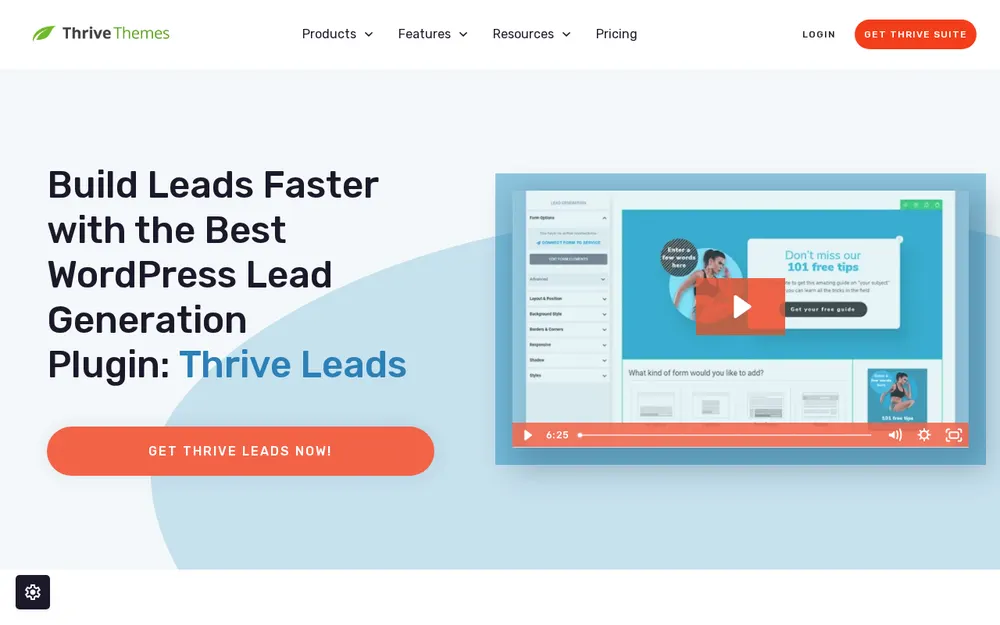
Thrive Leads is a premium-only plugin from Thrive Themes with no WordPress.org listing. Standalone it is $199 a year, currently shown at $99 for the first year ("Save $100"), for 1 licence covering 1 site, and "all renewals are at full price". Thrive Suite is $599 a year struck through to $299 ($149 per quarter) for 5 licences and includes the other Thrive plugins and Thrive Theme Builder. There is no free version and no trial, but a 30-day money-back guarantee. G2 shows 4.5/5 from 23 reviews per search-index excerpts, with the profile marked inactive and unclaimed.
The feature the vendor leads with is A/B testing. The vendor describes "a highly advanced but very easy to use A/B testing feature" that can test form type against form type, trigger timing, design, content and offers, and says "all the losing variations will be hidden automatically" once a winner is statistically proven. Reporting gives "a simple overview over the most important metrics". One G2 reviewer in Dec 2023 (4/5) called the A/B testing "a touch buggy".
Display rules use Include and Exclude tabs for posts, pages, categories and post types, with tags mentioned on the product page. Triggers are time delay, scroll distance, bottom of page, show when in viewport and page load. Exit intent comes through SmartExit+ (conditional exit intent) and SmartExit (a time-based fallback on mobile, because "there IS no mouse cursor in a mobile device"). The current help article says there is "no longer a standalone Triggers panel" and that exit intent was not found on In-Content or Ribbon forms, so test the Popup form type first. No WooCommerce cart, product or category rules are documented.
- Starting price
- $199/year standalone, $99 first year, 1 site; Thrive Suite $299/year ($599 struck through) for 5 sites; billed yearly
- Free plan
- None
- Trial
- None; 30-day money-back guarantee
- WordPress.org
- Not listed (premium only)
- G2
- 4.5/5 from 23 reviews, profile unclaimed (search-index excerpt)
- Served from
- Self-hosted plugin; no vendor speed statement
- WooCommerce
- None documented; include/exclude by posts, pages, categories and post types
- Exit intent
- SmartExit and SmartExit+ on Popup forms
- A/B testing
- Yes, built in; losing variations hidden automatically
Best suited for: Content sites that test forms constantly and prefer a yearly licence to a monthly fee, especially those already using other Thrive plugins. The drawbacks are the renewal jump from $99 to $199, no free version or WordPress.org listing, and no WooCommerce rules.
7. Icegram Engage, best for free action bars and toasts alongside popups

Icegram Engage is a free WordPress plugin for popups, action bars, toasts and messengers, rated 4.7/5 from 370 WordPress.org reviews (325 five-star, 18 one-star). Install figures conflict: the WordPress.org meta box says 10,000+ active installations, the description says 20,000+, and the Engage landing page says 40,000+ active users. Version 3.1.45 shipped on 5 Oct 2026. G2 shows 2.5/5 from 2 reviews on an unclaimed profile per a search-index excerpt.
The Starter plan is "$0 forever" on a single site with popups, action bars, toasts, messengers, basic targeting rules, two-step opt-in and essential design themes. The paid tier shown is Max at $99 a year, "a flat annual price"; the FAQ says one purchase covers one site while the plan card says "up to 3 sites". Max includes "Everything in Pro plan", yet no Pro tier or price appears on either Icegram pricing page, so a Pro price is not published. Max adds A/B split testing, geographical targeting and Remote campaigns on non-WordPress sites. There is a 30-day money-back guarantee and no trial.
Targeting covers exit or bounce catch, page scroll, time on page, logged-in status, specific pages, URLs with wildcards, devices, a particular day and a retargeting rule for second-time visitors or customers. Post category is not a listed rule; the vendor's own WooCommerce guide targets category pages by pasting the category URL with an asterisk, and "Selected Post Types" (which covers products) is Pro and Max only. No cart, product or category rules are documented. Analytics track views, clicks and conversions.
- Starting price
- Free Starter; Max $99/year, billed yearly; Pro price not published
- Free plan
- Yes, single site
- Trial
- None; 30-day money-back guarantee
- WordPress.org
- 4.7/5 from 370 reviews; 10,000+ active installs; version 3.1.45 (5 Oct 2026)
- G2
- 2.5/5 from 2 reviews, unclaimed (search-index excerpt)
- Served from
- Self-hosted plugin; no vendor speed statement
- WooCommerce
- No cart, product or category rules; URL and wildcard workaround
- Exit intent
- Exit/bounce catch listed; plan requirement not published
- A/B testing
- Max plan ($99/year)
Best suited for: Sites that want a free mix of popups, header bars and toast notices with scroll, time and wildcard-URL rules. The drawbacks are pricing that contradicts itself across Icegram's own pages, no WooCommerce cart rules, and a G2 profile with 2 reviews averaging 2.5/5.
8. Bloom, best for Divi members who already pay for Elegant Themes

Bloom is Elegant Themes' opt-in plugin and is sold only inside a membership. Divi costs $89 billed yearly ($7.42 a month) for unlimited sites and includes Divi, Extra, Bloom and Monarch; Divi Lifetime is $249 one-time and Divi Pro is $277 a year. There is no monthly plan, no free version and no trial; the "Try Bloom Risk Free For 30 Days" line refers to the 30-day money-back guarantee. Bloom has no WordPress.org listing (a search shows only a third-party add-on) and no Bloom-specific G2 or Capterra listing, so a review-site rating is not published.
It offers 6 display types with global options for post and page types and specific categories, plus per-post include or exclude. Triggers are Timed Delay, Bottom of Post, After Scrolling, After Commenting, After Purchasing and After Inactivity. The After Purchasing trigger shows an opt-in after checkout, though the page does not name WooCommerce, and there are no cart, product or category rules. There is no exit-intent trigger, which is the biggest gap against every other paid option on this list.
Split testing is included: "Split testing lets you compare the performance of multiple variations of the same opt-in form", and a statistics dashboard gives "a real-time overview of Bloom's performance". No page-speed statement was found. For a Divi site that already pays the $89, Bloom costs nothing extra and covers timed and scroll-based opt-ins with A/B tests; for anyone else, the membership price buys a popup plugin with no exit-intent trigger.
- Starting price
- $89/year Divi membership ($7.42/month, billed yearly), unlimited sites; $249 lifetime
- Free plan
- None
- Trial
- None; 30-day money-back guarantee
- WordPress.org
- Not listed (members only)
- G2 / Capterra
- Not published for Bloom
- Served from
- Self-hosted plugin; no vendor speed statement
- WooCommerce
- After Purchasing trigger only; no cart, product or category rules
- Exit intent
- None
- A/B testing
- Yes, split testing with a statistics dashboard
Best suited for: Divi members who want timed, scroll and post-category opt-ins with split testing at no extra cost. The drawbacks are the missing exit-intent trigger, no WooCommerce rules, and no way to buy or review the plugin on its own.
Side-by-side comparison
The table restates the six criteria for all eight options: starting price and free version, WordPress.org and review-site rating with review counts and active installs, WooCommerce targeting, where the popup is served from, targeting rules and A/B testing. Prices are from vendor pricing pages on 16 Oct 2026; "not published" means we could not find the figure on any fetched page.
Scroll sideways to see every column. The first column stays in place.
| Option | Best for | Starting price | Rating (reviews, installs) | WooCommerce targeting | Served from | Targeting | A/B testing |
|---|---|---|---|---|---|---|---|
| Convertful | WordPress site owners and WooCommerce stores that want pop-ups without running the builder on their own server | $9/month ($7/month billed yearly); no free plan; free 14-day trial | 4.3/5 WordPress.org (6 reviews, 3,000+ installs); 4.8/5 Capterra (88) | Cart and checkout page pop-ups, coupon shortcodes; cart-value rules not published | Hosted service; plugin is a connector only | Exit intent, scroll, time, inactivity, click, URL, referral, new vs returning, post category, geo, cookies, CRM tags; no plan restriction shown on the pricing page | Yes, from Starter $29/month; real-time analytics |
| Popup Maker | self-hosted sites that want a free plugin with the biggest review base | Free; Pro $99/year ($59.40 first year), billed yearly | 4.9/5 WordPress.org (4,511 reviews, 700,000+ installs); 4.7/5 G2 (10) | Free: product, category, tag pages; Pro+ $249/year: cart total, cart contains, add-to-cart | Self-hosted plugin; caches one JS and one CSS file | Free: page, post, category, tag; Pro: exit intent, scroll, referrer, pages viewed, device, cookie | Documented for Pro and Pro+, tier not named; Popup Analytics extension $45/year |
| OptinMonster | high-traffic sites that need deep WooCommerce cart rules and will pay for them | $9/month billed annually ($108 year one, renews $210); no free plan | 4.3/5 WordPress.org (819 reviews, 1+ million installs); 4.3/5 G2 (106) | Growth $67/month billed annually: product, category, cart total, cart contains | Hosted service; async script from Bunny.net CDN | All plans: time, scroll, URL, pages viewed; Pro: exit intent; Growth: new vs returning, geo | Yes, from Plus $27/month billed annually |
| Hustle | small sites that want full features free, up to 3 popups | Free (3 per module type); Pro via WPMU DEV from $50/year | 4.4/5 WordPress.org (859 reviews, 80,000+ installs); G2 not published | WooCommerce pages, products, categories, tags, archives; no cart-value rules | Self-hosted plugin | Exit intent, time, scroll, click; category, country, referrer, times seen, cookie, device | Not published; built-in analytics |
| Popup Builder by Sygnoos | budget multi-site owners who want paid extensions for under $50 a year | Free; Starter $49.95/year for 2 sites, all extensions, billed yearly | 4.7/5 WordPress.org (2,215 reviews, 200,000+ installs); 4.5/5 G2 (5) | $29/year extension: items in cart, cart total, specific product, empty cart | Self-hosted plugin | Free: load, click, hover; paid: exit intent, scroll, inactivity, referrer, pages viewed, geo, schedule | Not published; Analytics extension $9/year |
| Thrive Leads | bloggers who want built-in A/B testing on a self-hosted plugin | $199/year, $99 first year, billed yearly; no free plan | Not on WordPress.org; 4.5/5 G2 (23) | None documented | Self-hosted plugin | Time, scroll, page load, viewport; SmartExit exit intent; categories, tags, post types | Yes, built in; hides losing variations |
| Icegram Engage | free action bars and toasts alongside popups | Free Starter; Max $99/year, billed yearly | 4.7/5 WordPress.org (370 reviews, 10,000+ installs); 2.5/5 G2 (2) | None; URL and wildcard workaround; post types in Pro and Max | Self-hosted plugin | Exit/bounce, scroll, time, pages, wildcard URLs, device, day; geo on Max | Yes, Max plan; views, clicks, conversions |
| Bloom | Divi members who already pay for Elegant Themes | $89/year Divi membership or $249 lifetime; no free plan | Not on WordPress.org; G2 not published | After Purchasing trigger only | Self-hosted plugin | Timed delay, bottom of post, scroll, after commenting, after purchasing, inactivity; no exit intent | Yes, split testing; statistics dashboard |
Which WordPress popup plugin fits your use case
The right choice depends less on the star rating and more on which three rules you need and where you want the code to live. Use the table to match your situation to the option that covers it at the lowest tier.
| If you are... | Look for | Best fit |
|---|---|---|
| running a WooCommerce store on a small budget | exit intent plus cart or checkout page targeting under $30 a month | Convertful (Solo $9/month, Starter $29/month with A/B testing) |
| a high-traffic store that needs cart-total and cart-contains rules | cart rules and revenue attribution in one plan | OptinMonster Growth ($67/month billed annually) or Popup Maker Pro+ ($249/year) |
| a blogger who wants to A/B test forms without a monthly fee | built-in split testing on a yearly licence | Thrive Leads ($99 first year, $199 on renewal) |
| a small site that needs a free plugin with no feature gating | every rule available free, with a module cap you can live with | Hustle free (3 popups, 3 slide-ins, 3 bars, 3 embeds) |
| managing several client sites for under $100 a year | a multi-site licence that includes exit intent and WooCommerce rules | Popup Builder Starter ($49.95/year for 2 sites) or Business ($89.95 for 10) |
| already paying for a Divi membership | the opt-in plugin you already own, if you can live without exit intent | Bloom (included in the $89/year membership) |
| worried about plugin bloat but want exit intent, polls and A/B tests | a hosted builder whose plugin is only a connector | Convertful Starter ($29/month, $17 billed yearly) |
WordPress popup plugin vs WordPress form plugin: what is the difference
<p>A form plugin builds the fields and processes submissions on a page: contact forms, surveys, order forms, file uploads. A popup plugin decides when and to whom a message appears (exit intent, scroll depth, cart value, post category) and usually wraps a short email form inside it. Many sites run both: the form plugin for the contact page, the popup plugin for list growth and discounts. If you mainly need multi-step forms with payments, start with <a href="/best-online-form-builders/">the best online form builders</a> instead.</p>What results look like with Convertful
30.29% of free-sample page visitors became subscribers
Baby-shower printables store LittleSizzle runs a 10% welcome discount with Convertful. Its free-sample page inline widget converts 30.29% of visitors into email subscribers and its newsletter page converts 16.04%, adding almost 600 new subscribers a month. Read the LittleSizzle case study. Read the case study.
Up to 39.29% of visitors converted on a lead-magnet widget
Australian money-saving blog Spending Hacker ran content-locking widgets on 6 landing pages with Convertful; its small-business savings widget converted 39.29% of visitors and its electricity-savings widget 20.69%. A 500-visitor A/B test of exit-intent pop-ups found a traditional form beat standalone social opt-in buttons, and a pop-up combining both converted 34.62% of visitors who clicked the call to action. Read the Spending Hacker case study. Read the case study.
3.18% of abandoning visitors recovered with a cart pop-up
Baby-clothing store SIMEDIO (a Shopify store, so the WordPress plugin is not involved) shows a 15% welcome discount to visitors who spend 60 to 90 seconds on the site and converts 2.96% of them into leads. The winning variation of its two cart-abandonment pop-ups, found by A/B test, recovers 3.18% of abandoning visitors. Read the SIMEDIO case study. Read the case study.
Frequently asked questions
What is the best WordPress popup plugin for WooCommerce stores that do not want to run a popup builder on their own server?
Convertful, because its WordPress plugin is only a connector and the widget builder, templates and logic run on Convertful's servers, while exit intent, scroll, post category, new versus returning visitors and cart or checkout page rules are not gated to a plan on the pricing page. It starts at $9 a month ($7 billed yearly) with a free 14-day trial, cancel any time. If you want every file on your own server instead, Popup Maker's free core plugin is the most-reviewed self-hosted alternative.
How much does a WordPress popup plugin cost?
Free versions exist for Popup Maker, Hustle, Popup Builder and Icegram Engage. Paid entry points range from $9 a month (Convertful Solo, or OptinMonster Basic billed annually at $108 for year one) to yearly licences of $49.95 (Popup Builder Starter), $50 (WPMU DEV Pro Basic for Hustle Pro), $89 (Divi membership for Bloom), $99 (Popup Maker Pro, Icegram Engage Max, Thrive Leads first year) and $199 (Thrive Leads on renewal).
What is the difference between a WordPress popup plugin and a WordPress form plugin?
A form plugin creates fields and handles submissions on a page; a popup plugin controls when a message appears and to whom, using triggers such as exit intent or cart value. Most popup plugins include a simple email form, but none of the eight here replaces a full form builder for payments or file uploads.
How do you choose a WordPress popup plugin?
Start with the three rules you actually need (for most stores: exit intent, a cart or checkout rule and a post-category rule) and check which plan includes each, because exit intent alone moves OptinMonster from $9 to $37 a month and Popup Maker from free to $99 a year. Then decide between self-hosted and hosted: self-hosted keeps files on your server, hosted keeps builder code off it. Finally confirm the renewal price, since Thrive Leads and OptinMonster roughly double after year one.
What should you look for in a popup plugin's WooCommerce targeting?
Look for cart-total rules (for a free-shipping threshold), cart-contains rules (to cross-sell) and product-category page rules, then check the plan: OptinMonster needs Growth ($67 a month billed annually), Popup Maker needs Pro+ ($249 a year) and Popup Builder needs the $29 a year WooCommerce extension. Hustle and Icegram Engage target WooCommerce pages but not cart contents, and Thrive Leads and Bloom document no WooCommerce rules at all.
How long does it take to see results from a WordPress popup plugin?
The first opt-ins can arrive within hours of going live: Convertful customer Francisco Caceres reported 54 conversions in less than 24 hours on convertful.com, and LittleSizzle's welcome discounts add almost 600 subscribers a month. A fair A/B test takes longer: Popup Maker's split-test doc requires at least 100 conversions per variant before calling a winner at 90 to 99% confidence, and the same maths applies whichever tool you use.
How does Convertful compare with Popup Maker?
Popup Maker wins on community proof and cost: 4.9/5 from 4,511 WordPress.org reviews, 700,000+ installs and a free core plugin, against Convertful's 4.3/5 from 6 reviews and a $9 a month entry price. Convertful wins on what the entry plans include: exit intent, scroll, new versus returning visitors and post-category rules are not gated to a plan on the pricing page and A/B testing is on Starter at $29 a month, whereas Popup Maker gates exit intent and scroll behind Pro ($99 a year) and documents split testing without naming a tier. Popup Maker runs entirely on your server; Convertful serves widgets from its own.
What should you ask before buying a WordPress popup plugin?
Ask which plan includes exit intent and the WooCommerce rules you need, what the price is after year one, whether the plugin is self-hosted or a hosted service, and whether there is a trial or only a money-back guarantee (14 days at Convertful and OptinMonster, 30 days at Popup Maker, Thrive Leads, Bloom, Icegram Engage and WPMU DEV). Also ask for the integration list: if your email tool is not on it, you will need Zapier or a webhook.
Try Convertful free for 14 days
Connect your WordPress or WooCommerce site with the free plugin; it only links your account, so no popup builder code is added to your server. Pick from pop-ups, floating bars, welcome mats, spin-to-win wheels, quizzes and polls. Set exit-intent, scroll, post-category and cart or checkout page rules; the pricing page gates none of them to a plan. Send leads to Mailchimp, Klaviyo, ActiveCampaign, HubSpot or any of the 33 listed integrations. Plans start at $9 a month, A/B testing from $29 a month, and you can cancel any time. Start your free 14-day trial

Convertful is a lead capture tool used on websites and online stores to build pop-ups, bars, wheels, quizzes, surveys and polls. Prices and ratings in these guides come from each vendor’s own pages and from G2, Capterra, the Shopify App Store and WordPress.org, checked on the date shown.
Start your free 14-day trial
Every widget type, every template and every integration from day one. Cancel from your billing page at any time.