
Understanding Popup Notifications
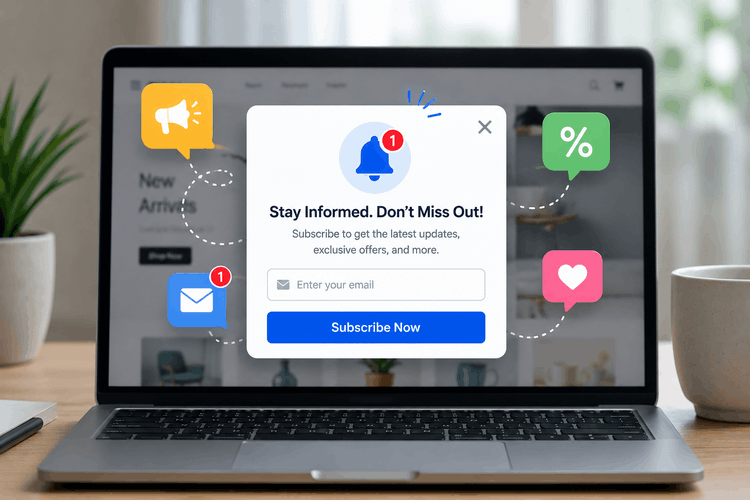
A popup notification is a short, noticeable message that shows up on a website to relay important details to users. These alerts are meant to capture attention quickly, allowing people to stay focused on their current task.
Popups take many shapes, ranging from compact alerts in a webpage’s corner to large overlays that prompt an instant response.
Why are popup notifications used?
Popup notifications are an effective way to keep visitors informed and connected with your website. They can be used for many purposes, including sharing important alerts, promoting special offers, or reminding users to finish an action they started.
For businesses, popups can increase engagement by encouraging immediate interaction, such as claiming a discount or accepting an invitation. They can also improve the overall user experience by showing content that matches each visitor’s interests, behavior, or current activity on the site.
Remember, the effectiveness of popups depends on finding the ideal mix between being useful and not interrupting the user, making sure they enhance rather than hinder the overall browsing experience.
Easy Way to Add a Popup on Your Website
Integrating a popup into your site is straightforward with Convertful’s widget builder. This convenient tool allows you to design, personalize, and place popup notifications on your pages in minutes, all without any need for programming skills.
Automate Conversions, Instantly Turns Traffic Into Leads & Sales
Don’t let visitors slip away! Quickly grow your subscriber list, attract more leads, and drive up sales with our AI-powered popup builder
Convertful allows you to display popup alerts on WordPress, Shopify, Wix, WooCommerce, and a wide range of other website platforms.
Key Advantages of Using Notification Popups on Your Website
Notification popups on websites provide a range of benefits for companies, making them a powerful asset for increasing user interaction and driving sales. Here are some compelling reasons to implement them:
- Capture user attention immediately. Popups are crafted to be highly visible, ensuring that visitors notice important information like sales, news, or critical alerts as soon as they arrive on your site.
- Boost conversion rates. Placing popups at critical points can direct visitors toward specific goals, such as joining a mailing list, downloading a resource, or completing a purchase. Effective CTAs within popups help convert interest into action.
- Deliver personalized experiences. You can tailor popups to match user interests, activity, or location for more targeted messaging. Personalization increases relevance and encourages stronger engagement from your audience.
- Highlight special deals and upcoming events. Popups are ideal for drawing attention to limited-time promotions, sales events, or exclusive deals, motivating users to respond quickly and take advantage of timely opportunities.
- Collect important user information. Embedding forms in popups allows you to gather email addresses, feedback, or other data that can be used to optimize your marketing and enhance customer relations.
- Increase visitor involvement. Thoughtfully designed popups can guide users to explore featured content or sections of your site, such as popular articles or product pages, helping to lower bounce rates and boost activity.
Popular Examples of Website Popups
Popups on websites come in multiple styles, each aiming to fulfill distinct objectives and prompt particular responses from visitors.
In general, website popups can be sorted by their trigger (the event or timing that causes them to appear) and their intention (what the popup is meant to accomplish). Some popups also allow users to interact with them, which can increase involvement.
Examples of popups by trigger type
This group of popups is characterized by the timing and circumstances of their appearance on a page. They are activated by certain actions taken by users. Below are some frequently seen examples:
Welcome Pop-up Window
A welcome pop-up appears immediately when visitors land on the website, creating an impactful first interaction. It may include a warm greeting, a time-limited promotion, or a discount code to quickly draw users in. This pop-up motivates visitors to look around the site and helps lower bounce rates by grabbing interest from the start.
Exit-Intent Pop-up
When a visitor is about to navigate away from the site, an exit-intent pop-up appears as a final effort to keep them engaged. It might present special deals, complimentary resources, or reminders about items left in a cart to encourage users to stay. This approach helps turn potential exits into conversions, boosting user retention and completion rates.
Sign Up or Newsletter Subscription Modal
This pop-up encourages users to register for updates, join a mailing list, or subscribe for the latest news. By providing incentives like special offers, unique resources, or updates, it motivates visitors to engage further with your business. This strategy is a powerful way to grow your contact list, engage potential customers, and keep your audience informed about upcoming deals and news.
Examples of Popups by Objective
These modal windows are tailored to accomplish targeted business goals, such as boosting signups, showcasing testimonials, or promoting special deals. Here are a few typical scenarios:
Sales Notification Popup
These popups display alerts about recent purchases to generate urgency and excitement among visitors. By drawing attention to ongoing transactions, they leverage the fear of missing out and prompt users to respond quickly. This method works well for increasing conversion rates and encouraging spontaneous buying decisions.
Promotional Offer Popup
Offer popups present deals, discounts, or exclusive promotions to inspire visitors to buy or sign up. By showcasing a compelling offer at a strategic moment, they grab attention and motivate visitors to take the next step. This popup type is ideal for boosting both sales and user interaction.
New Product Announcement Popup
Banner popups for product launches highlight recently introduced collections, products, services, or features to spark curiosity and boost engagement. These alerts are frequently combined with perks like sneak peeks, promotional pricing, or special deals, encouraging visitors to check out or buy the latest release. This tactic is ideal for generating excitement and increasing sales during a new product debut.
Customer Activity Notification Popup
Popups showcasing social proof reveal live updates on customer actions such as recent purchases, new account registrations, or submitted feedback. These prompts strengthen visitor confidence by demonstrating that other people are interacting with your brand. This builds authenticity and assures potential customers of your brand’s reliability and popularity.
Engaging User Popups
Engaging popups prompt users to interact directly, often by filling out forms or taking part in polls. These types of popups invite users to get involved. Some common examples include:
Live Countdown Popup
Live countdown popups display a ticking clock to highlight time-sensitive deals, special discounts, or exclusive events. By tapping into users’ fear of missing out, these popups encourage immediate action and help boost response rates. They are particularly effective for limited-time sales, festive campaigns, or introducing new products.
Form Submission Popup
This type of popup motivates visitors to complete forms on the site, whether for newsletter sign-ups, generating leads, or gathering feedback. Usually, these popups provide an incentive, like special offers, unique resources, or discounts, in return for filling out the form. They are an excellent tool for growing email databases, acquiring new leads, and collecting important user information.
Instant Messaging Popup
A live chat feature on your site allows users to connect directly with a support team member or automated assistant, providing immediate help and guidance. By responding to questions right away and assisting visitors as they navigate, it greatly enhances user satisfaction. This popup is especially useful for quickly resolving problems, improving user experience, and boosting conversion rates.
Proven Strategies for Designing High-Performing Popups
Crafting a popup that performs well means finding the right mix of audience engagement and smooth site navigation. When implemented thoughtfully, popups can play a crucial role in boosting your business goals. Below are some effective guidelines for building successful popups:
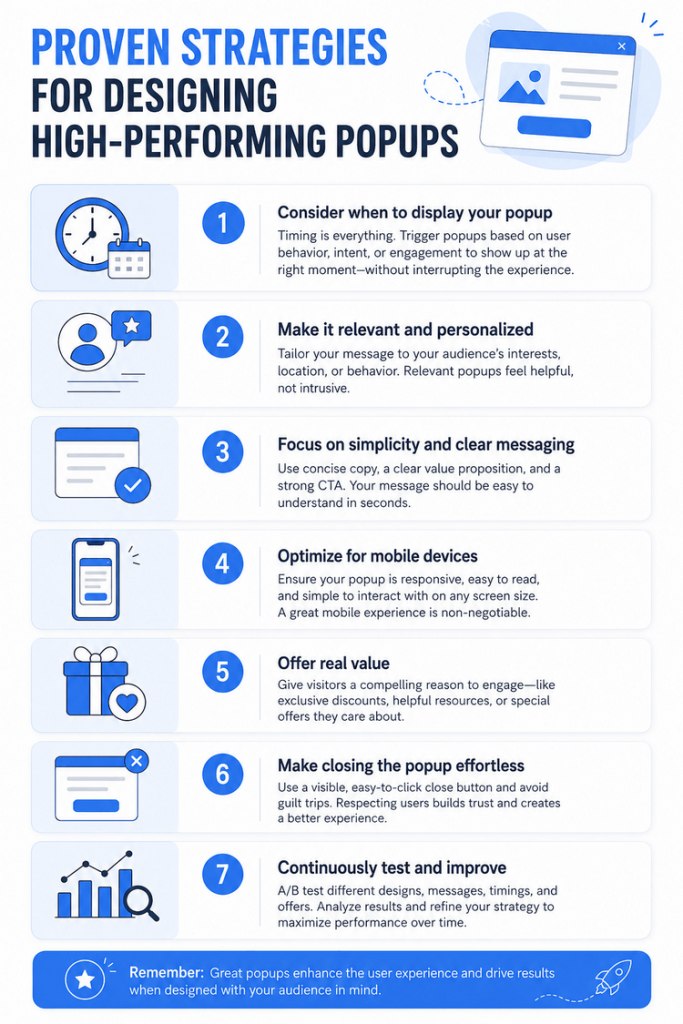
- Consider when to display your popup. Don’t bombard users with a popup immediately upon arrival. Instead, use triggers like a short delay of 10–15 seconds or after a user has scrolled partway down the page. Exit-intent popups are also useful for capturing users’ attention just before they navigate away.
- Make it relevant and personalized. Present popups that match the visitor’s actions and interests. For example, show special offers to repeat visitors or highlight content connected to their current browsing. Customizing popups increases the chance of engagement.
- Focus on simplicity and clear messaging. A straightforward, uncluttered popup is less likely to annoy visitors. Highlight one strong call-to-action (CTA) and use brief, direct messaging alongside attractive but simple visuals that reflect your branding. The CTA button should be highly visible.
- Optimize for mobile devices. Since many visitors will be on their phones or tablets, your popups must adapt to smaller screens. Ensure that the design is mobile-friendly and easy to interact with. Tip: Every Convertful widget works seamlessly on mobile.
- Offer real value. Give visitors a compelling reason to engage with your popup, such as a special discount, complimentary download, or exclusive access. Providing genuine value encourages users to respond positively.
- Make closing the popup effortless. Allow visitors to dismiss the popup quickly by providing a clear “X” or “No thanks” button. Easy exit options prevent irritation and ensure a positive user experience, even if users aren’t interested.
- Continuously test and improve. Experiment with various popup formats, timing, and offers to determine what resonates best. Use A/B testing and monitor metrics like conversions and user engagement, then use these insights to improve your popup tactics.
Applying these strategies helps you develop popups that draw attention, improve conversion rates, and maintain a user-friendly experience without being disruptive.
Common Errors to Steer Clear of When Designing Popups
Popups can be a powerful way to capture attention and boost conversions. However, when misused, they may annoy visitors and harm your results. By recognizing frequent pitfalls, you can ensure your popups are well-received and achieve their intended purpose.
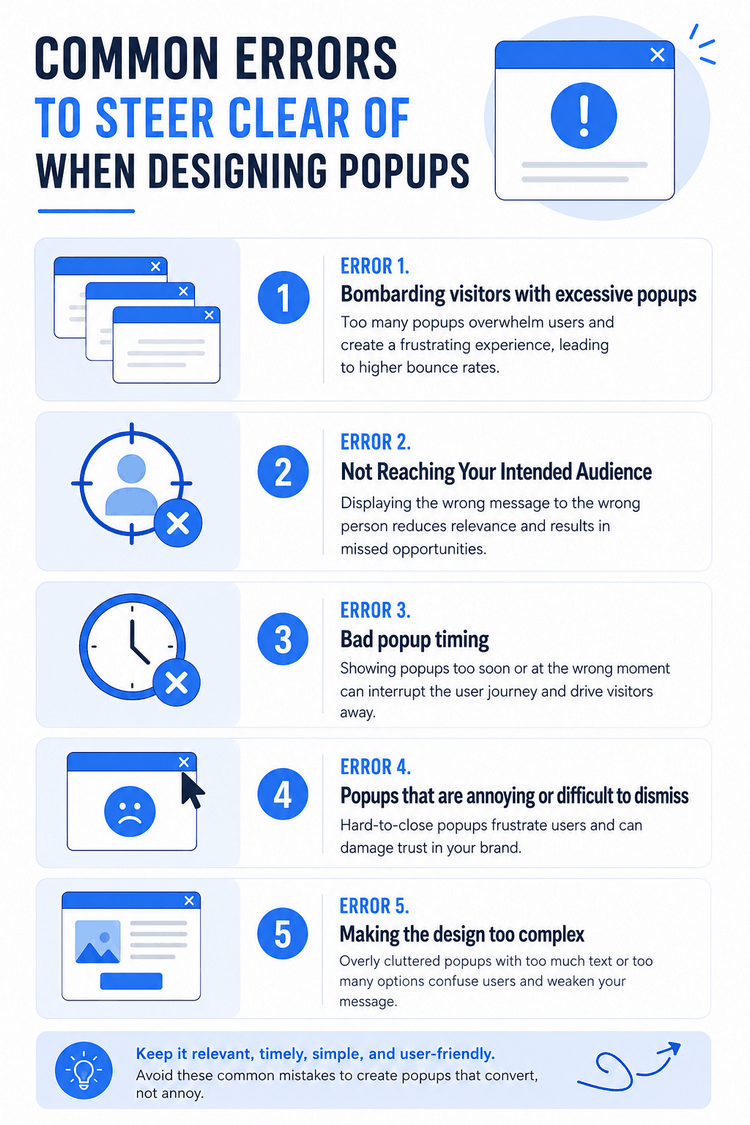
Error 1 – Bombarding visitors with excessive popups
Why this should be avoided: Showing too many popups during a single visit can frustrate users and make your website feel intrusive. When visitors are constantly interrupted, they are more likely to leave the site or block popups altogether, which can hurt both engagement and conversion rates.
The fix:
- Restrict how often popups are displayed. Aim to present only one popup for each user session to reduce frustration.
- Implement triggers like timed delays, exit intent, or scroll actions to decide when popups should be shown, making sure users aren’t overwhelmed.
- Try offering various popup formats at different phases of the user experience to keep things fresh and prevent repetitiveness.
Error 2 – Not Reaching Your Intended Audience
Why this is problematic: When popups are not shown to the right audience, visitors are far more likely to ignore or close them. Displaying the same message to every user, whether they are new visitors or returning customers, can make the experience feel generic and irrelevant. Over time, this can reduce engagement and negatively impact the overall user experience.
The fix:
- Divide your visitors into segments using criteria such as actions on your site, geographical area, and their browsing record. For instance, you could present discounts to those who have previously purchased or display cart reminder messages to users who left without buying.
- Use behavioral cues for greater impact. Show a welcome popup with a first-time offer to new users, while recommending specific items to visitors browsing similar products.
- Customization matters: presenting a discount popup for an item the user recently viewed is far more effective than a standard, non-targeted popup.
Error 3 – Bad popup timing
Why this is problematic: Poor timing can make a popup feel distracting instead of useful. When a popup appears too quickly, users may become frustrated before they’ve had time to explore the page or understand its value. On the other hand, if it appears too late, visitors may already be ready to leave the site, making the popup far less effective.
The fix:
- Exit-Intent Popups: These popups appear when the system detects a user is preparing to navigate away, offering a final opportunity to grab their attention with a special message or incentive.
- Timed Popups: Introduce a delay of about 10 to 15 seconds after a visitor arrives, so users have a chance to look around before any popup appears, creating a less disruptive experience.
- Scroll-Based Triggers: Display the popup only after visitors have scrolled down a specified portion of the page, showing they are genuinely engaged before making an offer or request.
Error 4 – Popups that are annoying or difficult to dismiss
Why this is problematic: Popups that are hard to close or force users through too many steps can quickly become frustrating. When visitors feel stuck or interrupted, they are more likely to leave the site altogether. A smooth and easy dismissal option is essential for maintaining a positive user experience.
The fix:
- Ensure the close button stands out and is easy to locate. Use a prominent “X” or “Close” label so users can quickly exit the popup and keep browsing without hassle.
- Do not require users to take action before closing the popup, such as submitting forms or accepting deals. Let them decline or bypass the offer freely and move on.
- Avoid positioning popups over essential page elements or features, especially if they are not easily dismissible. Only use full-screen popups when absolutely necessary.
Error 5 – Making the design too complex
Why this causes problems: An overly busy or complicated popup can overwhelm visitors and make your message harder to understand. When the design includes too much text, too many visuals, or multiple calls-to-action, users may lose focus and ignore the popup altogether. Keeping the design clean and straightforward helps draw attention to the main message and improves performance.
The approach:
- Streamline your layout: Opt for a straightforward design centered on a single, persuasive call to action, such as “Claim 20% Savings” or “Sign Up for News.”
- Select a strong, readable typeface and pick colors that both match your website’s style and help the popup catch the eye.
- Keep messaging concise. Ensure your audience understands the offer at a glance without needing to read lengthy text.
- Use space wisely: Add breathing room around your call to action so the popup appears tidy and welcoming rather than crowded.
By recognizing and steering clear of frequent popup pitfalls, you can deliver a smoother browsing experience, attract attention, and boost conversions. Prioritize relevance, strategic timing, simple design, and ongoing refinement to maximize the success of your popup strategies.
Final Thoughts
When implemented thoughtfully, pop-up notifications can serve as effective tools for engaging visitors, boosting conversions, and improving the overall site experience. By recognizing the various popup formats, adhering to proven methods, and steering clear of frequent errors, companies can design popups that stand out without disrupting users.
Proper targeting, perfect timing, and appealing design allow popups to smoothly direct visitors along their path, motivating actions such as newsletter subscriptions, purchases, or interacting with site content. Always focus on relevance, subtlety, and user-centric approaches to achieve the best results.
 OptinMonster vs OptiMonk: Which Popup Builder is Better in 2026?
 13 Tactics To Improve Your Conversion Rate