

See every widget on your site as one picture
Flows maps pages with active widgets and shows their conditions and results. Preview a widget and review AI suggestions before you decide what to change.
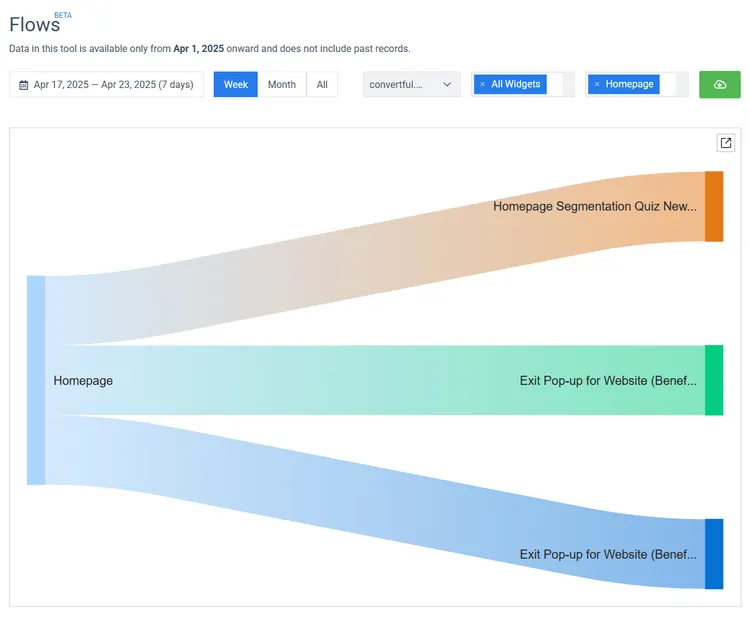
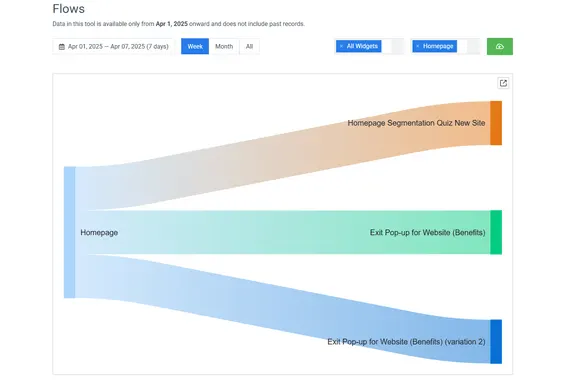
A map of every page that has a widget
Flows draws a map of every page on your site with at least one active widget, with the widgets and conditions behind each page. You see at once which pages show three pop-ups and which show none.
- Coverage. Which pages have widgets, and which have none.
- Conditions. The display conditions behind each widget.
- Overlaps. Where several widgets stack up on one page.
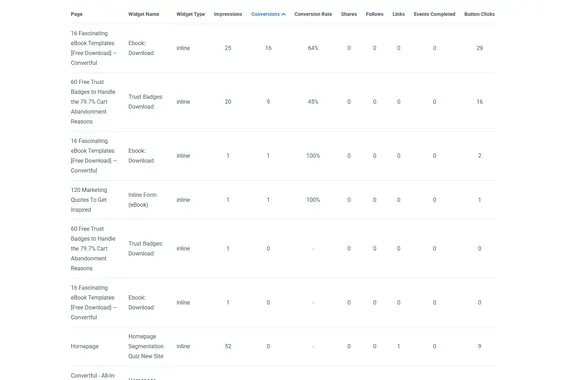
The numbers for every page
A table lists every page with an active widget and its results. Sort it to find the pages that carry the conversions and the ones that only add noise.
- Impressions and conversions per page.
- Shares, follows and link clicks from social and share buttons.
- Events completed and button clicks for quizzes, surveys and polls.
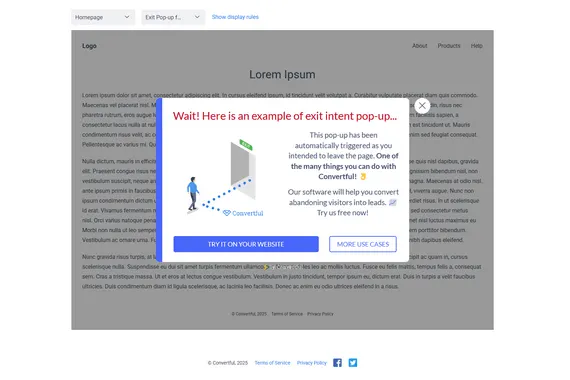
Preview any widget and get suggestions
Select a widget and see how it looks on the page without touching the live site. AI suggestions for improving it appear next to the preview.
- On the real page. The preview shows the widget where visitors will see it.
- AI suggestions. Improvement opportunities are flagged next to the preview.
- Straight to the editor. Change the words or the rules and check the result.
Questions about Flows
How does Flows help conversions?
It shows which pages carry widgets and how each one performs, so you can remove widgets that overlap, fill pages that have none, and act on the suggestions in the preview.
Does Flows show paused widgets?
Flows maps the pages that have at least one active widget. Activate a widget and its pages and conditions appear in the graph.
Is Flows included in my plan?
Flows is included on Starter plans and above. Every plan starts with a free 14-day trial. See pricing.
See all your widgets as one picture
Flows is included on Starter and above. Free 14-day trial, cancel any time.