

Forms, surveys and quizzes with unlimited fields, sent straight to your email tool
Drag in the fields you need, split long forms into steps, ask a yes/no question first, and send every answer to your email tool or CRM.
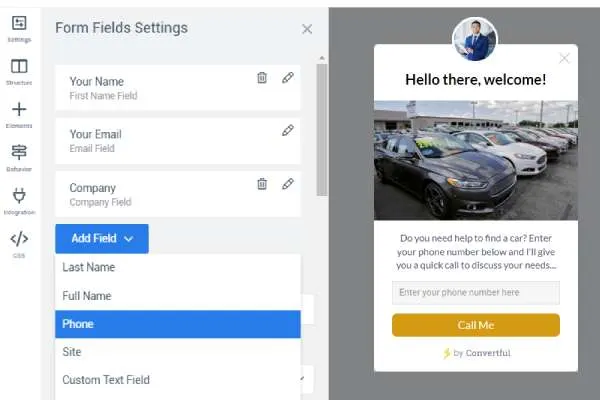
Any field, in any widget
Every widget type can hold a form: pop-up, floating bar, scroll box, welcome mat, chat bubble or a form embedded in your content. Fields are unlimited on every plan, and the mobile layout is prepared for you.
- Field types. Email, text, radio buttons, dropdowns and a rating field with stars or emoji.
- Collected automatically. Sign-up page, landing page, referral URL and UTM source, medium and campaign.
- Field mapping. Map any field to a field in your email tool or CRM.
- Dynamic text. Greet subscribers you already know by name.
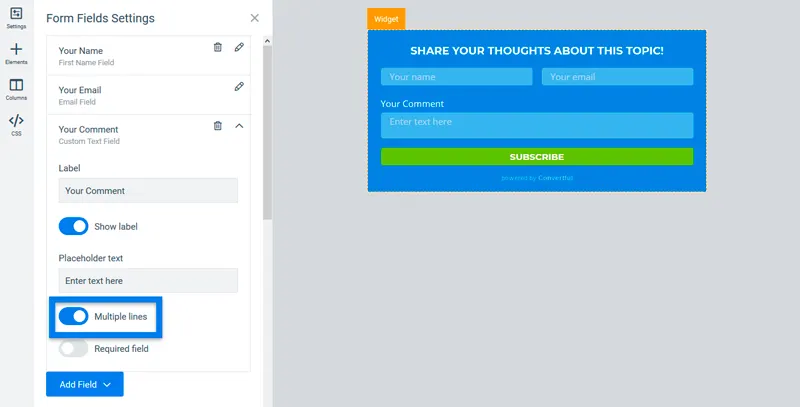
Split long forms into steps
If your form asks for more than two things, split it into steps and show a progress bar. Finish with a success screen that shows the coupon code or asks for a share.
- Unlimited screens. Multi-step widgets with as many screens as you need.
- Progress bars. Show people how close they are to the end.
- Success screens. A custom message with a coupon code or share buttons.
- Jump anywhere. Open a specific screen from any button.
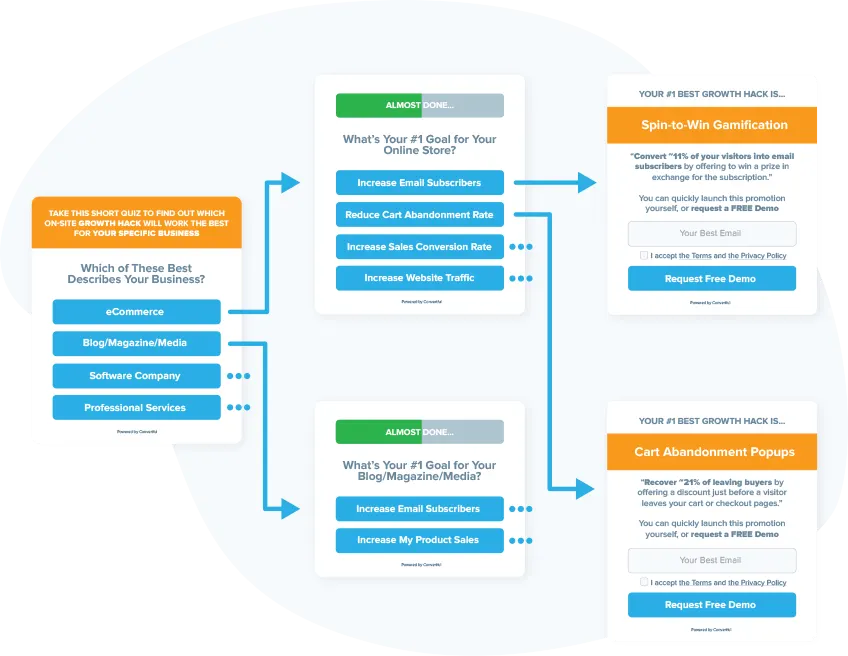
Six formats built from the same screens
The same editor and fields, arranged for different jobs.
Contact forms
Name, email and a message. Set the submit button to email you a notification, send the contact to your CRM, or both.
Surveys
Ask a few questions and segment the visitor by their answers, then make a matching offer on site or by email.
Quizzes
A sequence of questions that ends in a different result for each answer path, with a tag per path.
Yes/no screens
Open with a one-line question before the form. People who say yes fill in the form.
Polls
One question, answer buttons, votes counted in analytics. See the polls page for details.
Rating surveys
A star or emoji rating field, shown on exit intent to catch honest feedback.
Every answer lands where you work
Choose what happens when the submit button is pressed. Most forms send the contact to an email platform or CRM with tags; others post the data to your own endpoint or email you a notification.
- 27 native integrations. Plus Zapier, n8n and Integrately for everything else.
- Button actions. Send to an integration with tags and extra data, POST the data, send an email notification, redirect, open another widget or screen, or run JavaScript.
- Saved in Convertful too. Every submission is also kept under Subscribers in your account.
- Notifications. Lead notifications by email as they arrive.

Keep bots and repeats off your list
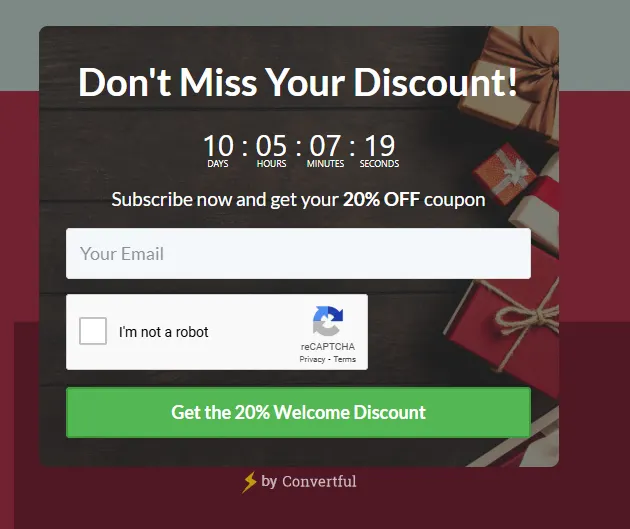
Connect Google reCAPTCHA once and add it to the widgets you want protected. Automated submissions are blocked before they reach your email tool.
- Google reCAPTCHA. One connection, then switch it on per widget.
- Don't show again rules. Decide how long a visitor is left alone after viewing, closing or submitting.
- Live editor backups. Your work is saved while you build.
- GDPR. Documentation and adjustable personal data storage.
What each plan includes for forms
Every plan has unlimited widgets, leads and form fields. Plans differ by pageviews, sites and the features below.
| Feature | Solo | Starter | Growth and above |
|---|---|---|---|
| Unlimited fields and submissions | |||
| Single-screen forms in every widget type | |||
| Google reCAPTCHA | |||
| 27 native integrations, Zapier, n8n, Integrately | |||
| Multi-step widgets, surveys, quizzes, yes/no screens | |||
| A/B testing | |||
| Two-way CRM sync | |||
| CRM tags and fields as display rules |
Starter from $17 a month billed yearly. Growth from $47 a month billed yearly. See the pricing page for pageview limits.
What customers say about the form builder
“These are a very high-converting way to drive new email subscribers to your list. If you’re looking for detailed functionality at a low price point, I suggest you look into Convertful.”

“A must buy tool for anyone running a business online!”

“Very beautiful UI, extremely easy to use and setup. Doesn’t disrupt site speed in any way.”

Guides on forms that convert
Best practice, conversion fixes and the types of form you can build.

Best Practices for Creating High-Converting Online Forms
Discover best practices for creating high-converting online forms. Learn how to optimize fields, improve UX, reduce friction, and boost form…
How to Improve your Form Conversion Rates
Learn proven strategies to boost your form conversion rates, optimize user experience, and turn more visitors into leads with actionable tip…

The 11 Different Types of Online Forms
What are the different types of online forms? Discover the most common website forms, their uses, and how they help collect leads, feedback,…
Questions about forms, surveys and quizzes
Is there a limit on form fields or submissions?
No. Every plan includes unlimited widgets, leads and form fields. Plans differ by monthly pageviews, number of sites and team features.
Can a form have several steps?
Yes. Multi-step widgets let you put fields on separate screens, add a yes/no question before the form, and show different results depending on the answers. Multi-step widgets start on Starter plans.
Can I build a contact form?
Yes. Add the fields you need and set the submit button to email you a notification, send the contact to your CRM, or both. The form can sit inline on a page or open from a floating button.
Can I tag subscribers based on their answers?
Yes. Each button can send tags or extra data to your integration, so a survey or quiz can tag each visitor by the path they took. On Growth plans and above, those tags can then change what the visitor sees on the next visit.
Does it stop spam?
Convertful integrates with Google reCAPTCHA. Connect it once, add it to the widgets you want protected, and automated submissions are blocked before they reach your list.
Build your first form during the free trial
Unlimited fields on every plan. Multi-step surveys and quizzes from Starter.