
We’ve been busy improving Convertful, and today we’re excited to share our latest round of updates!
Over the past few months, we’ve introduced a number of new features, improvements, and smaller enhancements across the platform, all designed to make Convertful more powerful, flexible, and easier to use.
Let’s take a look at what’s new:
Improved Widget Sorting
Finding the widgets you’re looking for just got easier.
You can now sort widgets directly from the Widgets section using three key performance metrics:
- Impressions
- Conversion Rate (CR%)
- Conversions
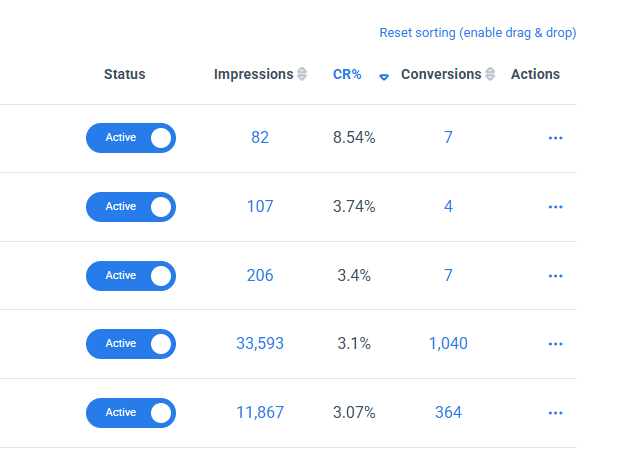
This makes it easy to quickly identify your most viewed or best-performing widgets without having to dig through your analytics.
Note: When you sort your widgets, the table automatically switches to sorting mode. While in this mode, widgets can no longer be manually reordered using drag and drop. To return to the standard view and re-enable drag and drop, simply click “Reset sorting (enable drag & drop)” in the top-right corner of the table.
Whether you want to see which widgets generate the most conversions or quickly spot your highest conversion rates, the information is now just a click away.
Add Notes to Your Widgets
Managing multiple widgets can get complicated, especially when you need to remember why a particular widget was created, what you’re testing, or what needs to be changed later.
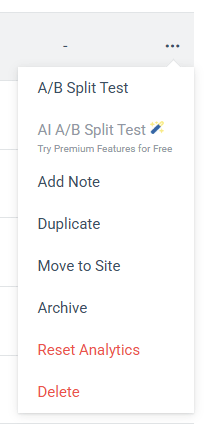
You can now add a note to any widget directly from the Widgets section.
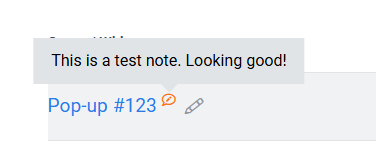
When a widget has a note, a small note icon appears next to its title. Simply hover over the widget title to quickly view the note without opening or editing the widget.
It’s a simple way to keep useful context, reminders, or information attached to your widgets. This is particularly handy when managing lots of campaigns or working as a team.
Search Templates by Keyword
Finding the right template is now faster and easier.
We’ve added a search function to the Template Directory, allowing you to search for templates using keywords.
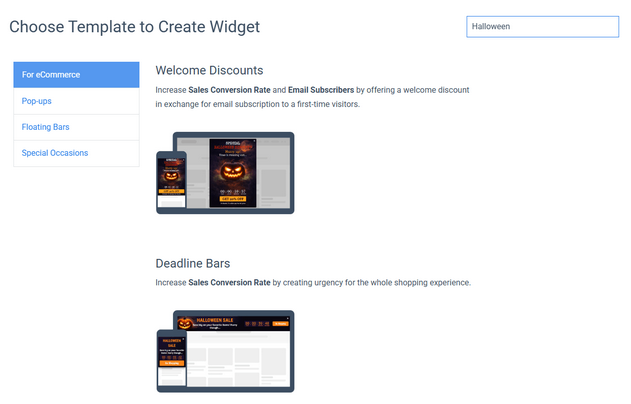
Looking for a seasonal campaign? Simply search for terms like “Halloween” or “Black Friday” to instantly find matching templates.
With our template library continuing to grow, this makes it much easier to find the right design for your campaign without having to browse through the entire directory.
New Poll Templates
Want to learn more about your visitors? We’ve added a brand-new selection of Poll templates to the Template Directory.
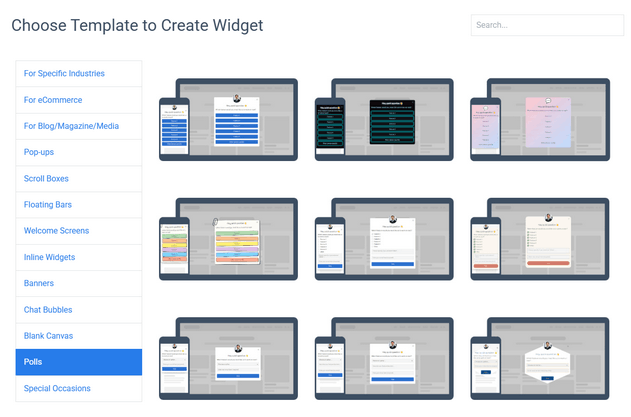
These templates make it easy to ask visitors questions and collect valuable feedback directly on your website, whether you want to learn more about their preferences, needs, opinions, or experience.
You can find all the new templates in the Polls category and customize them to match your website and use case.
Once your poll is live, you can view and analyze the results directly in Convertful to better understand your audience and use their feedback to improve your website, offers, and campaigns.
New Seasonal Templates
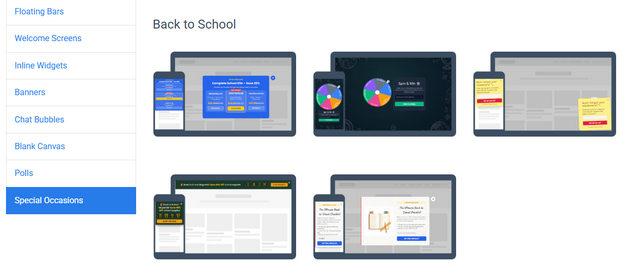
We’ve also expanded our Template Directory with a new collection of Back to School templates, perfect for seasonal promotions, special offers, lead generation campaigns, and more.
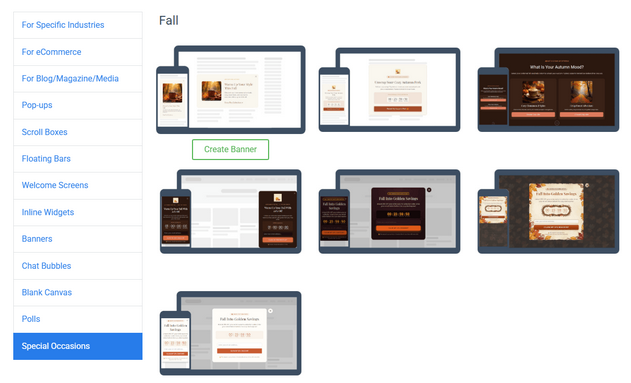
There’s also a new collection of Fall / Autumn-themed templates, ideal for seasonal campaigns, limited-time offers, lead generation, and giving your widgets a fresh seasonal look.
Two-Factor Authentication (2FA)
We’ve also added Two-Factor Authentication (2FA) to help you add an extra layer of security to your Convertful account.
When enabled, 2FA requires an additional verification step when signing in, helping protect your account even if your password is compromised.
You can easily enable 2FA from the Edit Profile page in your Convertful account.
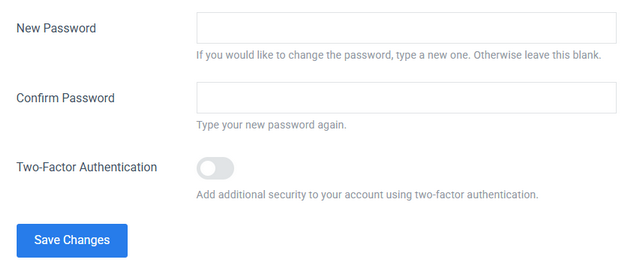
We recommend enabling it to keep your account and data better protected.
New Button Clicks Summary
We’ve also added a new Summary tab under Analytics → Button Clicks, giving you a quick overview of how many times each button was clicked.
Unlike the Table view, which breaks down button clicks by day, the Summary view shows the total number of clicks for each individual button in one place.
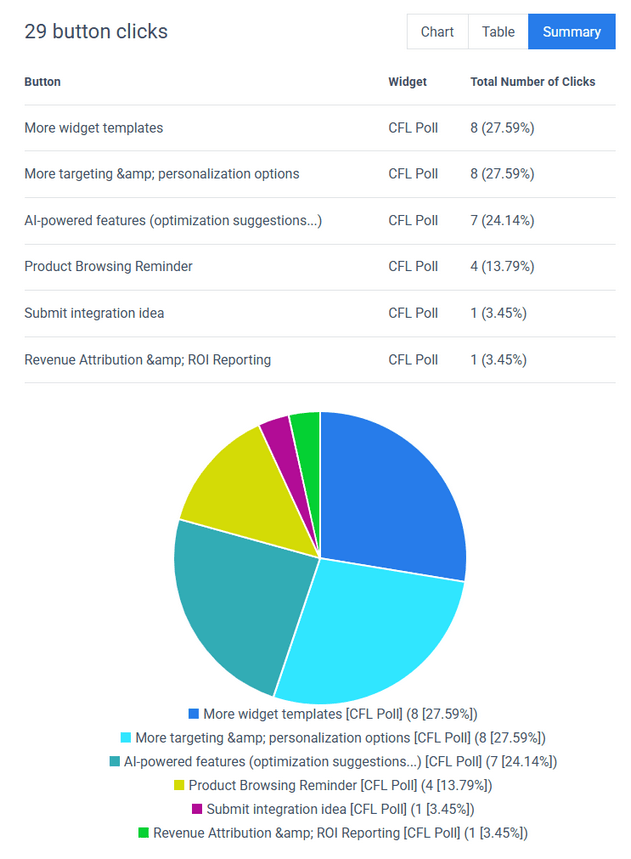
This is particularly useful for Polls. For example, if your poll has several answers represented by different buttons, you can instantly see how many visitors selected each answer and compare the results.
It’s a simple way to understand visitor responses at a glance without having to analyze the data day by day.
New Analytics Insights
We’ve also added two new sections to the Analytics page to give you an even better overview of your widget performance.
Leaderboard
The new Leaderboard makes it easy to compare your widgets and quickly identify your top performers.
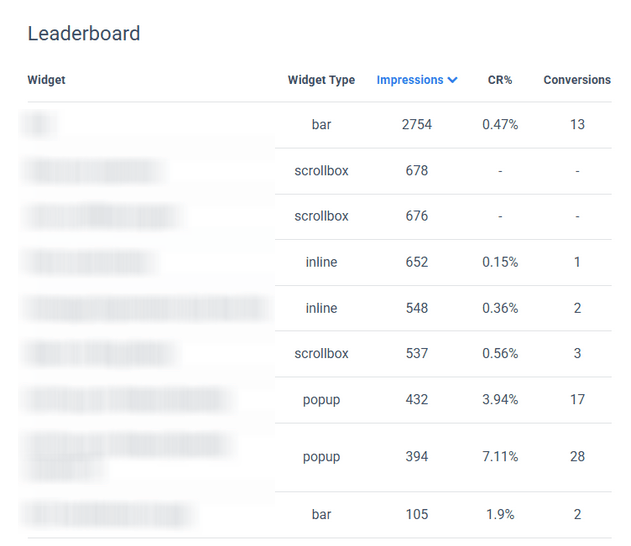
You can see which widgets are generating the most impressions and conversions, helping you understand what’s working across your campaigns.
Impressions Distribution by Widget Type
The new Impressions Distribution by Widget Type gives you a visual breakdown of how your impressions are distributed across the different types of widgets you use.
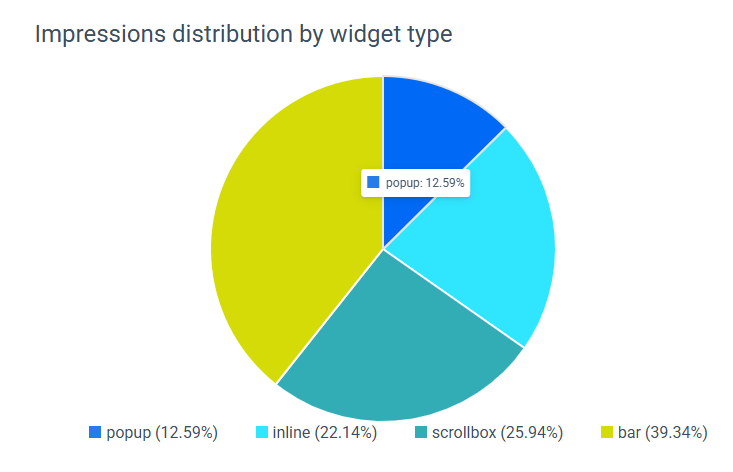
This gives you a quick overview of which widget types are getting the most exposure across your website and helps you better understand how visitors are interacting with your Convertful widgets.
We’ll continue adding new seasonal templates throughout the year, making it easier to launch timely campaigns without having to design your widgets from scratch.
As always, if you have feedback, feature requests, or questions, drop us a message or leave a comment below. We’re listening!
➡️ Not a member yet? Click here to sign up now…
➡️ Already a member? Log in now and give these new features a try.
More new features and improvements are coming soon. Stay tuned!
If you have any questions or feedback, don’t hesitate to leave a comment below.
Remember you can also find us on Facebook, Twitter and LinkedIN.
 What is a Popup Notification? Definition, Benefits, Examples & More
 The 5 Best Popup Builders in 2026