
Wondering what’s new in Convertful? We’ve got plenty to share…
In this update, we’ll walk you through the latest features, enhancements, and improvements designed to make Convertful even more powerful, flexible, and user-friendly.
First, in case you missed it, be sure to check out our Winter 2025–2026 update.
Now, let’s dive into what’s new.
Widget Builder
New Button Width Setting
We’ve added a new “Button Width” setting, making it easy to adjust the width of any button in your widgets. Previously, only the button height could be customized.
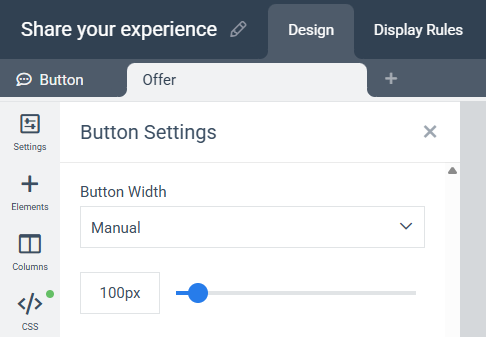
We’ve also introduced a “Button Width for Mobile” setting in the mobile view editor, allowing you to set a different button width specifically for mobile devices.
Improved Paddings & New Margins Settings
We’ve enhanced the “Paddings” controls in the “Row Settings” section to make them more intuitive and easier to use.
In addition, we’ve added new “Margins” controls to both the “Row Settings” and “Column Settings” sections, giving you greater flexibility when designing and spacing your widgets.
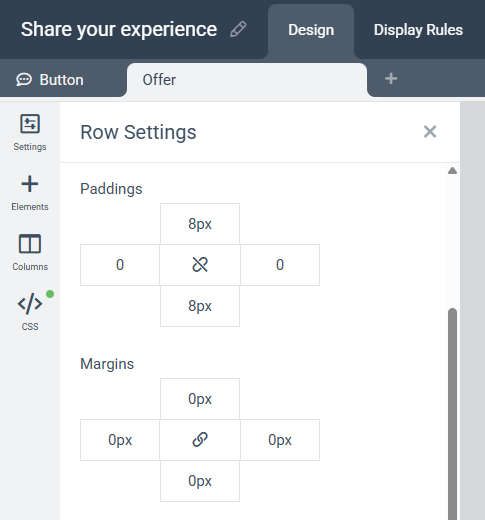
These improvements provide more precise control over your layouts, making it easier to create polished, responsive designs without the need for custom CSS.
New Shortcodes
We’ve added a variety of new shortcodes to help you create more dynamic and personalized widgets, including:
{current_weekday}
{current_month}
{current_year}
{days_left_in_month}
{days_left_in_year}
{end_of_month_date}
{next_weekday}
{next_month}
{page_url}
{device_type}
{browser}
{os}
{cart_items_count}
{cart_total}
These shortcodes are automatically replaced with the relevant values when your widget is displayed.
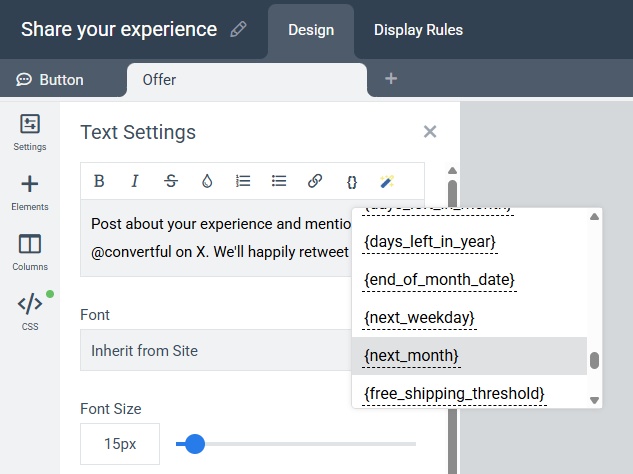
For example, you can insert {next_month} into your widget text to automatically display the upcoming month (e.g., “July” when the current month is June). Similarly, {cart_total} can be used to dynamically display the visitor’s cart value, provided you have an active Shopify integration.
These additions make it easier to create timely, contextual, and personalized experiences that can help improve engagement and conversions.
Free Shipping Threshold
We’ve introduced a new Free Shipping Threshold feature to help you encourage larger orders and increase average cart value.
With this feature, you can insert a shortcode into your widget text that automatically displays the amount a customer needs to spend to qualify for free shipping. The threshold value can be configured to match your store’s requirements.
You can see it in action in this tutorial video:
To use this feature, you’ll need an active connection to your Shopify or WooCommerce store, or you’ll need to connect your e-commerce site using the Convertful Cart Integration API.
If you haven’t set up a connection yet, please refer to our Knowledge Base for step-by-step instructions.
Once connected, you’ll be able to use the Free Shipping Threshold shortcode to display dynamic, real-time values based on each visitor’s current cart, helping create a stronger incentive to complete their purchase.
New Templates
We’ve added dozens of new templates to the template directory, including a variety of industry-specific and seasonal designs:
- Marketing-focused templates
- Real Estate templates
- Car Dealership templates
- Special Occasion templates for events such as Halloween, Black Friday, Cyber Monday, and more
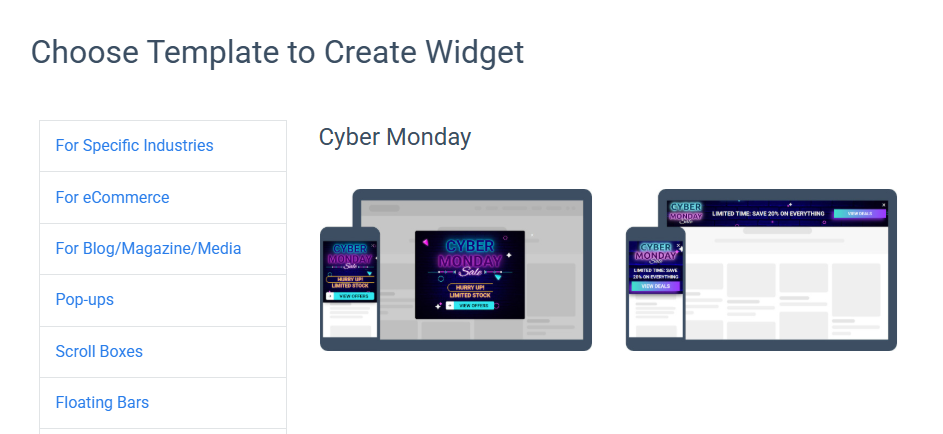
Whether you’re looking to generate leads, promote offers, or launch seasonal campaigns, these new templates can help you get started in minutes.
Be sure to explore the template directory as you may find a design that’s perfect for your next campaign and save yourself valuable setup time.
Analytics
New Metrics
We’ve added several useful metrics to the Analytics section, including:
- View-to-Conversion Rate
- Widget Visibility Rate
- Widget Click-Through Rate (CTR)
- Click-to-Conversion Rate
- Day-over-Day Trends for Impressions, Conversions & CTR
- Week-over-Week Trends for Impressions, Conversions & CTR
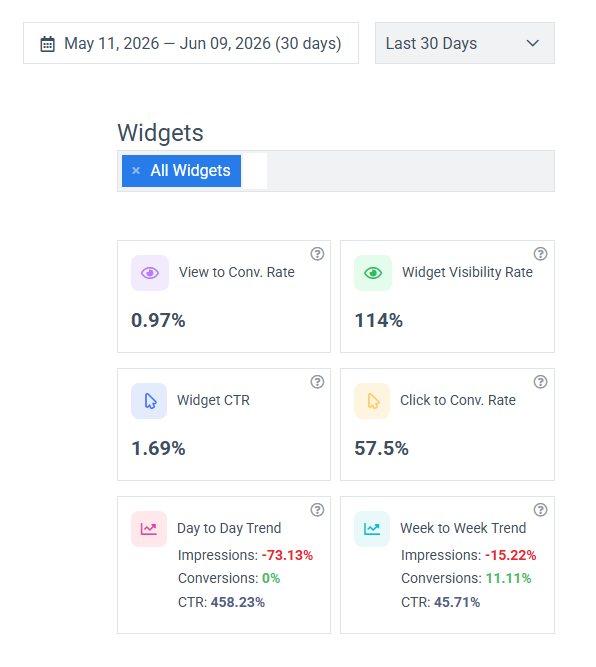
You can view these metrics across all your widgets or focus on specific ones by using the widget selector located just above the analytics dashboard.
These new metrics provide deeper insights into your widgets’ performance, helping you better understand user engagement, identify optimization opportunities, and measure the impact of changes over time.
New Widget Conversion Graph
Finally, we’ve added a new Conversion Rate Graph to the Analytics section, making it easier to track how your widgets are performing over time.
The graph allows you to monitor conversion rate trends across all your widgets or focus on specific ones by selecting them from the widget selector on the Analytics page.
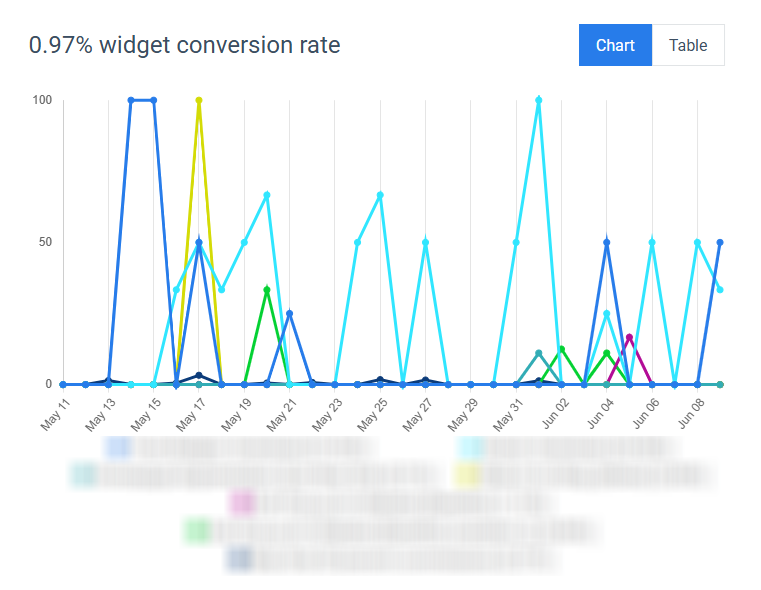
This new visualization helps you quickly identify performance trends, measure the impact of changes to your widgets, and spot opportunities for optimization. Whether you’re testing new designs, messaging, or targeting rules, you’ll now have a clearer view of how those changes affect your conversion rates over time.
As always, if you have feedback, feature requests, or questions, drop us a message or leave a comment below. We’re listening!
➡️ Not a member yet? Click here to sign up now…
➡️ Already a member? Log in now and give these new features a try.
More new features and improvements are coming soon. Stay tuned!
If you have any questions or feedback, don’t hesitate to leave a comment below.
Remember you can also find us on Facebook, Twitter and LinkedIN.
 Conversion Optimization Strategies for E-commerce
 What is Conversion Optimization?