

Content upgrades
Offer readers extra content on the exact subject they are reading, in exchange for their email, by targeting the widget to page URLs, post tags or categories.
Good for: Agencies, Digital Businesses, Bloggers
- A template: Targeted Content Upgrades, included on every plan
- A display rule: current page URL matches or contains the article address
- Your email tool or CRM, connected once, so every lead lands there (optional)
The most reliable way to grow conversions is to make more personalized and specific offers. When visitors read an article in your blog, there’s one thing you can know for sure: they are interested in the article’s subject. And most usually you can offer some additional content on the same subject, in exchange for the email.
You can target readers by page URLs, post tags or categories to make such relevant offers.

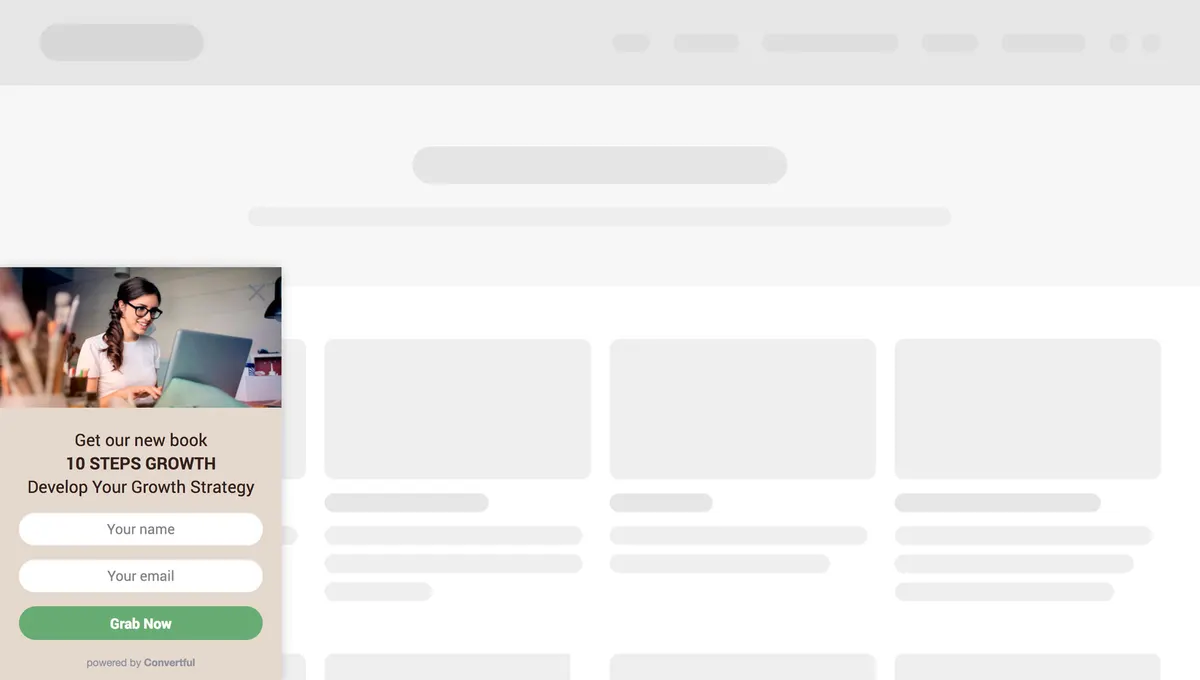
How to do this:
- Create a widget and add a text message with the offer description.
- Target specific URL(s) (Display Rules → Show only if → Current page URL matches/contains)
- Add ‘Thank You’ Message with the link to the offered content (‘Plus’ tab → Thank You)
“The form/CTA builder is easy to use and puts many other tools to shame”

Set this up during your free trial
Start from the template, change the words and colours, choose who sees it and publish.
Questions about Content upgrades
How do I show the offer on a single article only?
Open Display Rules, choose Show only if and set Current page URL matches or contains the article address. On WordPress you can also target by post category, post type or tag, so one widget can cover a whole topic.
How does the reader get the bonus content?
Add a Thank You message from the Plus tab with the link to the file or page. The reader sees it as soon as they submit the form, and the email goes to your connected email tool.
Can I show a content upgrade only to some visitors?
Yes. Display rules cover exit intent, time on page, scroll depth, visit number, page URL, country, device and referral source, and you can hide it from people who already subscribed. On Growth and above you can also use tags and fields from your email tool or CRM.
Can the sign-ups go to my email tool or CRM?
Yes. Every form field, including prize names, coupon codes and survey answers, can map to a field or tag in any of the 27 native integrations, or go to any other system through Zapier, n8n or webhooks.
Try this on your own site
Free for 14 days on every plan. Cancel from your billing page at any time.