

MailerLite pop-ups and forms for WordPress
Add WordPress readers to the right MailerLite group with pop-ups, welcome mats and forms inside your posts. Every sign-up is also kept in Convertful, ready to export.
Connect MailerLite to WordPress in six steps
You need your MailerLite API key, from Integrations, Developer API in MailerLite.
- 1Install the Convertful plugin
In WordPress, go to Plugins, Add New, search for Convertful, then install and activate the free plugin.
- 2Connect your site
On the plugin page, click Connect to Convertful and then Approve. You can create your Convertful account there if you do not have one yet.
- 3Paste your MailerLite API key
In Convertful, open Integrations, add MailerLite and paste your key.
- 4Choose defaults and fields
Pick where new subscribers go by default. MailerLite custom fields are matched to your form, and you can change any match.
- 5Pick a group for each widget
On the submit button, add Add subscriber to group and choose the group. Removing from a group and updating a field are there too.
- 6Place it and publish
Show it by category, tag or post type, or add it to posts with a shortcode. Save and activate.
A MailerLite group for each form
Give each widget its own group: the newsletter form, the free checklist, the webinar invite. MailerLite automations can then start from the group each person joined.
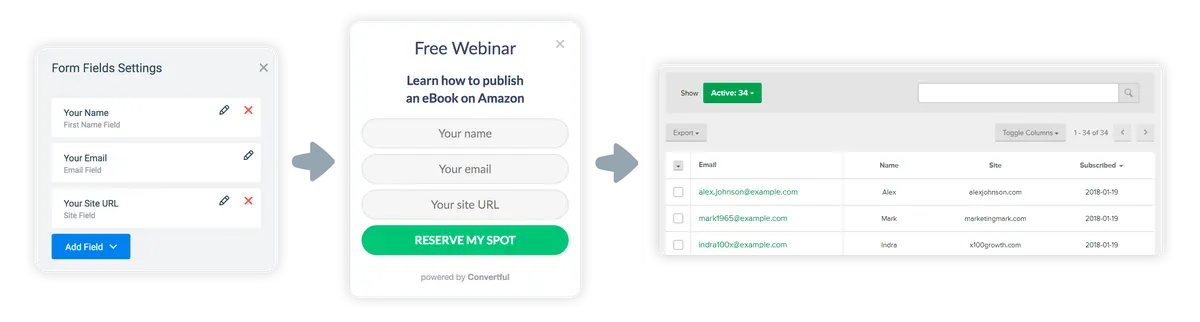
Every sign-up saved in Convertful too
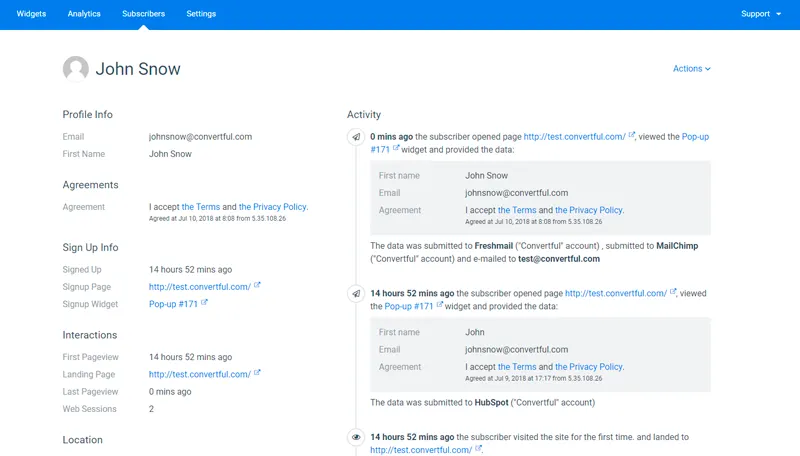
Each subscriber also appears in your Convertful subscriber list, with the widget they used, the page they signed up on and where their details were sent. Export the list as a CSV whenever you need it.
MailerLite widgets for WordPress sites
MailerLite and WordPress questions
Do I need the MailerLite plugin as well?
No. Convertful connects to MailerLite directly, so the Convertful plugin is the only one you add to WordPress.
Can widgets react to MailerLite data?
No. The MailerLite connection sends subscribers, groups and fields one way. To keep a widget away from people who already joined, use a Don't Show If rule for visitors who have subscribed through any widget.
Can I show a form only on certain posts?
Yes. WordPress rules cover post category, tag and post type, and a page URL rule picks out single posts.
Where are the MailerLite settings explained?
The MailerLite setup docs cover the API key, defaults, field matching and the group actions.
Other WordPress setup guides
Add your first MailerLite form to WordPress
Install the free plugin, paste your key and pick a template.