

Klaviyo pop-ups for your Shopify store
Give every new subscriber their own Shopify discount code and send it to Klaviyo with their email, so your welcome flow can use it. Here is the whole setup, from installing the app to your first live offer.
Connect Klaviyo to Shopify in six steps
You need admin access to your Shopify store and a Klaviyo account.
- 1Install the Convertful Shopify app
Install Convertful: Lead Generation from the Shopify App Store, then click Approve to link the store to your Convertful account.
- 2Switch on the app embed
Copy the Owner ID that Convertful shows you, paste it into the Convertful app embed in your theme settings, switch it on and save. Then click Check Connection in Convertful.
- 3Add your Klaviyo API key
In Klaviyo, open Settings, API Keys and create a private key with read and write access to Lists, Profiles and Subscriptions. Paste it into the Klaviyo integration in Convertful.
- 4Pick a default list and check fields
Choose the Klaviyo list that new subscribers join. Convertful matches your form fields to Klaviyo fields, and you can change any match.
- 5Turn on unique discount codes
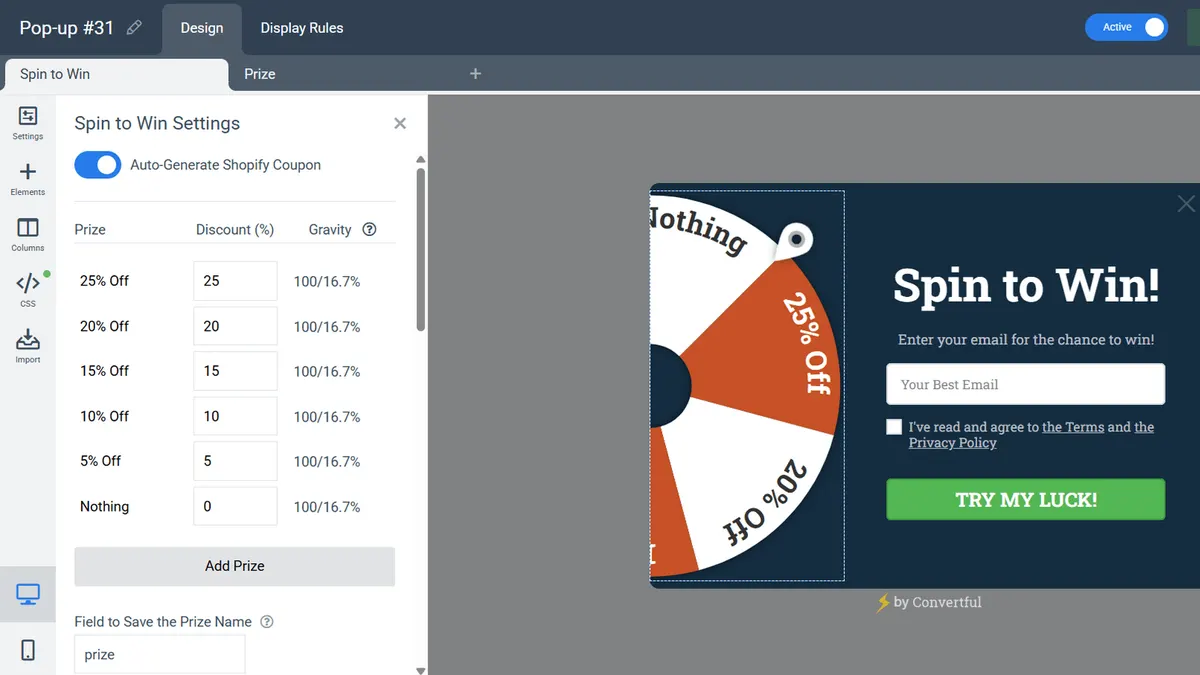
Under Settings, Site Connection, pay the one-time $10 for the Shopify premium features. Then switch on Auto-Generate Shopify Coupon in a spin-to-win or scratch card widget.
- 6Set the display rules and go live
Choose when the widget appears and on which pages, then save and switch it to Active. New subscribers reach Klaviyo as soon as they submit.
A unique code on every Klaviyo profile
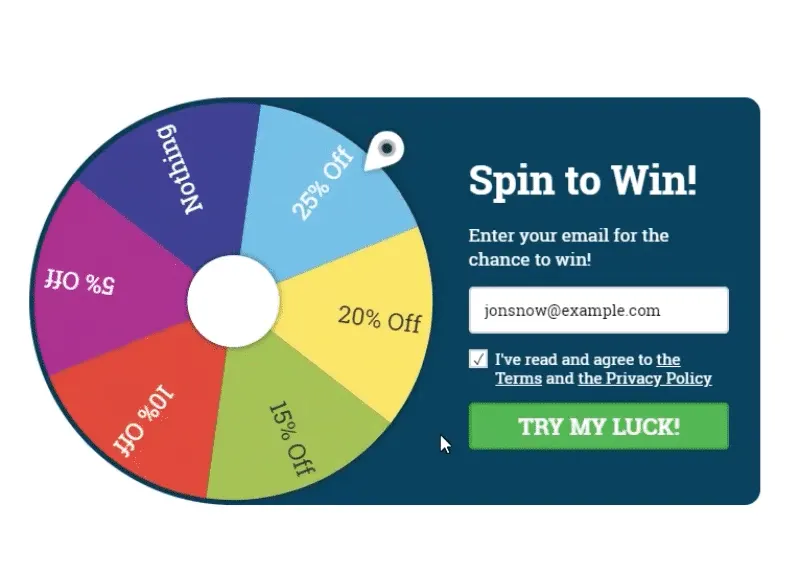
When a shopper spins the wheel or scratches the card, Convertful creates a one-off Shopify discount code and shows it on the prize screen. The prize and the code are saved in fields you name, in Convertful and in Klaviyo.
Your Klaviyo welcome flow can then repeat the exact code the shopper saw on screen.
- Your odds. Choose how often each prize wins.
- Your prizes. Set a different discount for each slice of the wheel.
The right offer for each shopper
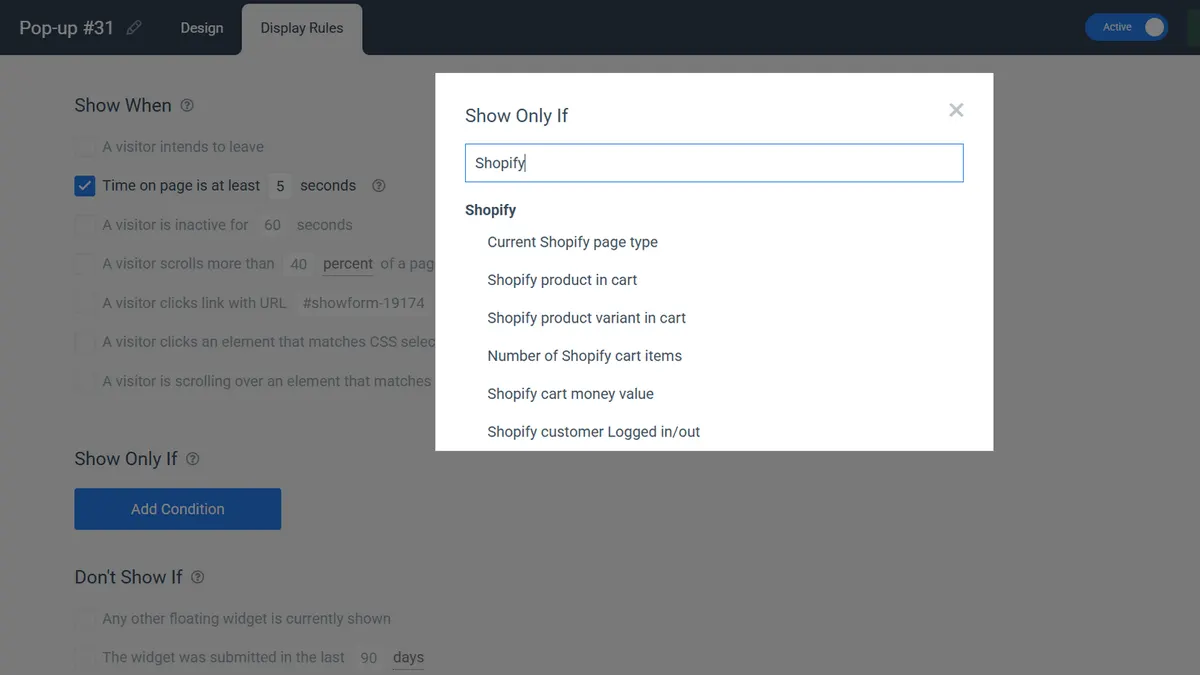
Shopify rules let a widget react to the page type, the products in the cart, the cart value and whether the customer is logged in. Klaviyo rules add a second layer: show an offer only to people on a certain list, or with a certain value in a Klaviyo field.
- Cart rules. Show a cart saver only when the cart is worth saving.
- Klaviyo list rules. Keep the welcome offer away from people already on your list, on Growth and above.
Klaviyo widgets that suit a Shopify store
Welcome wheel
A spin-to-win for first-time visitors, with a unique code per spin saved to Klaviyo.
Cart saver
An exit-intent offer on the cart page, shown only when the cart passes a value you set.
Early access list
Collect emails for a sale or launch into their own Klaviyo list, with the widget switched on by date.
Klaviyo and Shopify questions
Why is a new subscriber not in Klaviyo yet?
If double opt-in is on for your Klaviyo list, the profile is added once the shopper confirms through the email Klaviyo sends. Without double opt-in, subscribers appear as soon as they submit.
How does Convertful know which Klaviyo subscriber is visiting?
A visitor is recognised after they submit a Convertful widget, or when they arrive from a link that carries their email. Add ?conv_email={{ email|default:'' }} to the links in your Klaviyo emails to recognise people who click.
Do I ever need to reconnect the store?
Only for discount codes. Shopify may ask you to approve code creation again after 90 days, so click Reconnect in the app settings if codes stop appearing. Cart rules and the rest of your widgets keep working either way.
What does this cost?
Klaviyo is included on every Convertful plan, from $7 a month billed yearly. The Shopify premium features from step five are a single $10 payment that covers every store your plan allows.
Other Shopify setup guides
Send your first Shopify offer to Klaviyo
Install the free app, connect Klaviyo and launch a welcome offer with a unique code.