

Halloween pop-up templates
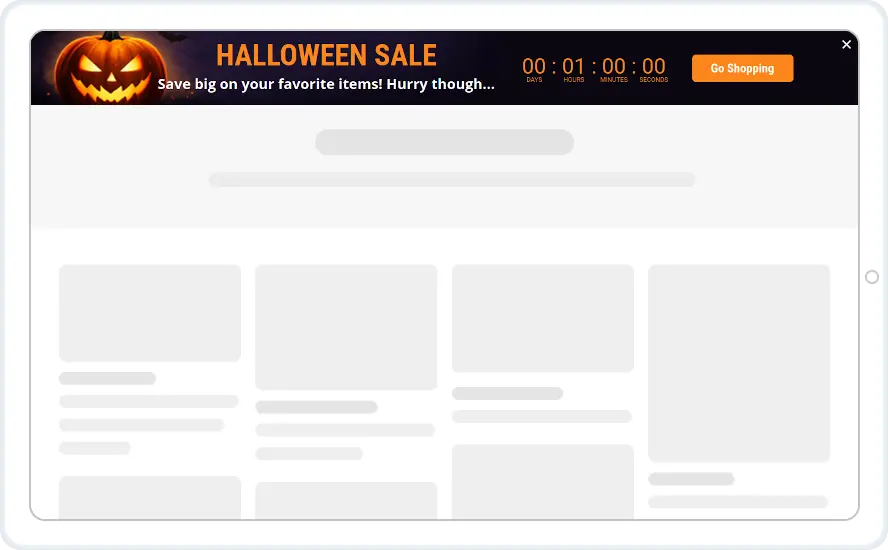
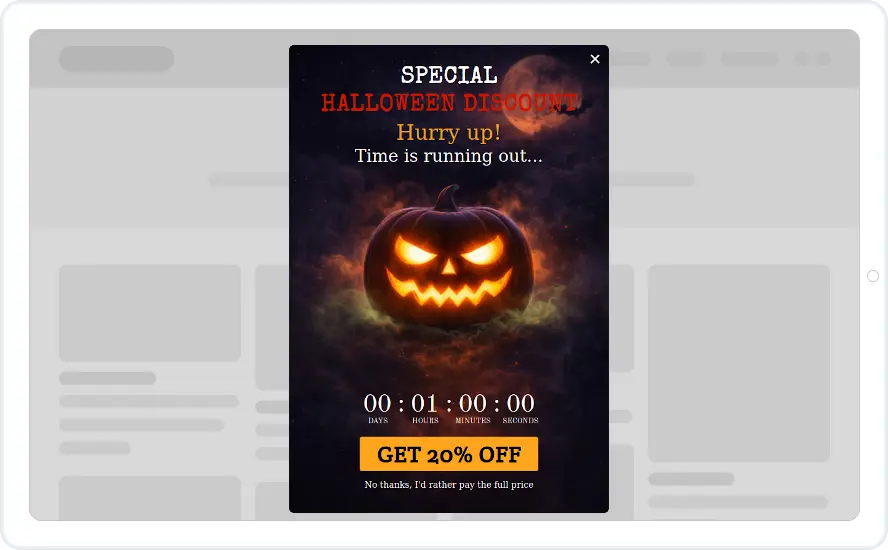
A pumpkin pop-up with a countdown and a matching top bar for your Halloween sale. Both are orange and black with the timer already built in.
- Recurring Limited Events with your Halloween sale dates
- A countdown to a fixed date, or From Holidays when you use the event rule
- The pop-up after a few seconds, once per visitor
- The bar on every page until the sale ends
When to use it
The pop-up offers 20% off with a countdown, and its decline link reads “No thanks, I'd rather pay full price”. The bar repeats the sale on every page with its own countdown and a Go shopping button.
Run them together for a short Halloween sale. The pop-up announces it once, and the bar keeps the deadline in view.
Before you publish
- Change 20% to your own discount
- Soften the decline link if “I'd rather pay full price” does not fit your brand
- Set the countdown to end when your sale ends, and choose what happens at zero
Questions about Halloween templates
Can the Halloween widget come back next year?
Yes. Under Recurring Limited Events, pick the holiday from the list or add a custom event with your sale dates, and the widget returns on those dates every year. This rule starts on the Starter plan.
What happens when the countdown reaches zero?
That is up to you. The widget can stay as it is, close, or send the visitor to a page. A timer set to close the widget also stops it from showing again.
Start with this template
Open it in the editor, change the words and colours, choose who sees it and publish.
