


Exclusive Lifetime Deal
Get Convertful On-Site Widgets at an Insanely Low Price!
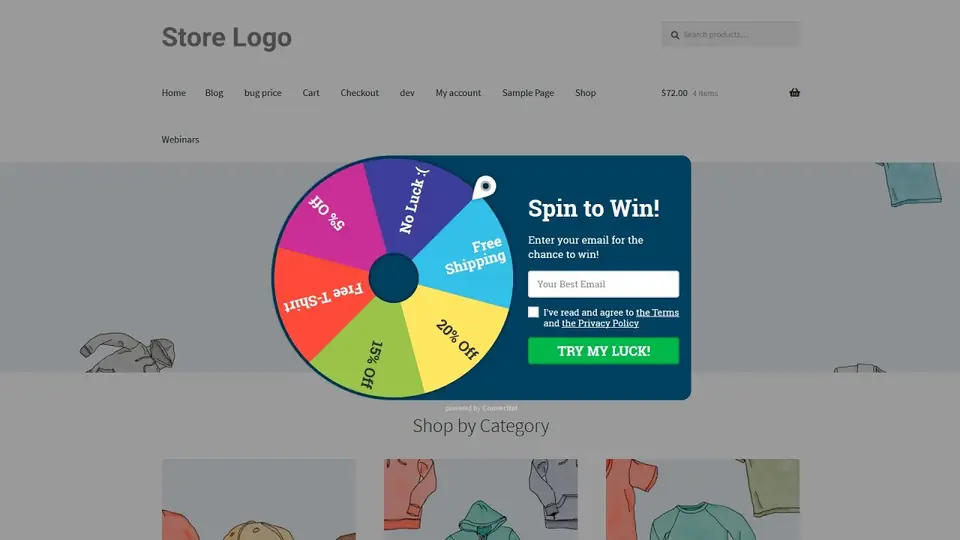 Convertful Showcase
Interact Right & Get Conversion Growth
Showcases
Build Email Lists
Offer great Lead Magnet in exchange for the subscription
see showcase
close showcase
Promote Your Webinars
Boost conversion by notifying visitors about your webinars
see showcase
close showcase
Grow Your Followers
Offer Lead Magnets and Coupons in exchange for likes and follows
see showcase
close showcase
Offer Content Upgrades
Target readers by URL, post tag or category to make the relevant offer
see showcase
close showcase
Broadcast Notifications
Show Floating Bar to notify visitors about sales, events, and changes
see showcase
close showcase
Offer Welcome Discounts
Boost sales without losing profit by offering discounts to “cold” visitors only
see showcase
close showcase
Qualify Your Leads
Learn more about your subscribers to personify the communication
see showcase
close showcase
Show Sales Deadlines
Give visitors a reason to take action now by showing live countdown timers
see showcase
close showcase
Create Welcome Gates
Show the high-converting full-screens for the first-time visitors
see showcase
close showcase
Target by Visit Source
Show special offers for visitors from specific sites and sources
see showcase
close showcase
Show Yes/No Forms
Boost conversions by showing the callout step before the form
see showcase
close showcase
and much more with the flexible Widget Creator & Advanced Targeting
Start Quickly
All Site and eCommerce Platforms Support
All Major Marketing Software Support
& HTTP POST request *
No Coding Needed

* alternative to using integrations, you can send form data to custom URL via HTTP POST request
Easily Create Beautiful Widgets
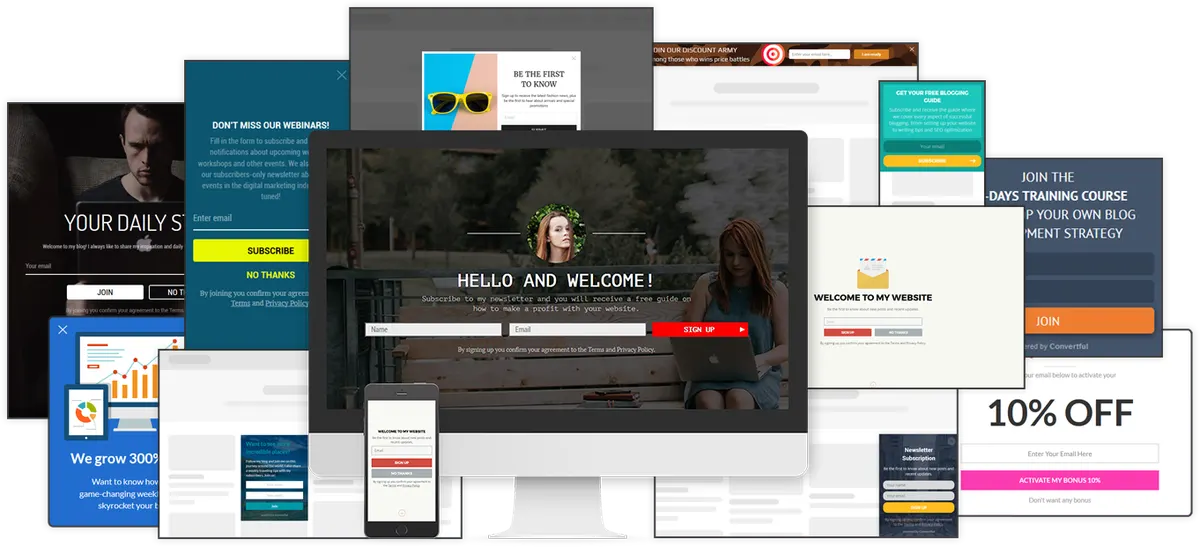
50+ Beautiful Responsive Templates
Choose from the vast amount of modern-looking designs and customize them the way you want with our Drag & Drop Editor
You can easily add, move, and delete texts, images, buttons, videos, follow buttons, page sharing controls, countdown timers and other







Customizable Style
Change fonts, colors, images and much more to fit the site design perfectly!
Customizable Layout
Create widgets with any structure and number of elements you may like
Customizable Positioning
Choose the part of the screen where the form should appear to fit your site design
Customizable Fields
Gather any needed data in your contact list with customizable form fields
Remarkable Display Animations
Boost conversion by adding the eye-catching form animation effects
Google Mobile-Friendly
Create widgets with templates designed to meet Google Mobile-Friendly Requirements
Custom CSS Support
Create your own form design by adding classes and styling it with custom CSS
White-Label
Create white-label widgets without any watermarks and copyrights
Offer at the Right Place

Pop-up
Lightbox with overlay, great with exit intent or inactivity triggers

Slide-In Scroll Box
Side block that naturally fits empty space below the sidebar

Floating Bar
Neat bar that can be added at the top or bottom of a page

Fullscreen Welcome Mat
Fixed or scrollable fullscreen mat

Embedded Inline
Wide embeddable inline widget

Sidebar Widget
Narrow embeddable inline widget that fits into content or other website blocks
Offer at the Right Time
Exit Intent Trigger
Make the widget appear when the visitor is about to leave the page (when moving the mouse cursor towards the browser’s URL string, close button or forward/backward controls)
Inactivity Time Trigger
Make the widget appear based on visitor’s inactivity time on the page. Inactivity timer starts when the visitor stops scrolling and interacting with the page.
Time on Page Trigger
Make the widget appear after a visitor will spend the specified amount of time on the page
Page Scroll Trigger
Make the widget appear when a visitor scrolls the page down to a certain position, specified in pixels or percentages of total page scroll height
Element Click Trigger
Make the widget appear when a visitor clicks on a specific element on your site, specified by the element’s class, ID, or a hyperlink
Offer to the Right People using Advanced Targeting by
Visit Source
Referral links from specific search engines, social networks, channels
Visit Source URL
Referral links from the specified external URL
Visit Start URL
Browsing session started from the specified page URL
Page URL Get Parameters
Page got certain URL get parameters (utm_source, utm_medium, etc.) and values
Page URL
Targeting by specific URL or its fragments
Time on Site
Visitor spent the specified amount of time browsing the site
Viewed Pages Number
Visitor browsed the specified number of site pages
Visit Number
Targeting to first-time and returning visitors
Time From the First visit
Specified amount of time from the first site visit
Time From the Last visit
Specified amount of time from the last site visit
Date of the Last Visit
Last site visit took place at the specified date(s)
Current Date
The exact date or range of dates matching the specified
Screen Width
The exact screen width value or range of values (in pixels)
Platform
One or several type of platforms specified: desktop, tablet, mobile
Person Parameters
Specified person parameters (from local storage) with the specified values
Cookies
Specified cookies with the specified values
Other Widgets
If no other widgets were shown on the page or during the session
Subscribed with Any of the Widgets
Visitor haven’t yet subscribed with any of the widgets
Countdown Time
Specified countdowns to exact date & time and evergreen countdowns
WordPress Parameters
Specified WordPress post tags and categories
Provide Polite Offers
Don’t Show Again Rules
Define the specific amount of time during which your visitor won’t see the widget, depending on the interaction type: if the widget was viewed, closed, or submitted.
One Widget at a Time
All widgets are designed to not overlap each other. The second widget will not pop up until the visitor finishes interacting with the previous one.
Precise Targeting
The set of precise conditions allows creating highly-targeted offers at the right pages and time — no more spammy widgets.
Create Multi-Step Forms
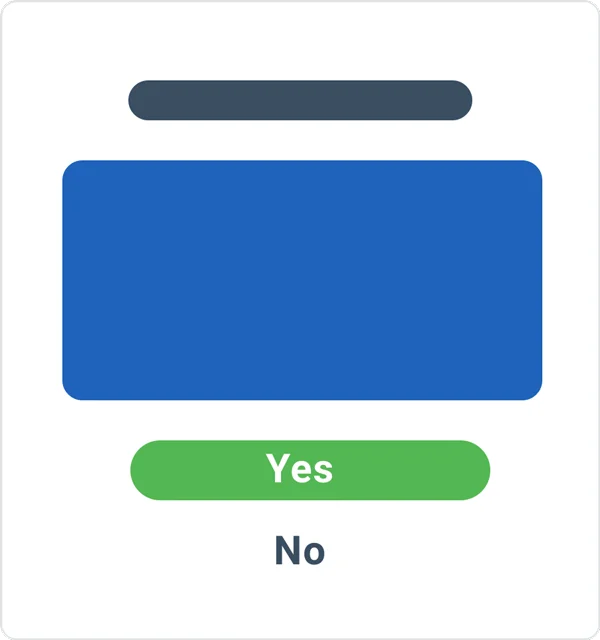
Yes/No Step (Callout)
Gets a preliminary confirmation of the visitor’s interest in the offered value (optional)
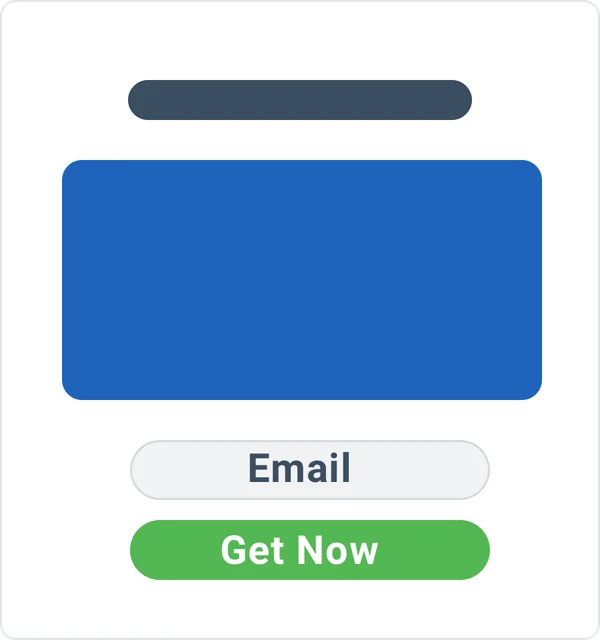
Offer Step
Once interest confirmed, displays the detailed information and form fields required to accept the offer
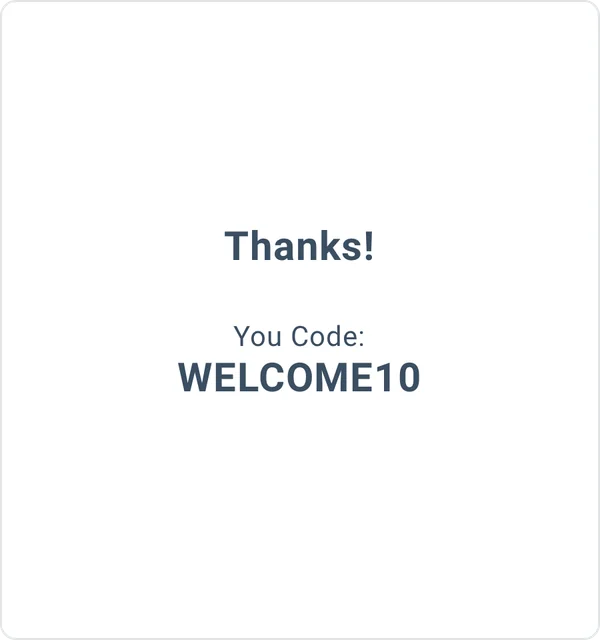
Thank You Step
Form state, that displays your gratitude for accepting the offer. Whatever you feel suitable: text ‘Thank you’ message, short video, coupon code, etc.
Choose Success Actions
You can choose what happens when a user submits the widget to get the way you want:
- Display Success Message
- Execute JavaScript
- Redirect Visitor to URL
- Refresh Page
- Post Form Data to URL (HTTP POST request)
- Close the Widget
Boost Conversions
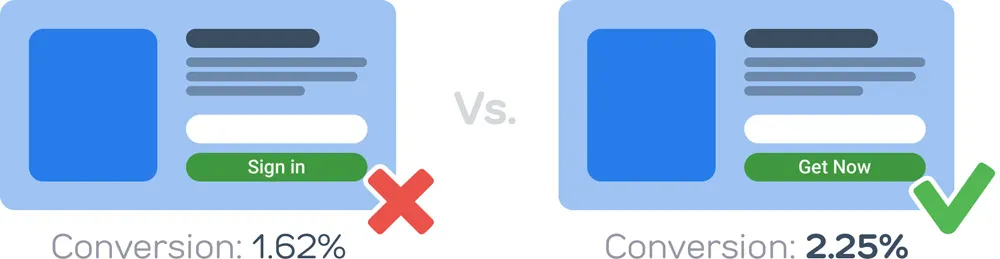
A/B Split Testing
Test how small changes of the offer affect conversion by A/B testing its different variations. Learn what your audience prefer to convert more visitors.
Real-Time Analytics
Analyze your audience preferences with the built-in analytics. Use the stats to adjust the offers and targeting rules.
Dynamic Data Capture
Gather visitor’s dynamic data (current URL, referrer URL, and UTM parameters) in the contact list to boost conversion with even more targeted offers.
Leads Recovery
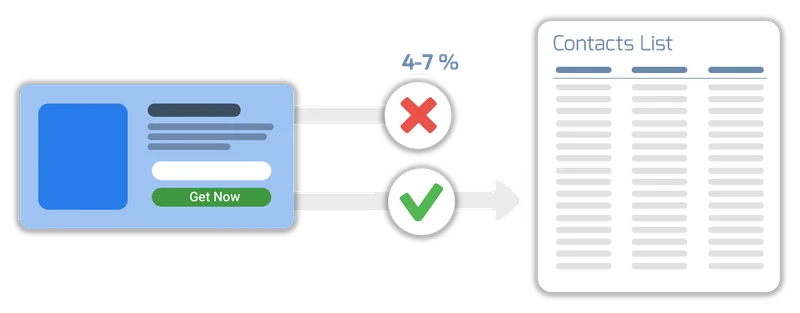
Other Tools Lose Avg. 4-7% of Leads
General list building plugins and services don’t handle various API errors properly. This includes revoked keys, server downtime, account expiration and so on. When this happens, new subscribers are just silently lost.
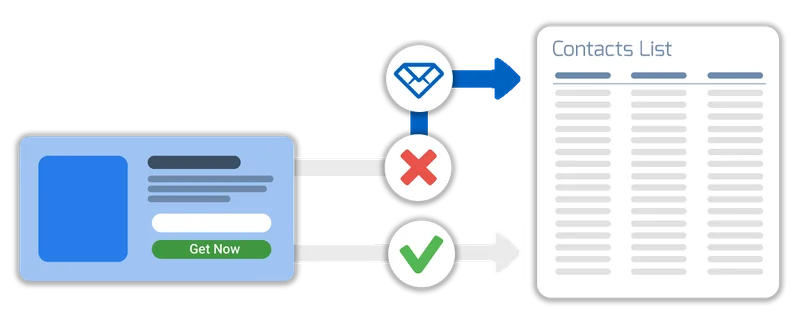
Convertful Verifies that Your Leads are Added
Convertful checks whether the lead data has reached the email list. If not, it notifies you and carefully stores your new leads to re-submit them once the issue is resolved.
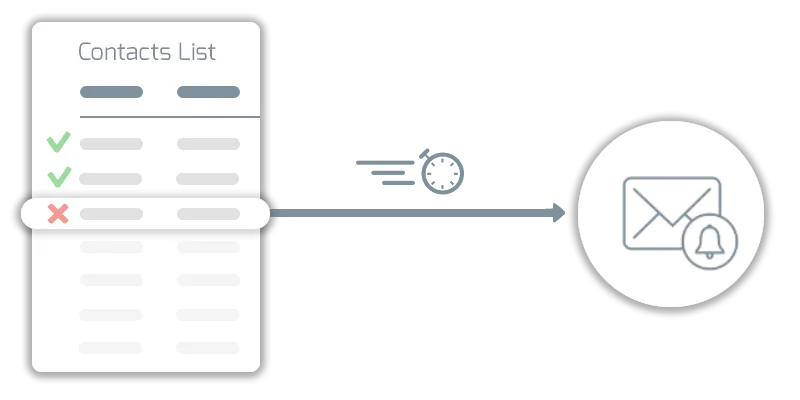
Smart Error Handling, Automatic and Convenient Resolution
Lead Recovery Technology identifies the type of error and notifies you instantly. No matter if it’s the ended subscription, API issues, or subscription plan limits reached — Convertful protects your leads in any case. Once you resolve the issue all subscribers will be added to your list automatically.
What Experts Say
These are a very high-converting way to drive new email subscribers to your list. If you’re looking for detailed functionality at a low price point, I suggest you look into Convertful.
 Neil PatelMarketing Guru
Convertful fixes all that by helping you create and edit forms in real time, and walks your through the process step by step making it the perfect tool for beginners all the way to pro bloggers.
 John Paul AguiarBlogging Entrepreneur
Support
Knowledge Base
You can learn more about our special features and use cases in our illustrated guides
Live Chat
For quick and pre-buy questions you can use the live chat (bottom right corner). We’ll be glad to assist!
FAQ
What is Convertful?
Convertful is a SaaS toolkit to acquire subscribers, qualify leads and run on-site marketing campaigns. It allows creating smart behavioral-targeted sign-up forms and call-to-actions in minutes, without developers or designers needed.
How is Convertful better than similar services?
Convertful makes sure each of your subscribers/leads reaches your lists. Based on our late 2017 research, none of the similar services properly handles integrations’ API errors. Because of this 4-7% of subscribers are usually quietly lost!
Convertful provides flexible and convenient drag-n-drop forms creator. Most of the similar services either don’t provide drag-n-drop or offer the powerpoint-way, which’s able to mess designs in minutes.
Convertful provides all the modern form types, including popups, scroll boxes, floating bars, welcome screens and inline (embedded) forms. Most of the similar services offer a single forms type (only popup, only bar and so).
Convertful provides Social Sign-up feature. Getting name / email from social network accounts.
Convertful is feedback-driven. Do you miss some features? Create feature requests and vote for existing ones. We base our roadmap on your feature requests.
What is this deal about?
It’s the unique opportunity to acquire lifetime subscription plan with Convertful features otherwise available only with the regular montly/ yearly payments.
There’s a high chance that we won’t offer Lifetime deals ever again. So this might be the only way to get it if you want one!
Which features are included?
Provided features depends on the Lifetime bundle you choose. See pricing and desctiption below.
What’s the price of the lifetime subscription plan?
We offer multiple plans, depending on the bundle of features you use. It varies from $69 to $669. See the pricing below.
What are the benefits of the lifetime subscriptions over regular pricing plans?
You pay only once and save LOTS of money:
| Lifetime Plan | Lifetime Plan Price | Regular Pricing | Savings |
|---|---|---|---|
| LTD SILVER | $69 | $3,560 / 4 years | 98% |
| LTD GOLD | $169 | $7,160 / 4 years | 98% |
| LTD DIAMOND | $269 | $8,000 / 4 years | 97% |
| LTD PLATINUM | $669 | $11,960 / 4 years | 94% |
Why so cheap? Where’s the trick?!
No tricks! We believe that product development should rely on customers’ requests and feedbacks. And the best of them usually come from passionate early adopters — you.
We’re offering this deal to attract you so that we could better drive the further development in the right direction.
When does this deal end?
It will be only available during from November 28 to December 6, 2019. See the live countdown above.
Will I be able to buy Convertful after this deal ends?
Yes. But on the regular monthly/yearly pricings.
For those looking to upgrade at some point after this deal ends, you will be able to move to any of the regular plans with 50% recurring discount (contact support to get discount code).
Can I use Convertful for my clients’ websites?
Sure!
How do I contact support team for more details?
For quick and pre-buy questions, please use the live chat (the icon in the bottom right corner of the page).
For resolving technical issues, it’s usually better to create support tickets on our support portal. Or you can ping us in chat, so we could help you to create a support ticket.
Is or will Convertful be GDPR compliant?
Convertful is aware of GDPR and is fully compliant with it. See details on our site https://convertful.com/legal/
Which site platforms does Convertful work on?
Convertful works with all the site platforms which allow embedding a JavaScript code snippet.
See the illustrated guides on connecting Convertful with the most popular ones.
How many sites can I connect to my lifetime account?
Depends on the Plan you choose. See details at the purchase table at the bottom of this page.
Which E-Marketing services Convertful got integrations with?
Convertful provides integrations with: Platform.ly, Zapier, ActiveCampaign, ActiveTrail, Alore CRM, AWeber, CampaignMonitor, CompanyHub, ConstantContact, Gist (former ConvertFox), ConvertKit, Customer.io, Drift, Drip, Freshmail, GetResponse, HubSpot, Infusionsoft, Klaviyo, MadMimi, MailChimp, MailerLite, MailUp, Moosend, Remarkety, SendinBlue, Sendlane, SendPulse, Sendy
We constantly develop new integrations, and if you miss some specific one, you can create the relevant feature request or vote for the existing one. Once it gets a significant amount of votes, we’ll implement it.
How does Convertful’s lead recovery system work?
In case of any connection issues with your email list service (regardless if it’s server downtime, revoked API key or whatever) each subscriber will be saved and automatically transferred to your contact list, once the issue will be resolved. When your action is needed, you’ll also receive a notification about this.
What browsers do Convertful forms run in?
All browsers that have a world usage stat of 1% and higher. This includes Chrome, FireFox, Safari, Edge, Opera and some others.
Are Convertful forms mobile-friendly?
Sure! Each form comes with its mobile version.
Which payment methods does Convertful support?
We accept credit cards and PayPal.
What’s the refund period?
We provide 14-days money-back guarantee. No risks. No questions asked. If you’re not satisfied – we’ll refund the money.
Why the final checkout price differs? What is VAT?
Value Added Tax, or VAT, in the European Union, is a general and broadly based consumption tax assessed on the value added to goods and services. It applies to most products and services that are bought and sold for use or consumption in the European Union.
When ordering a subscription, you will be asked to confirm your country. If you choose that you’re outside of the EU and other VAT-requesting countries, VAT will not apply. If you select one of EU countries, you can provide your valid VAT number during the checkout, and VAT shouldn’t be applied as well.
I already have the Convertful subscription plan, do I need this deal?
It’s up to you. But if you decide to switch, feel free to contact us so we refund non-used amount of time from your old subscription and switch your account back to Free, so you could purchase this Deal.
Will lifetime subscription plan be available for purchase after this deal ends?
No. It’s the time-limited offer. And there’s a high chance that we won’t offer Lifetime deals ever again. So this might be the only way to get it if you want one!
Can I purchase multiple Lifetime Deals?
No, it’s NOT STACKABLE. For this reason we provide multiple bundles so you could choose features that suit your use-case. Purchase of multiple LTD options won’t lead to the stacking of features/limits.
What if I need more sites or monthly visitors?
Check the lifetime bundles below to find the one that suits you best. Or you can check the regular pricing plans which always available https://convertful.com/pricing/
Which features will the Agency Addon include?
In the following order:
- Custom branding for the widgets
You’ll be able to replace “powered by Convertful” with your custom branded link, like “designed by MyAgency” - Custom branding for email reporting
You’ll be able to setup custom email text and logo for emails coming from Convertful with lead notifications, subaccount invites, and email performance reports. - Custom branding for dashboard
You’ll be able to setup and customize custom dashboard on the custom domain, which allows you provide custom-branded platform with widgets to your customers. - Unlimited number of sub-accounts
You’ll be able to share access to your sites and widgets both with your co-workers and clients. You may share those vie custom-branded dashboard and via Convertful-branded dashboard as you like.
How much will the Agency features cost?
You can purchase Agency Addon as a complentary subscription to your Lifetime Deal for $19/month or $99/year.
How many sub-accounts / client logins will I have?
This feature depends on the Plan you choose, but with the purchase of Agency Addon, you got no limits for the sub-accounts.
How do I add new sites after the deal if needed?
Only by switching to the regular pricing plan. Note that Lifetime Deal purchase grants you a 50% recurring discount in case of switching to the regular pricing plan. Contact support to get one.
You won’t be able to increase the Lifetime Plan limits later, once this deal is over. So don’t miss your chance!
Get More Subscribers with Convertful
& Keep Your Audience Engaged with Relevant & Timely Offers
14 Days Money Back Guarantee
This Time-Limited Lifetime Deal Expires in:
LTD DIAMOND
$8,000*
$269
Lifetime
20 sites
250,000 visits
5 subaccounts
No Branding

Option to add from
the checkout page
Agency Addon
$15 / month
$99 / year
Visits: same as LTD
Subaccounts: unlimited
Custom branding
Custom dashboard
* Amount you would pay on the annual plan over a 4 year period
Depending on your country, VAT or other local tax may be added to the price