
Forms play a pivotal role in nearly every digital marketing initiative you implement. Whether you’re looking to capture leads, gather newsletter subscribers, offer free trials, schedule demos, conduct surveys, run contests, set up user accounts, or manage event signups, forms are essential for collecting information and guiding prospects through your marketing funnel.
Across a wide range of websites, forms have become the backbone for generating leads, registering users, and executing key marketing programs. They are indispensable tools for gathering and organizing visitor data.
HubSpot’s research highlights that 74% of marketers identify website forms as their most effective lead generation resource, surpassing channels like social media and live chat. Since forms often serve as the first point of contact between businesses and online visitors, optimizing them can dramatically affect your lead flow, conversion metrics, and acquisition costs.
You might already use platforms such as Convertful, HubSpot, Salesforce, or Google Forms to create online forms. The gap between an underperforming form and one that exceeds a 20% conversion rate is influenced by your approach to structure, visuals, messaging, and maintaining clean data. Industry data reveals that the median conversion rate for lead generation landing pages stands at 4.02%, while the highest-performing quarter sees rates of 11.45% and above.
This guide will help you get closer to achieving top-quartile performance by providing straightforward explanations, actionable examples, and proven strategies that you can implement consistently.
What Is an Online Form in Digital Marketing?
Definition and Core Purpose
In the context of digital marketing, a form is a digital tool made up of organized fields designed to gather details from visitors in return for something valuable. Instead of relying on physical paperwork, online forms streamline data collection by requesting information such as names, email addresses, or user interests. The reward for completing a form might include downloadable content, complimentary trial access, a service quote, a follow-up call, or entry to a regular newsletter.
Put simply, a form connects unknown website visitors to identifiable contacts in your CRM. When your forms are optimized, more users complete them and become leads you can follow up with.
It’s clear why nearly half of marketers consider web forms to be essential for achieving their marketing objectives.
Each form is designed for one main goal: to gather just enough information to help move both the user and your business forward. This could mean converting a blog reader into an eBook downloader, turning a product page visitor into a sales prospect, or encouraging a social media follower to sign up for your emails.
It’s best to match form length with user intent, using brief forms at the start of the funnel and longer forms for those further along. For instance, most B2B SaaS businesses request only an email address on blog forms, but require 6 to 8 pieces of information for demo requests. You have to balance collecting more details against the likelihood of users completing the form, depending on what you’re offering.
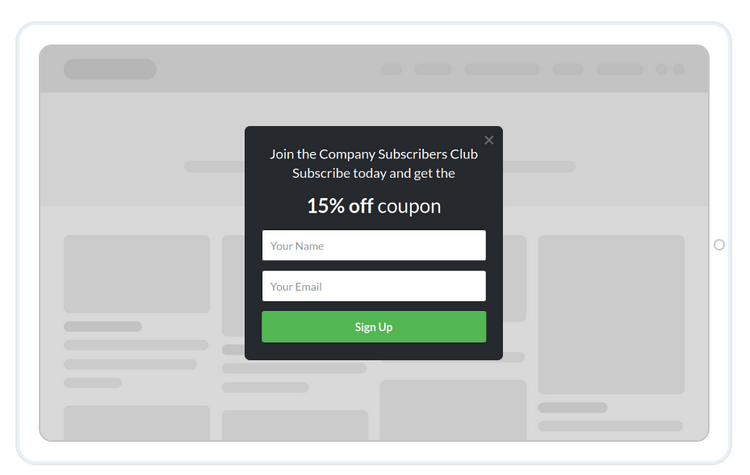
How Forms Fit Into the Digital Marketing Funnel
As outlined earlier, the length and detail of forms often shift based on where the user is in your funnel, reflecting both their intent and the type of data you need.
Forms play a role at each point in your funnel:
-
During the awareness stage, straightforward newsletter signup forms may capture between 2% and 5% of readers, while Mailchimp reports the average landing page signup rate is 1.33%, with the best performers reaching above 5%.
-
In the consideration stage, forms for gated content or webinar registration are used to collect more in-depth business information.
-
At the decision stage, demo request or quote forms are designed to hand off high-intent leads directly to your sales team.
Every form should be tailored to align with both the user’s goals and the stage of their journey. For instance, consider a SaaS provider focused on workflow automation:
-
At the initial stage of the funnel, a simple form with just two fields, email and first name, might be used to distribute an automation checklist PDF. Users complete these forms to share their essential details.
-
In the middle stage, the form could request information about company size and user role, offering access to a webinar focused on automation ROI in return.
-
Near the end of the funnel, a demo request form may require seven or eight fields, gathering specifics like the estimated budget and preferred timeline for implementation.
Studies indicate that as the number of fields in a form increases, conversion rates tend to decline. For instance, forms with just three fields typically achieve conversion rates around 10% higher than those with seven or more. Because of this, marketers often spread out data collection across several steps rather than gathering all the information immediately. The details submitted are later analyzed or leveraged for subsequent marketing initiatives.
Common Types of Forms in Digital Marketing
Lead Generation and Contact Forms
-
Lead generation forms are crafted to capture visitor information and convert them into potential customers by requesting contact data and basic details. Examples include forms like “Contact sales,” “Request a quote,” “Download the guide,” or “Speak with an expert.” They generally feature between 3 and 10 input fields, depending on how complex the offering is and the nature of leads sought. Reducing barriers tends to result in more users completing the form.
-
Contact forms also gather information but are often used for a wider range of purposes, such as support requests, partnership proposals, or press inquiries. These forms create a direct pathway between your audience and your business, allowing for clear communication and enabling timely assistance and engagement.
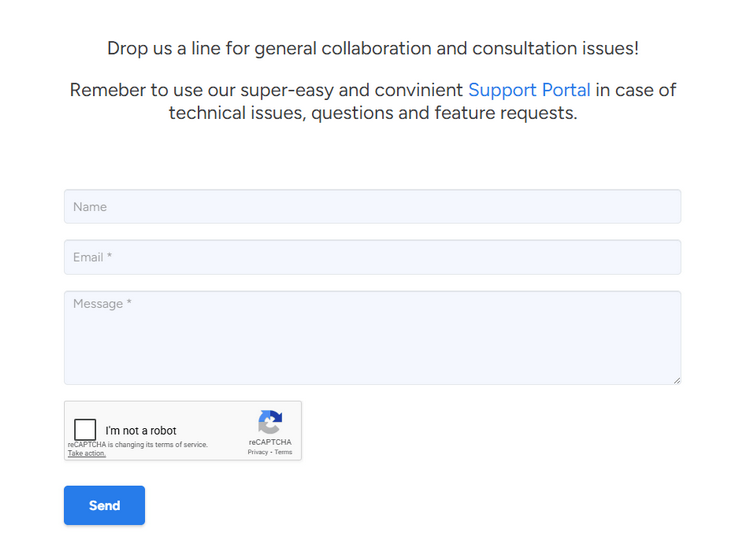
A software provider, for example, might rely on a universal “Contact us” form that assigns messages to the appropriate teams using a “What do you need help with?” dropdown menu. Research indicates that 74% of businesses report that their contact and lead forms are directly connected to their CRM or marketing automation solutions.
Staff members are generally responsible for handling and following up on submitted details, making sure responses to inquiries are prompt and effective. Designing these forms means shaping the main entry point to your sales and support processes.
Signup, Registration, and Subscription Forms
Signup forms are designed to gather consent and basic information for things like newsletters, accounts, events, or trial offers. They work best when they are concise and stress the benefits, since lengthy or complicated forms can discourage new signups.
According to email marketing platforms, signup forms placed on dedicated landing pages typically achieve conversion rates between 5% and 15%. In comparison, general forms in website footers rarely exceed a 1% conversion rate. Clearer value messaging and fewer form fields are the most common reasons for these differences.
Registration forms can also prompt confirmation emails or be sent as attachments, making it convenient for users to respond directly through their inbox.
Registration forms for events and webinars also fall into this group. A standard B2B webinar registration form typically requests information such as name, email address, company, job title, and may include a question like “What is your primary challenge?” to help qualify leads.
Data from virtual events suggests that conversion rates from landing page visitors to actual registrants usually fall between 35% and 45%.
Here’s something to think about when choosing how many fields to include: one marketing team reduced its webinar sign-up form from seven fields down to four, which led to an 18% boost in registrations in just a month. The gain in registrants outweighed the loss of some data.
Key Components of an Effective Form
Fields, Labels, and Input Types
Every additional field you include in your form slightly increases the effort required from users. The more effort it takes, the more likely people are to abandon the form before finishing.
We advise cutting any field not directly connected to segmentation, lead scoring, or prompt follow-up actions. Research suggests that most mid-funnel lead generation forms are most effective when limited to three to seven fields, with even fewer for colder audiences. Focus on gathering only the information you can put to use within the next month or two.
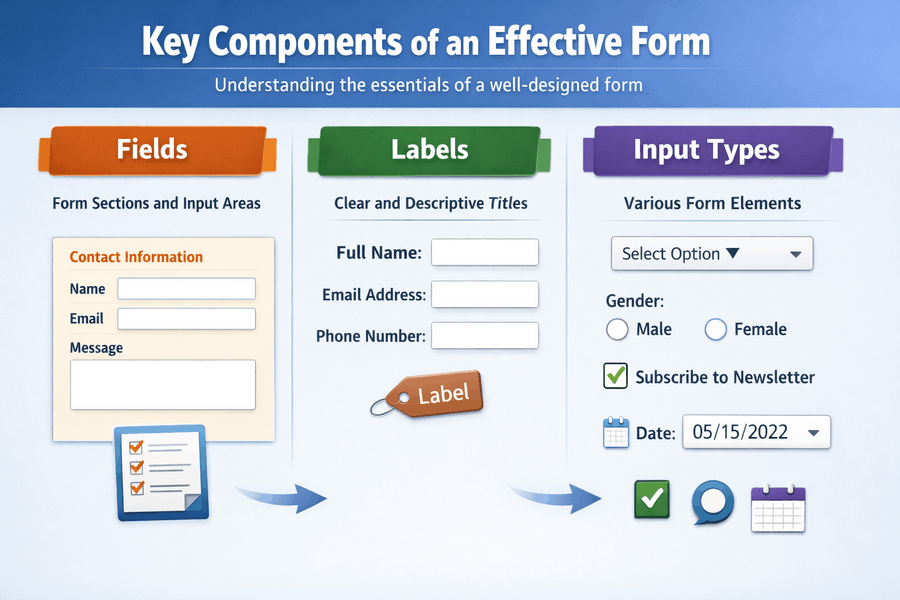
The way you structure labels and select input types influences both the accuracy of submissions and the likelihood of form completion. Using clear, top-placed labels typically leads to better accessibility and understanding compared to relying solely on placeholders. According to findings from the Baymard Institute, forms featuring visible labels are completed roughly 15% faster on average.
Text boxes serve as essential building blocks for digital forms, giving users the flexibility to provide various types of information. To minimize mistakes, it’s important to select the right input fields such as email, telephone, date pickers, or dropdown menus. For instance, a consumer insurance application that replaced freeform fields with dropdown options for “coverage type” and “state” saw a 22% drop in user errors and a 9% boost in completed quote requests within three months, based on research findings.
Calls to Action, Copy, and Error Handling
By pressing the CTA button, users send their entered details for processing, saving, or the next step. This button is the key driver for form conversion rates.
The wording on your call to action (CTA) button can significantly impact conversion rates, often more than any other single change. Transparent, benefit-focused button labels usually outperform vague alternatives. In one experiment, using tailored CTA phrases like “Get my free quote” resulted in a 10% to 25% increase in conversions versus the standard “Submit” text, depending on the landing page.
Choose action-driven, benefit-focused wording that matches your offer, such as “Begin my free trial,” “Get my report,” or “Schedule my demo.” Make sure your button’s color and size align with your branding, but use a color that stands out against the background so users notice it easily.
Handling errors properly improves the user experience. Use real-time, inline validation to alert users immediately about any issues, which helps lower the chance they’ll give up. In fact, 67% of people abandon forms when they face complicated validation problems or confusing instructions. For example, a B2B SaaS provider switched from generic messages like “Invalid input” to specific feedback such as “Please provide a business email, not a personal account.” This change led to a 12% boost in successful free trial sign-ups in just one month.
How Forms Impact Conversion Rate and Lead Quality
Form Length, Friction, and Conversion
Each additional field you include makes the process harder for users, causing fewer people to complete your form. However, gathering enough details is crucial for evaluating leads and following up with prospects. Once a user submits the form, the information is generally saved securely for future use and analysis.
According to HubSpot research, one experiment showed that reducing form fields from four to three led to a 50% boost in conversions. On the other hand, using more than seven fields caused completion rates to fall steeply. While results vary based on user intentions, the trend is clear across sectors: shorter forms perform better.
Consider this real-world scenario. A SaaS company targeting mid-sized businesses streamlined its demo request form by cutting four fields, “phone number,” “industry,” “country,” and “budget range”, reducing the total from nine to five. The company then used progressive profiling during future interactions to gather the omitted information. Over the following quarter, demo requests increased by 27%, and the sales team saw only a minor 3% decrease in lead qualification scores.
These types of compromises are frequently encountered.
According to A/B testing platforms, companies that experiment with their forms often achieve a 10% to 30% improvement in form conversions over a period of three to six months.
Lead Quality, Progressive Profiling, and Enrichment
The conversion rate by itself doesn’t provide a complete picture. Even though I’ve advised several times in this article to limit the number of form fields, it really comes down to finding the right mix. Stripping your form down to just an email address might increase the number of responses, but it could overwhelm your sales team with leads that aren’t a good fit.
Using progressive profiling and data enrichment makes it easier to strike the right balance between volume and lead quality.
As an illustration, a SaaS provider targeting small and mid-sized businesses implemented progressive profiling on its gated content forms. On the first download, visitors were prompted to share just their first name and email address. For the next asset, the form requested information on company size and job function. On the third interaction, the question focused on the main reason for interest. Over the course of six months, this approach boosted overall form submission rates by 22% while still collecting sufficient details for personalized marketing and effective lead scoring.
Research indicates that 53% of B2B marketers have observed an improvement in lead quality when progressive profiling is used, as opposed to relying solely on static forms.
Best Practices for Building High‑Performing Forms
Strategic Planning, A/B Testing, and Measurement
Before making any changes or additions to a form, decide on the metric that will measure its effectiveness and clarify how it supports your funnel. Are you aiming for a higher number of submissions, qualifying leads for your sales team, boosting attendance at an event, or driving product activation?
Platforms, alongside analytics tools like Google Analytics 4, Hotjar, or Microsoft Clarity, enable you to monitor how users engage with your forms, identify where they abandon the process, and measure completion percentages.
Regular A/B testing should be a standard part of your workflow. Begin by experimenting with major elements like the number of fields, call-to-action phrasing, headlines, and how your offer is presented. Afterward, move on to subtler tweaks, such as rearranging fields or making certain questions optional rather than mandatory. Brands that conduct two or three tests each month can achieve cumulative conversion improvements, sometimes exceeding 20% annually.
Consider this case: an ecommerce company improved form submissions by 14% simply by moving the phone number request under an “Advanced options” dropdown, yet still gathered numbers from 40% of users who were particularly interested.
Data Quality, Validation, and Compliance
Effective form design goes beyond just tracking KPIs. It also plays a vital role in maintaining high data quality and meeting regulatory requirements.
Research from the email list provider Validity shows that nearly 22% of email addresses submitted through online forms are either incorrect, contain mistakes, or are associated with spam traps or delivery problems when validation is not applied.
Implement standard validation checks for field formats, mandatory entries, and duplicate submissions. If email communication is critical, use specialized email verification solutions. Reliable data allows for improved segmentation, better email delivery rates, and more precise analytics.
It’s important to comply with privacy regulations like GDPR, CCPA, and other local laws. For instance, GDPR mandates a valid legal reason for gathering personal information, obtaining direct consent for specific purposes, and allowing users to easily withdraw their permission. According to the European Commission, violating GDPR can result in fines as high as 20 million euros or up to 4% of your worldwide yearly revenue.
Actionable measures include placing consent checkboxes where necessary, providing a straightforward privacy policy link, and never using pre-selected boxes for consent.
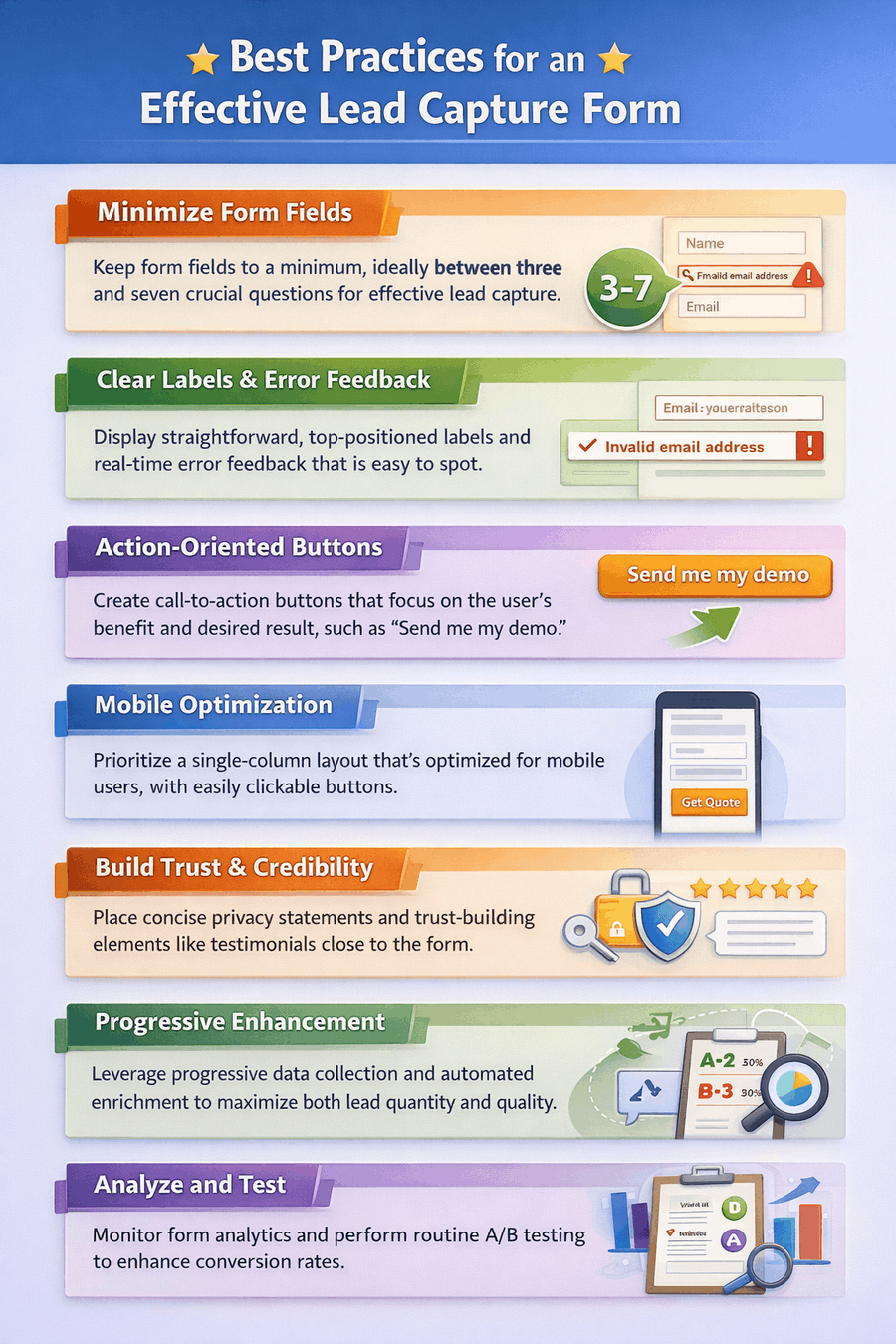
Best Practices for High-converting Forms: Checklist
-
Keep form fields to a minimum, ideally between three and seven crucial questions for effective lead capture.
-
Display straightforward, top-positioned labels and real-time error feedback that is easy to spot.
-
Create call-to-action buttons that focus on the user’s benefit and desired result, such as “Send me my demo.”
-
Prioritize a single-column layout that’s optimized for mobile users, with easily clickable buttons.
-
Place concise privacy statements and trust-building elements like testimonials close to the form.
-
Leverage progressive data collection and automated enrichment to maximize both lead quantity and quality.
-
Monitor form analytics and perform routine A/B testing to enhance conversion rates.
Implementing these strategies allows you to approach form optimization as an ongoing process instead of a series of isolated fixes. Over time, incremental improvements of 5% or 10% on each form can accumulate across many pages and campaigns, leading to a significant increase in leads every quarter.
Effective forms serve as a dependable mechanism that powers your marketing efforts by converting interest into real results. Every adjustment you make, whether it’s reducing the number of fields, improving the layout, refining your messaging, building trust, validating entries, or enhancing follow-up, helps the form function at its best. Although forms may appear straightforward, they bring together user experience, behavioral cues, legal requirements, and sales objectives within a compact space. Make forms a priority, keep optimizing, and ensure each one has a specific purpose. This approach will yield higher conversion rates, more reliable data, and a sales pipeline your team is eager to use.
If you haven’t yet chosen a platform for building your forms, we’ve got you covered. Check out our detailed guide on the best online dorm builders to discover tools that can help you create high-converting, user-friendly forms in minutes. From intuitive drag-and-drop builders to advanced integrations with CRMs and marketing automation platforms, these solutions make it easy to implement the strategies outlined in this guide and start capturing quality leads right away.
 Conversion Optimization Strategies for E-commerce
 Collecting Email Addresses on Your Website – The Guide