
With the fierce competition in today’s business world, organizations are seeking innovative ways to stay ahead and increase their share of the market. To boost lead generation and convert site visitors into loyal customers, many turn to tools such as OptinMonster and OptiMonk.
This in-depth comparison examines OptinMonster vs OptiMonk, highlighting the features and benefits each popup builder brings to the table. Continue reading for a thorough side-by-side analysis as well as our recommendation for an excellent alternative solution. Let’s dive in!
Platform Overview: A Side-by-side Comparison
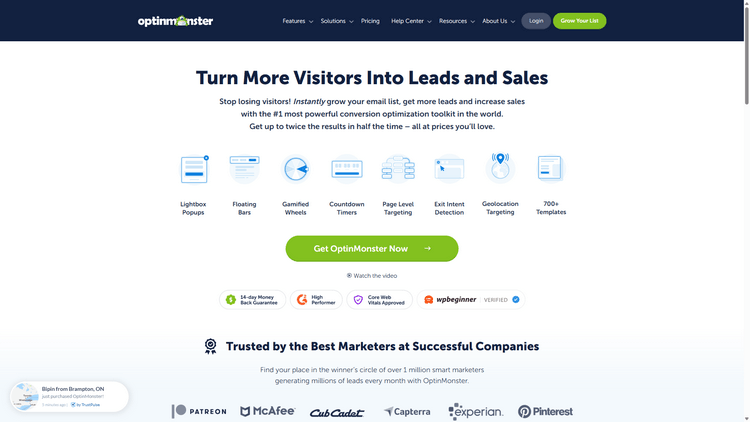
If your goal is to turn website visitors into potential customers, OptinMonster provides a robust suite of tools with sophisticated audience targeting. From lightbox popups and interactive wheels to countdown timers, floating bars, and webinars, OptinMonster offers a range of features that help grow subscriber bases and drive more conversions.
Meanwhile, OptiMonk empowers users to create professional popups effortlessly, all without any coding skills. With a vast array of design options, this popup builder accommodates a wide spectrum of marketing strategies.
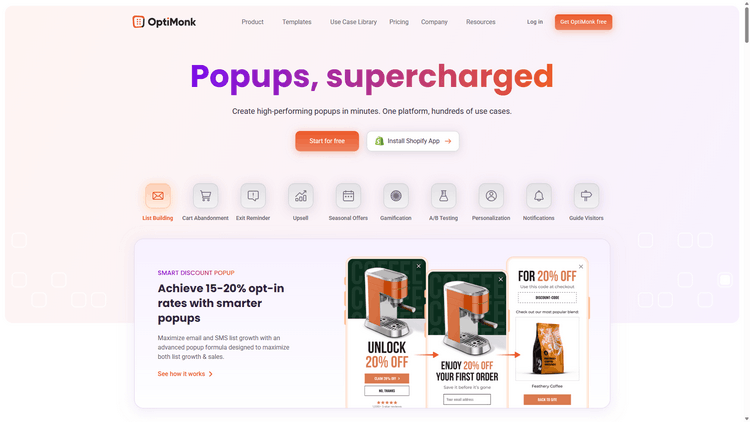
OptiMonk offers a comprehensive set of tools to boost your sales, including list growth, addressing cart abandonment, exit-intent prompts, interactive gamified elements, split testing, and sophisticated personalization options.
OptinMonster’s entry-level plan begins at $7 per month, which makes it a more expensive choice, while OptiMonk includes a no-cost tier. Keep following this guide for more pricing details.
OptinMonster vs Optimonk: Feature Comparison
To assist you in determining which lead generation platform suits your business best, we’ve put OptinMonster and OptiMonk head to head, evaluating them across various key features. Here’s what we looked at:
Campaigns and Templates
An effective lead generation solution should enable you to design attractive popups and run interactive campaigns that capture more visitors. Let’s see how these two leading tools handle campaign creation and design options.
OptiMonk offers four campaign formats: Fullscreen, Popup, Nanobar, and Sidemessage. There are over 112 templates available, and if you want something more custom, you can build your own using basic coding skills.
Meanwhile, OptinMonster provides users with the following campaign formats:
- Popup
- Fullscreen
- Slide-in
- Floating bar
- In-line
OptinMonster stands out by giving you significantly more flexibility with these five campaign styles. You can create sidebar forms, content gating features, and countdown timers. This popup tool features a library of more than 50 stunning templates, all crafted to boost engagement and attract more visitors.
OptinMonster comes out ahead in this area since it includes sidebar form options and an in-line embedded campaign, features that OptiMonk does not offer. Both platforms feature event countdown timers, but OptinMonster adds a dynamic timer to further enhance the user’s experience.
Campaign Creations
When used effectively, popups featuring tailored messages can strengthen connections with your chosen audience. Both of these lead generation platforms include a variety of templates, along with the ability to modify button text as needed.
Although each tool excels at crafting compelling messages, OptinMonster stands out by giving users advanced options to assign specific actions to each button. The platform’s drag-and-drop builder for popups allows for complete customization as well.
Additionally, OptinMonster provides more features, such as the following:
- Smart Success
- Success Tracking
- Retargeting Scripts
Targeting Options and Triggers
Customizing your campaigns is an effective strategy to drive more conversions. Both lead capture platforms come equipped with robust features such as referrer identification, targeting by page, geo-targeted campaigns, and automated follow-ups. However, OptinMonster provides even more granular control through extra capabilities, including these:
- WordPress Category and Tag Targeting: This option lets you focus your campaign efforts based on the visitor’s current content, delivering relevant offers that match their interests and improving conversion rates.
- Multiple Rulesets: This advanced conversion tool allows you to set up triggers or conditions for your campaigns. You also have the flexibility to assign different triggers to one campaign across several pages.
Accounts and Support
If you want your team members to use OptiMonk, keep in mind that every individual will require their own separate account to set up and manage campaigns.
There is also the option to select an agency account, which lets you oversee multiple clients and websites from one dashboard. This convenience comes at a recurring monthly cost, so the price point might be too steep for small to medium-sized businesses.
OptinMonster stands out as a reliable OptiMonk substitute, providing sub-account functionality with four distinct user roles. This setup lets you grant staff access while keeping your own login information, billing data, and other confidential details private.
One of the best things about OptinMonster is that you don’t have to pay extra to create sub-accounts. You can assign four types of roles: viewer, manager, author, and admin.
OptinMonster makes it easy to let clients access campaigns without compromising confidentiality. It also includes an activity log so you can monitor any updates or modifications.
Documentation and Support
If you’re not confident with technical details, you’ll appreciate that both of these popup tools provide straightforward guides and responsive customer service. Let’s examine how each platform handles documentation and support.
OptiMonk once lacked comprehensive resources, but this has changed dramatically. The platform now offers thorough guides and a robust FAQ section, providing users with clear instructions and solutions. Many users now see OptiMonk as an excellent substitute for OptinMonster thanks to these enhancements.
OptinMonster, in contrast, maintains an extensive library of documentation and support materials. With access to over 200 articles, users can find step-by-step information on every aspect of the platform, from creating popups to mastering sophisticated lead generation strategies.
Moreover, OptinMonster features a collection of in-depth video tutorials designed to help users resolve any problems encountered. For those seeking additional assistance, the support team is available via email and live chat during operating hours.
Pricing Comparison
Although features can influence user decisions, pricing is often just as significant, particularly for those managing tight budgets such as small business owners or website administrators.
OptinMonster provides four distinct plans, which are billed on an annual basis. These include the following options:
- Basic: $7 per month
- Plus: $19 per month
- Pro: $29 per month
- Growth: $49 per month
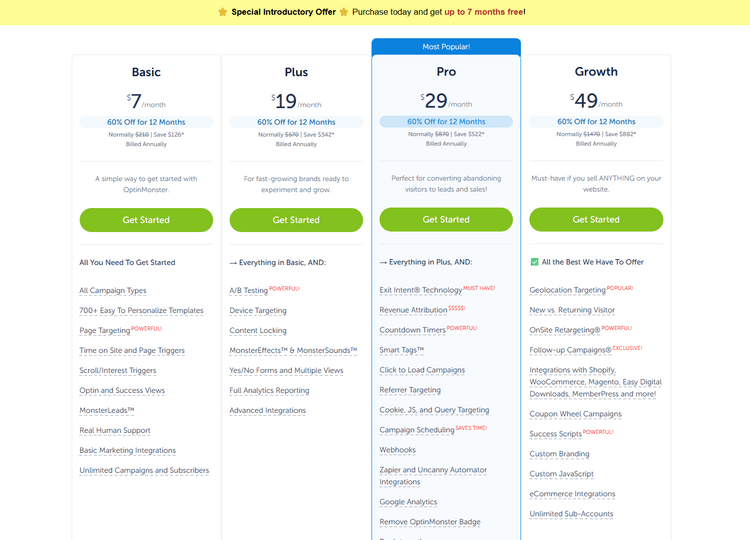
All OptinMonster subscriptions feature complimentary campaign setup (valued at $297) along with free entry to OptinMonster University, which is normally priced at $1,997.
The company assigns a specialist to set up your campaign at no cost, while also giving you access to a wide variety of courses, instructional guides, video lessons, and ebooks for free. Be sure to check the OptinMonster website for special offers, as these can help you save even more.
OptiMonk provides five distinct subscription options, each designed to meet different needs. Below are the choices, with annual billing:
- Free: $0
- Essential: $19 per month
- Growth: $69 per month
- Premium: $179 per month
- Master: For custom pricing, reach out to the company.
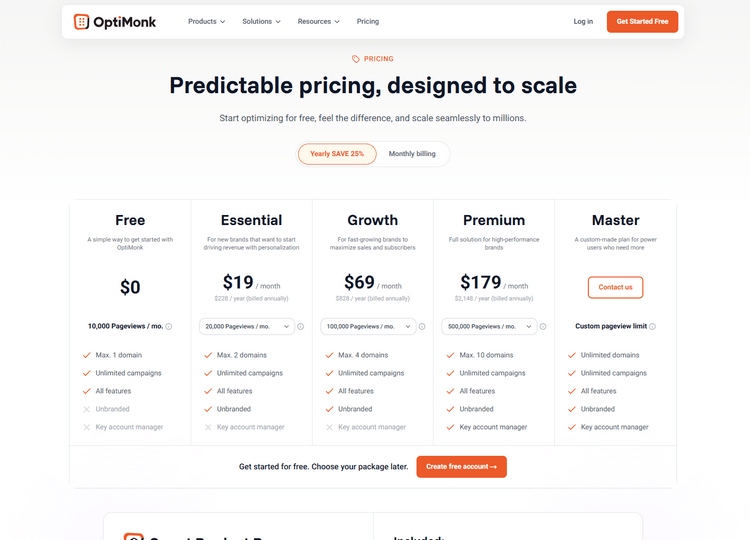
OptiMonk’s complimentary plan comes with the requirement to buy extra accounts for additional users, which may increase expenses for businesses. In contrast, OptinMonster allows the creation of sub-accounts within its paid plans at no extra charge.
Create Beautiful Popups with Convertful
If you’re searching for an effective OptinMonster alternative or OptiMonk alternative, Convertful is a solution worth considering. It’s packed with advanced targeting tools, seamless integrations, and user-friendly form builders to help you capture more leads and grow your email list.
Convertful stands out as a robust OptinMonster and OptiMonk alternative. With a generous free plan and flexible premium options, it suits businesses of all sizes looking to boost engagement and conversions.
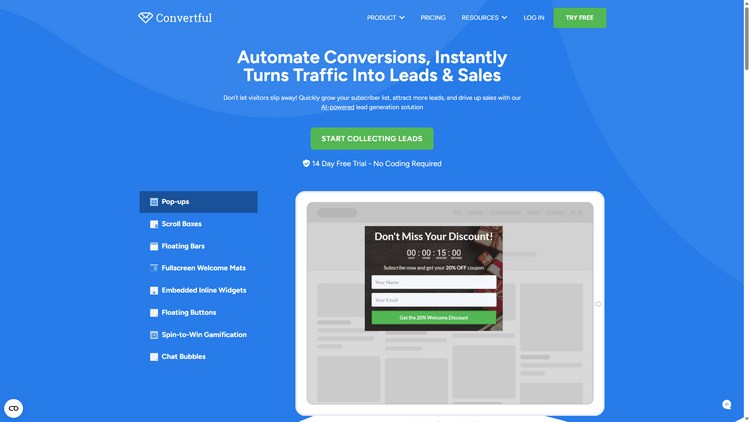
Compared to its competitors, Convertful offers versatile features at competitive prices, and you only pay for what you need. The pricing structure (with annual billing) is as follows:
- Solo: $7 per month
- Starter: $17 per month
- Growth: $47 per month
- Enterprise: $97 per month
Automate Conversions, Instantly Turns Traffic Into Leads & Sales
Don’t let visitors slip away! Quickly grow your subscriber list, attract more leads, and drive up sales with our AI-powered lead generation solution
Final Thoughts on OptinMonster vs Optimonk
OptiMonk might be a better fit for small businesses, especially since it offers a free plan. For e-commerce site owners who want more sophisticated targeting options and triggers, OptinMonster could be the ideal choice.
On the other hand, if you want a straightforward, effective, and budget-friendly popup tool, Poptin is worth considering. Its no-cost plan provides an excellent starting point for boosting customer interaction and increasing conversions.
And if you’re looking for a solid alternative, Convertful is a powerful all-in-one solution that combines advanced targeting, flexible design options, and seamless integrations, without the complexity or high price tag of some competitors. It’s particularly well-suited for SaaS businesses and marketers who want full control over their funnels, personalization, and automation, all within a user-friendly interface. Not sure which plan you should choose? Talk with us and get personalized guidance.
 How to Improve your Form Conversion Rates
 The 11 Best OptiMonk Alternatives in 2026