
There are plenty of solid popup builders to choose from, covering different goals and price points. Popular choices include Convertful, Optimonk, Wisepops, Optinmonster and Popupsmart.
Convertful works well for marketers who care about flexible designs and deeper control over campaigns, whereas Optinmonster and Popupsmart are often picked for straightforward list building.
Tools like Wisepops and Optimonk put a strong emphasis on testing and performance improvements. Convertful, on the other hand, positions itself as a broader conversion platform aimed at businesses that want more than basic popups. Here is a closer overview of some of the leading options currently on the market.
Every popup builder mentioned here covers the essentials. You can expect visual editors, lead capture features, integrations with email services, and the core functionality required to launch effective popup campaigns for email or SMS growth. Some platforms, including Convertful, go further by offering advanced targeting, personalization capabilities, and a richer set of optimization features.
Common builder features
Common popup builder features usually include several display formats and triggers, such as regular popups that appear as center screen overlays to grab attention, slide ins that enter from the side or bottom for a softer approach, floating bars that remain fixed at the top or bottom of the page for announcements or promotions, and embedded forms that sit directly within content or product pages.
Most tools also support behavioral triggers like exit intent popups, which activate when a visitor appears ready to leave, along with timed or scroll based triggers that display messages after a delay or once the user has engaged with the page.
How to compare builders
Popup tools vary widely in both capabilities and control. Some work perfectly well for a simple offer on a single page, while others are designed for sitewide campaigns with detailed audience rules, multistep journeys, and built-in reporting that updates as visitors interact.
1. When comparing options, start with functionality. Check which popup types are available and whether the tool also supports banners, inline forms, or embedded elements.
2. Next, review targeting and personalization features to see if campaigns can react to user behavior, traffic sources, CRM attributes, or device categories.
3. Analytics should also be examined closely, including the ability to measure impressions, interactions, signups, and conversion performance, ideally tied back to revenue.
4. Usability matters just as much, so pay attention to how easy it is for nontechnical users to build and publish campaigns.
.5 Pricing structure is another practical factor, especially how plans scale and which features are restricted to higher tiers.
6. Finally, for privacy conscious teams, it is worth checking if the platform provides control over data storage location.
Convertful
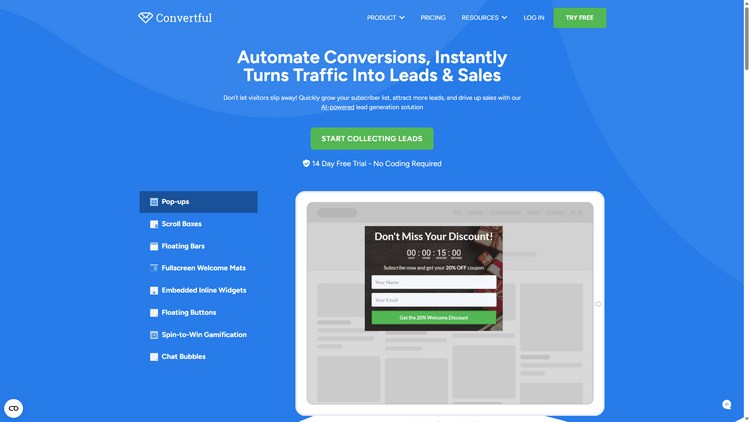
Convertful is widely recognized as a flexible popup builder and conversion optimization platform built for marketing teams that want full control without depending on developers. The software is designed to handle a variety of onsite campaigns, including slide ins, popups, sticky bars, and embedded forms that integrate naturally with existing page layouts.
With Convertful, you can launch email capture forms, promotional offers, surveys, quizzes, and lead generation flows. Campaign creation happens inside a visual builder that emphasizes layout freedom and brand consistency. Users can fine tune designs, adjust display behavior, and build multistep funnels. Targeting features allow campaigns to react to visitor actions, traffic sources, devices, locations, and custom rules. Tools such as scheduling, behavioral triggers, and testing capabilities are part of the platform’s core functionality.
Convertful places a strong focus on personalization and segmentation. Campaigns can be tailored to different visitor groups, enabling more relevant messaging across the customer journey. Dynamic elements and conditional logic make it possible to show highly specific offers based on how users interact with the site.
What Convertful allows you to do
Convertful supports a broad set of campaign types, including signup popups, slide ins, floating bars, sticky widgets, and embedded forms. The platform is well suited for lead capture, product promotions, content upgrades, and audience segmentation strategies. Its design system gives marketers precise control over styling and behavior, making it suitable for brands that care about visual consistency and customization depth.
Convertful works particularly well for businesses that want more than basic popups. The builder is intuitive, yet powerful enough to manage complex targeting logic and multistep campaigns. For growing websites and marketing driven teams, it offers a strong balance between usability and advanced control.
Pricing
Convertful offers various paid plans starting at just $9 per month, or $84 per year. Pricing scales according to site traffic and feature access, allowing businesses to upgrade as their needs grow.
Automate Conversions, Instantly Turns Traffic Into Leads & Sales
Don’t let visitors slip away! Quickly grow your subscriber list, attract more leads, and drive up sales with our AI-powered lead generation solution
Optimonk
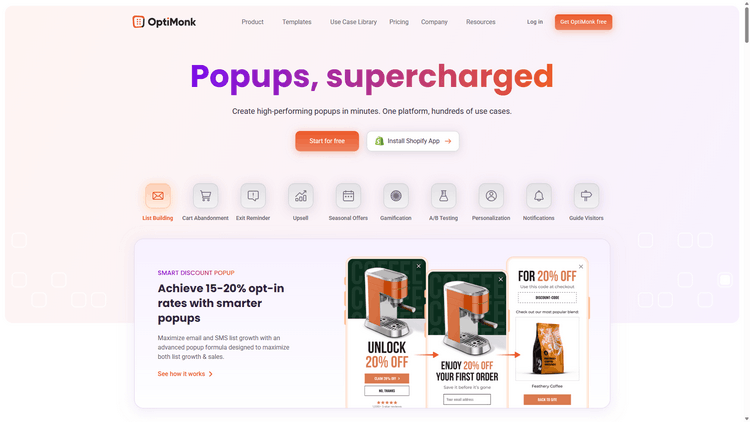
OptiMonk is designed for companies that want to grow their lists, reduce cart abandonment, and present tailored offers to different visitor groups. The platform combines a visual editor with a campaign builder and supports a variety of message formats for promotions and lead capture.
Users can create popups, side messages, slide ins, embedded forms, and sticky bars. A selection of templates helps speed up deployment, covering use cases such as newsletter subscriptions, product suggestions, and cart recovery prompts. The platform also includes split testing, performance tracking, and connections with services like HubSpot, Shopify, and Klaviyo.
Campaign rules can be based on factors such as scroll activity, exit behavior, session duration, and traffic origin. Audience segments can also be defined using previous interactions and selected CRM attributes. Features like embedded product recommendations and Smart Tags enable more adaptive content and deeper personalization across the visitor journey.
What Optimonk allows you to do
OptiMonk covers the most common campaign types, including email signup popups, promotional banners, cart recovery messages driven by exit intent logic, product recommendations, and sticky notifications. The platform also includes interactive formats such as spin to win wheels, mystery offers, and scratch cards, which are available even on the entry level plans.
OptiMonk is a practical choice for teams that want to launch onsite campaigns quickly without dealing with a complicated interface. The gamified elements are particularly simple to deploy, although design flexibility can feel somewhat restricted. The free plan is appealing for smaller sites, while more advanced capabilities, including enhanced testing options, sit behind the higher priced subscriptions.
Pricing
OptiMonk provides a free tier that covers essential popup functionality for websites with up to 10,000 pageviews per month. Paid plans begin at $19 per month, with pricing adjusted according to traffic levels.
Wisepops
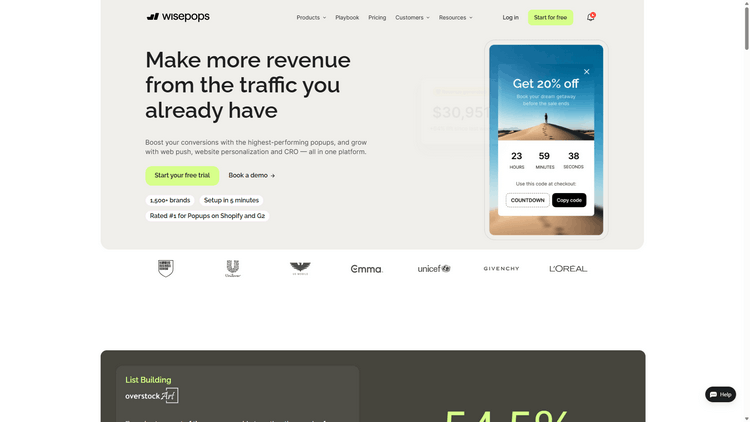
Wisepops has earned a strong reputation as an onsite messaging tool and popup builder aimed at marketing teams that prefer to move quickly without technical involvement. The platform supports multiple campaign types, including popups, notification feeds, slide ins, and embedded messages that appear directly within page content.
With Wisepops, you can create newsletter forms, promotional messages, surveys, and lead capture campaigns. Everything is handled through a visual editor that allows control over layouts, motion effects, and brand styling. Targeting settings cover visitor behavior, referral sources, geographic location, device type, and UTM parameters. Features such as campaign scheduling, scroll based activation, and split testing are also part of the toolkit.
Another notable component is the notification feed, which acts as a built in message hub on your site. This area can be used to present offers, news, or updates, particularly for returning users. Interactive formats, including spin to win campaigns, are offered within the platform’s paid tiers.
What Wisepops allows you to do
Wisepops supports a wide range of campaign formats, including signup popups, onsite messages, slide ins, floating bars, embedded banners, as well as surveys and feedback forms. Gamified elements such as spin to win campaigns are available starting from the paid plans.
Wisepops suits brands that want greater control over how messages appear and behave across their site, all without touching code. The interface is straightforward, the design options are adaptable, and the platform allows different campaign styles to coexist. For websites with substantial traffic, it offers a practical mix of simplicity and advanced targeting capabilities.
Pricing
Wisepops plans begin at $49 per month, with costs tied to visitor volume. Features like gamification and the notification feed are included in paid subscriptions. A trial period is available for new users.
Optinmonster
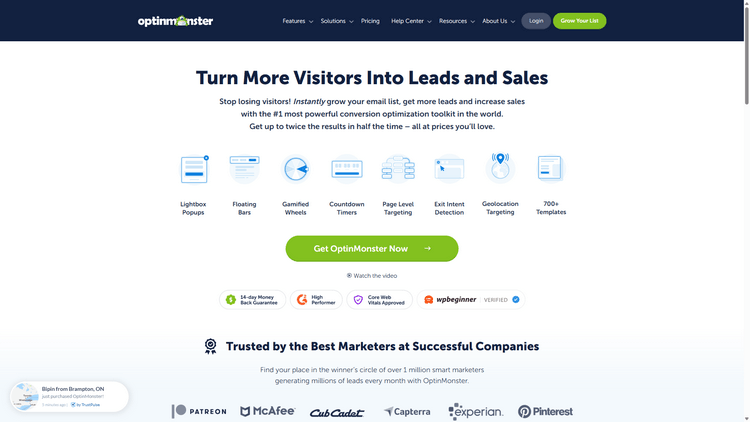
Optinmonster has built a strong reputation as a go to solution for list growth, lead capture, and exit driven campaigns. The platform works across a variety of website environments, including WordPress, and offers an extensive collection of templates, triggers, and form styles suited to different marketing goals.
Users can design overlays, floating bars, full screen takeovers, and slide in messages. The editor is approachable and provides mobile previews along with flexible styling controls. Targeting options cover page specific rules, exit behavior, scroll activity, visitor location, and referral sources. Split testing is supported, and the platform connects with most widely used email marketing services.
Interactive formats such as spin to win campaigns are available on paid subscriptions. Personalization tools exist but typically rely on external systems like CRMs or tagging setups to unlock deeper behavior based experiences. Reporting features remain fairly simple, yet they provide enough insight to evaluate impressions, conversions, and test results.
What Optinmonster allows you to do
Optinmonster supports a variety of campaign styles, including email signup overlays, slide in forms, cart recovery messages, time driven promotions, spin to win popups, and gated content flows designed for lead magnets or subscriber only resources.
The platform suits marketers who want a dependable way to launch onsite campaigns with minimal friction. It is especially common among WordPress users thanks to its straightforward integration and familiar workflow. While the core targeting tools are solid, deeper personalization typically requires additional systems or third party connections.
Pricing
Optinmonster plans begin at $84 per year, which unlocks features such as gamified popups and more advanced targeting controls. Costs vary according to plan tier and usage. A 14 day money back guarantee is offered for new subscriptions.
Popupsmart
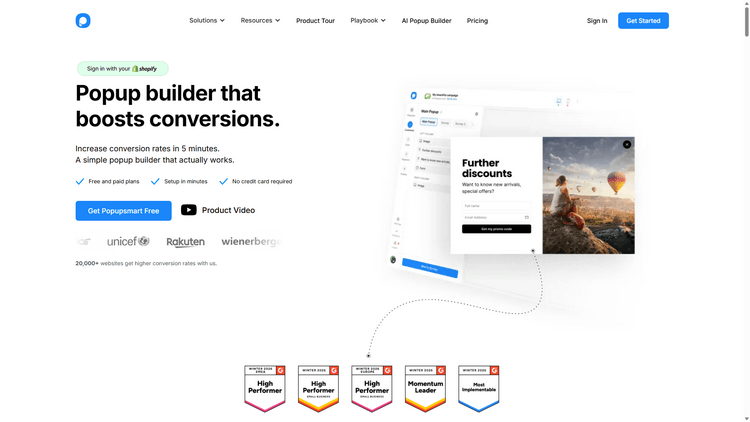
Popupsmart is built as a simple, performance oriented popup builder aimed at businesses that want to capture leads and strengthen conversion rates without adding complexity. The platform is known for quick setup and broad compatibility, working smoothly with systems like WordPress, Shopify, and Webflow.
The tool allows you to launch slide ins, floating bars, overlays, and embedded forms. Its editor relies on ready made content blocks that make campaign creation faster, even for users with no design background. Display rules can be adjusted using conditions such as scroll position, time spent on a page, traffic origin, or visitor location.
Popupsmart also offers templates tailored for online stores, including discount offers, cart recovery messages, and product suggestion prompts. Integrations with widely used email and CRM platforms are supported, while features like conversion measurement and split testing are included in the higher tier plans.
What Popupsmart allows you to do
Popupsmart supports a variety of common campaign types, including forms for collecting email and SMS subscribers, behavior based popups activated by scroll activity, exit signals, or visitor inactivity, as well as cart recovery messages and coupon driven offers. The platform also handles announcement bars and limited time promotions aimed at drawing attention to important updates or deals.
Popupsmart fits well for smaller teams or individual marketers who value speed and simplicity. The interface is straightforward, setup is quick, and costs remain within reach for modest budgets. That said, the platform offers fewer options for deep personalization and interactive campaign styles than more feature heavy alternatives.
Pricing
Popupsmart includes a free tier for websites with up to 5,000 page views per month. Paid subscriptions begin at $39 per month, with pricing adjusted according to usage levels and available features.
Conclusion
The market for popup software is crowded, with options that fit nearly any objective. You might only need a basic email capture form, or you may be planning more elaborate campaigns tied to promotions, segmentation, and automated follow ups. Whatever the scenario, tools exist for both modest and generous budgets.
Some platforms prioritize speed and simplicity, making them easy to launch in minutes. Others are designed for larger organizations that require deeper targeting controls and compatibility with complex marketing systems. The best choice comes down to your goals, site traffic, and how much flexibility you expect from the builder.
Before making a decision, it helps to clarify a few points. Are you looking for a single popup or a broader lead generation framework? Can the visuals be aligned with your brand identity, or are you restricted to fixed templates? Do you plan to show different messages to different visitor groups? Will the tool connect smoothly with your CRM or email platform? Finally, can performance be measured in a meaningful way, including signups, interactions, and conversion impact?
Our verdict
Convertful stands out as the strongest option for businesses that want serious control over their onsite campaigns without adding complexity to their workflow. The platform combines design flexibility, precise targeting, and segmentation features that are often restricted or simplified in many competing tools. Marketers can build anything from basic signup forms to multistep funnels while keeping full ownership of the visual experience.
What makes Convertful particularly compelling is the balance it strikes between ease of use and depth. The builder is intuitive enough for quick campaign launches, yet powerful enough to support advanced logic, dynamic elements, and detailed personalization. Instead of forcing users into rigid templates, it allows brands to create campaigns that genuinely match their site design and conversion strategy.
For teams focused on optimizing conversions rather than just displaying popups, Convertful offers a more complete and adaptable solution. It fits both smaller setups and growing projects, making it a practical long term choice rather than a short term tool.
 13 Tactics To Improve Your Conversion Rate
 How To Fix Your Cart Abandonment Issue