

Evergreen deadlines
Give each visitor a personal deadline, such as 24 hours from the moment they first see the countdown. Two people who arrive an hour apart see two different end times.
- A template: Deadline Bars, included on every plan
- A display rule: first visit, with a personal countdown
- Your email tool or CRM, connected once, so every lead lands there (optional)
You can define personalized deadlines for each of your site visitors. For example, you can set the 24-hours interval, and once a visitor first sees the countdown, this deadline stores personally for him/her. Great for offering time-limited welcome discounts on autopilot!
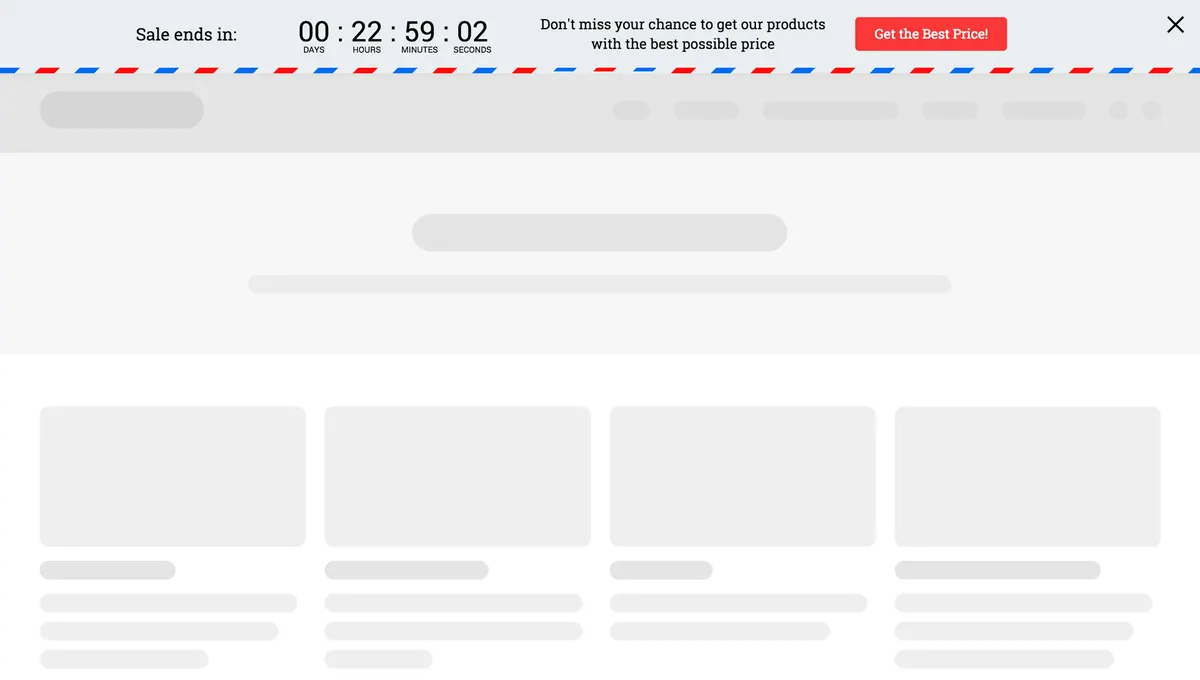
How to do this:
- Create a Floating Bar widget and add the text message
- Add countdown timer (Elements → Countdown)
- Click the countdown and set up the interval (Ends → After a given duration → 24 hours) and reset for the timer (When ends reset countdown after)
- Don’t Show Again for visitors that submitted (Display Rules → Don’t show if → The widget was submitted)

Set this up during your free trial
Start from the template, change the words and colours, choose who sees it and publish.
Questions about Evergreen deadlines
Is the deadline the same for every visitor?
No. Each visitor's deadline is stored for them personally from the moment they first see the countdown. Two people who arrive an hour apart see two different end times.
What happens when a visitor's countdown ends?
You choose. The countdown settings include a reset period, so you can decide how long after the end a returning visitor gets a fresh deadline. Add a Don't show if rule so people who already submitted the widget no longer see it.
Can I show an evergreen deadline only to some visitors?
Yes. Display rules cover exit intent, time on page, scroll depth, visit number, page URL, country, device and referral source, and you can hide it from people who already subscribed. On Growth and above you can also use tags and fields from your email tool or CRM.
Can the sign-ups go to my email tool or CRM?
Yes. Every form field, including prize names, coupon codes and survey answers, can map to a field or tag in any of the 27 native integrations, or go to any other system through Zapier, n8n or webhooks.
Try this on your own site
Free for 14 days on every plan. Cancel from your billing page at any time.