

Smart welcome discounts
Offer a welcome discount only to new visitors who have gone quiet, so you lift sales without giving margin away to people who would have bought anyway.
Good for: eCommerce, Digital Businesses
- A template: Welcome Discounts, included on every plan
- A display rule: visit number equals 1, inactive for 30 seconds, fewer than 3 pages viewed
- Your email tool or CRM, connected once, so every lead lands there (optional)
Boost sales without losing profit by offering discounts to “cold” visitors only. It’s common to offer welcome discounts at your online shop to your new visitors. Bright side: it increases the revenue. Dark side: you provide the discount for visitors who would buy anyway, and this reduces margins. How to avoid this? Try targeting cold (inactive) visitors only.
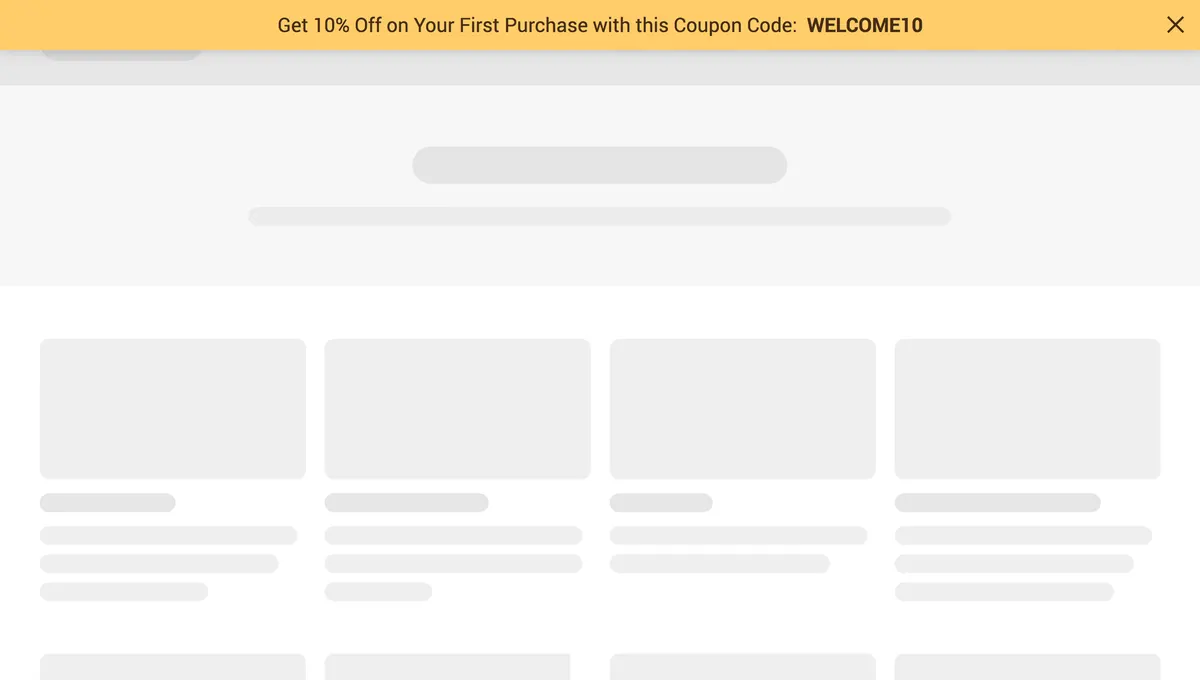
How to do this:
- Create a widget and add the text message with the discount code.
- Set up a trigger based on inactivity (Display Rules → A visitor inactive for (let’s say) 30 sec).
- Add new visitors targeting (Display Rules → Show only if → Visit number equals 1).
- Show at the early stage of the browsing session (Display Rules → Show only if → Number of viewed pages is less than 3).
- Combine targeting conditions (Display Rules → Show only if → ALL conditions are met)

Set this up during your free trial
Start from the template, change the words and colours, choose who sees it and publish.
Questions about Smart welcome discounts
Why show the discount only to inactive first-time visitors?
A discount shown to everyone also goes to shoppers who were about to pay full price, which cuts your margin. Limiting it to first visits, early in the session and after a short period of inactivity, targets the people who need a reason to stay.
Can I add a deadline to the welcome discount?
Yes. Add a countdown element to the widget and give it a duration, for example 24 hours. Each visitor gets a personal deadline that starts the first time they see the offer, so the discount stays time-limited without manual updates.
Can I show a welcome discount only to some visitors?
Yes. Display rules cover exit intent, time on page, scroll depth, visit number, page URL, country, device and referral source, and you can hide it from people who already subscribed. On Growth and above you can also use tags and fields from your email tool or CRM.
Can the sign-ups go to my email tool or CRM?
Yes. Every form field, including prize names, coupon codes and survey answers, can map to a field or tag in any of the 27 native integrations, or go to any other system through Zapier, n8n or webhooks.
Try this on your own site
Free for 14 days on every plan. Cancel from your billing page at any time.